80
PICTURE CONTROL
PICTURE CONTROL
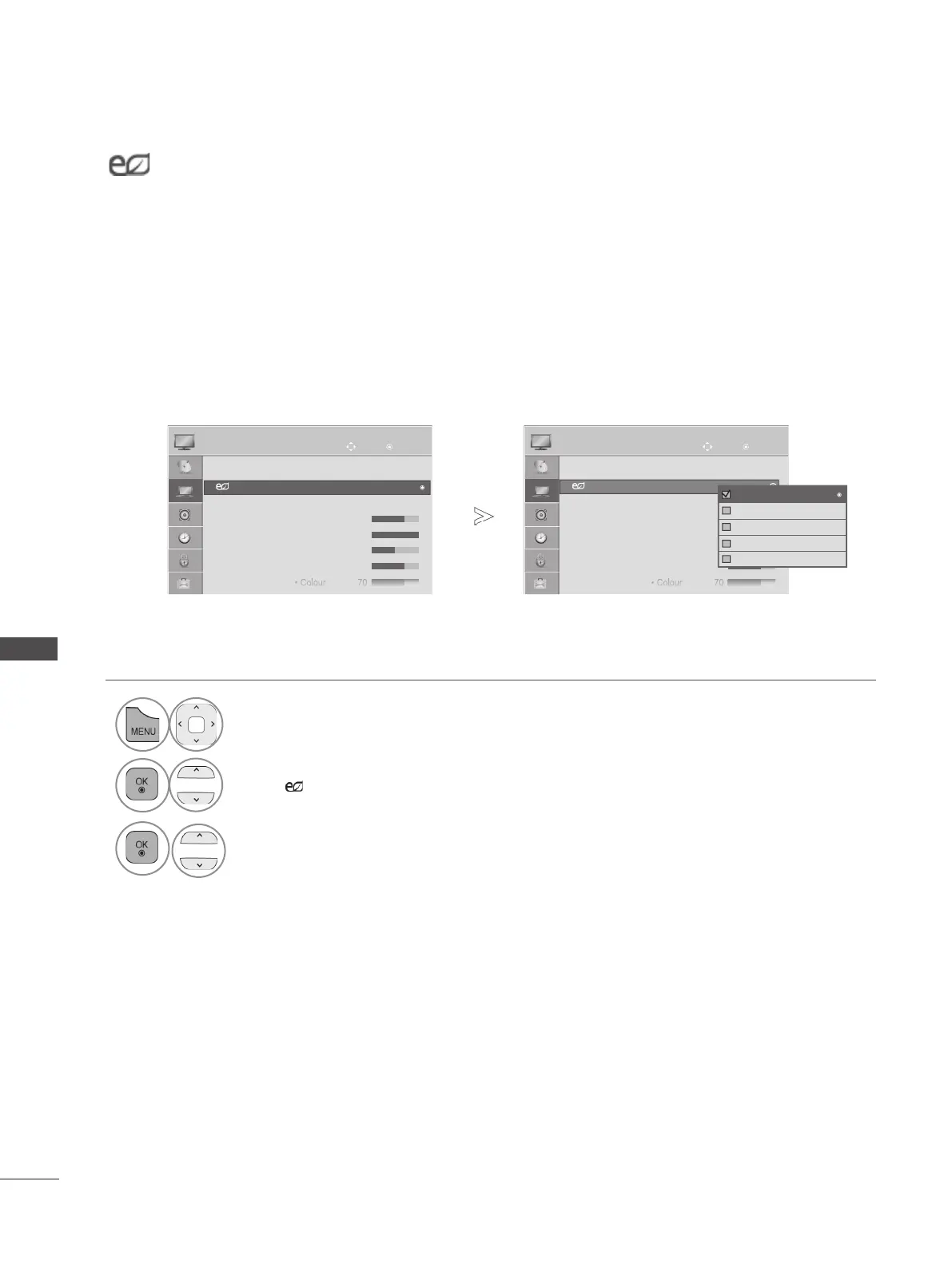
ENERGY SAVING
It reduces the TV’s power consumption.
The default factory setting is adjusted to the comfortable level to be viewed at home.
You can increase the brightness of your screen by adjusting the Energy Saving level or by setting
the Picture Mode.
When adjusting Energy Saving in MHEG mode, the Energy Saving setting is applied after MHEG is
finished.
Selecting ‘Screen Off’ while tuned to a radio station channel will reduce power consumption.
• Press the MENU/EXIT button to return to normal TV viewing.
• Press the BACK button to move to the previous menu screen.
1
Select PICTURE.
2
Select
Energy Saving.
3
Select Off, Minimum , Medium, Maximum or Screen Off.
OK OK
Move Move
● Aspect Ratio : 16:9
● Energy Saving : Off
● Picture Mode : Standard
• Backlight 70
• Contrast 100
• Brightness 50
• Sharpness 70
• Colour 70
● Aspect Ratio : 16:9
● Energy Saving : Off
● Picture Mode : Standard
• Backlight 70
• Contrast 100
• Brightness 50
• Sharpness 70
• Colour 70
PICTURE PICTURE
● Energy Saving : Off
►
►
● Energy Saving : Off
Off
Minimum
Medium
Maximum
Screen Off
Off
►
►


 To Next Page