PREPARATION
PREPARATION
30
32/37/42/47LD450, 32/42/47LD420, 32/42/47/55LD520, 42/47/55LD630
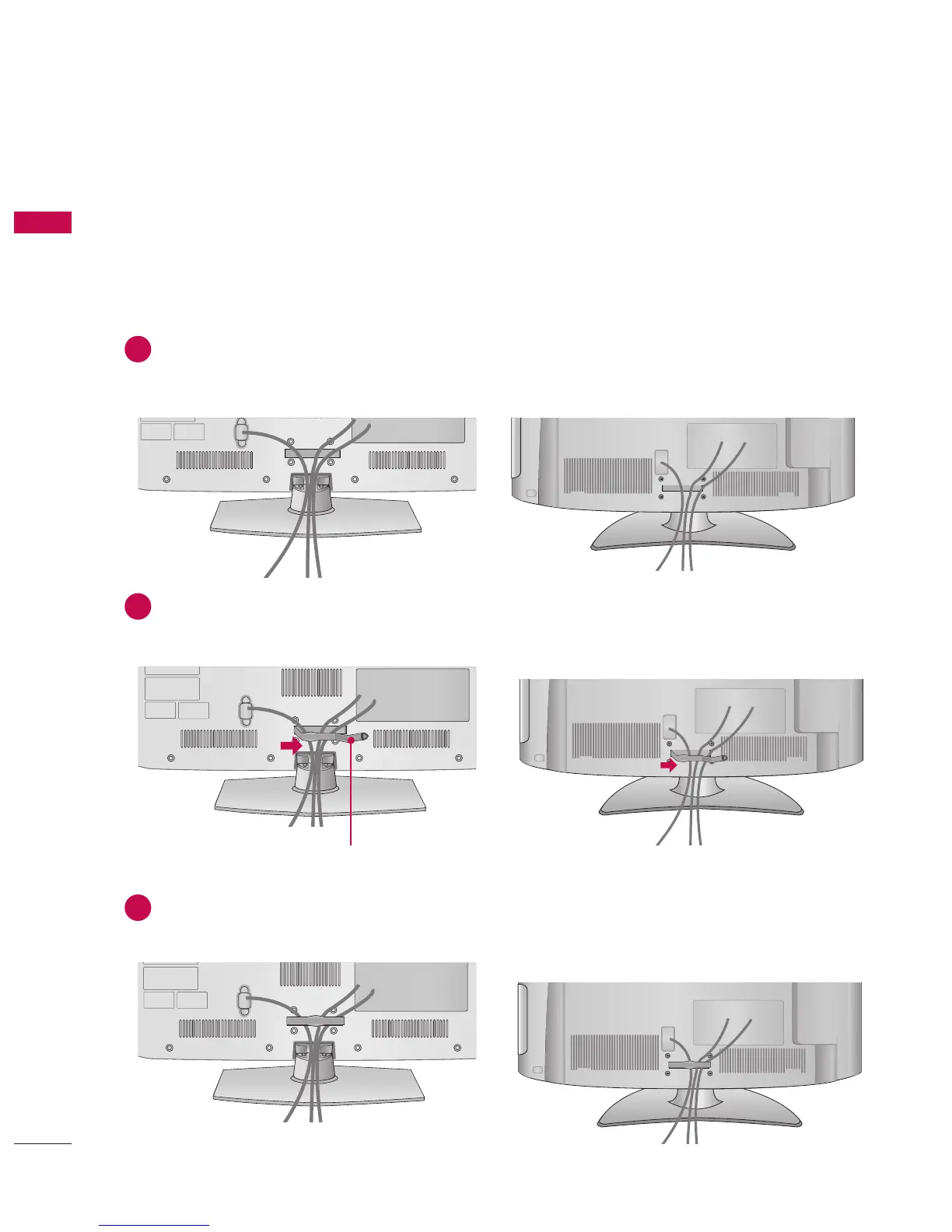
CABLE MANAGEMENT
Image shown may differ from your TV.
1
Connect the cables as necessary.
To connect additional equipment, see the
EXTERNAL EQUIPMENT SETUP section.
2
Open the CABLE MANAGEMENT CLIP as
shown.
3
Put the cables inside the CABLE
MANAGEMENT CLIP and snap it closed.
CABLE MANAGEMENT CLIP



 To Next Page