41
EXTERNAL EQUIPMENT SETUP
AUDIO OUT CONNECTION
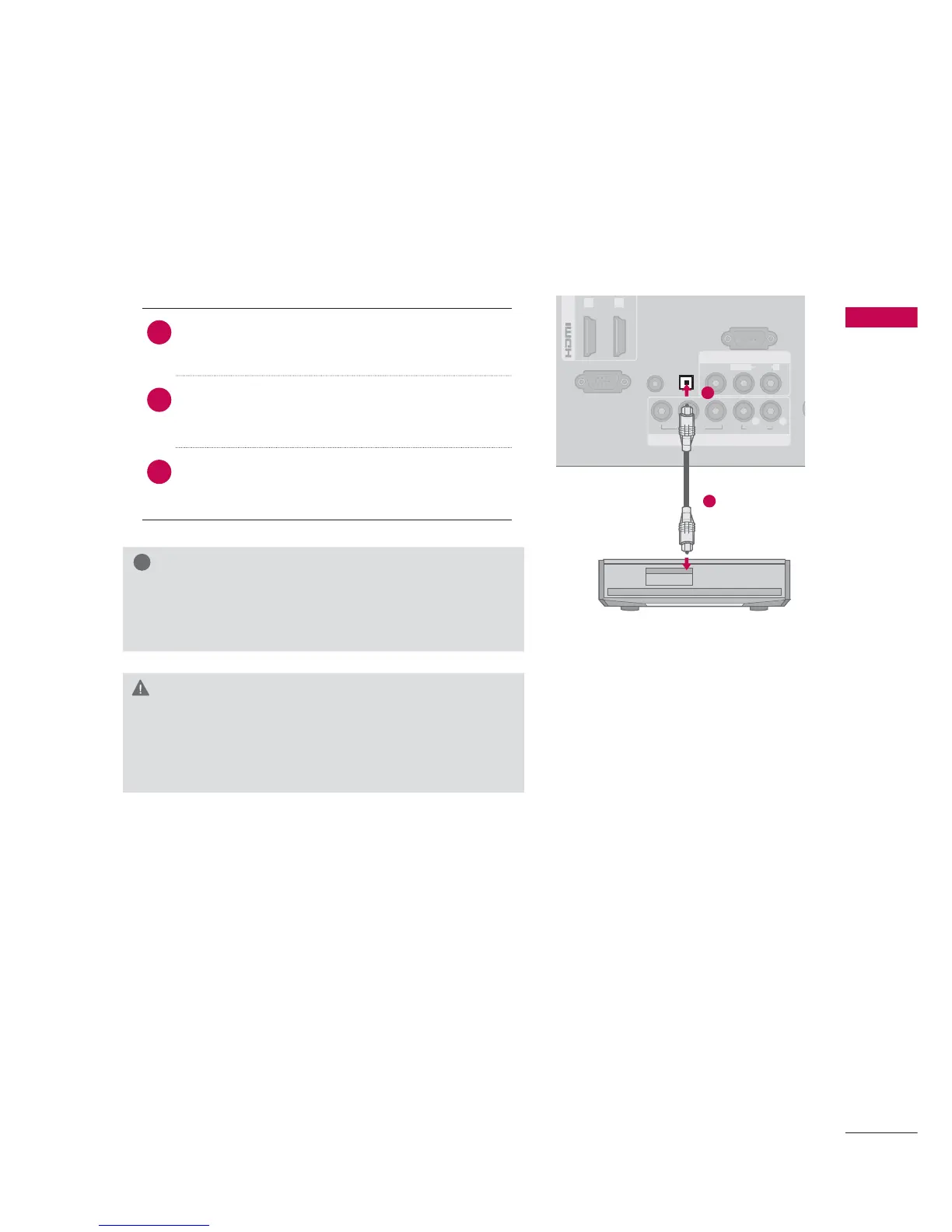
Send the TV’s audio to external audio equipment via the Audio Output port.
!
NOTE
► When connecting with external audio equipment, such
as amplifiers or speakers, you can turn the TV speakers
off in the menu. (
►p.116)
CAUTION
► Do not look into the optical output port. Looking at
the laser beam may damage your vision.
► Audio with ACP (Audio Copy Protection) function may
block digital audio output.
1. How to connect
1
Connect one end of the optical cable to the
TV port of OPTICAL DIGITAL AUDIO OUT.
2
Connect the other end of the optical cable to
the digital audio input on the audio equip-
ment.
3
Set the “TV Speaker option - Off” in the
AUDIO menu. (
►p.116). See the external audio
equipment instruction manual for operation.
A



 To Next Page