MY MEDIA
MY MEDIA
86
܁۽
BDMSJ
[
.%
܁
۽
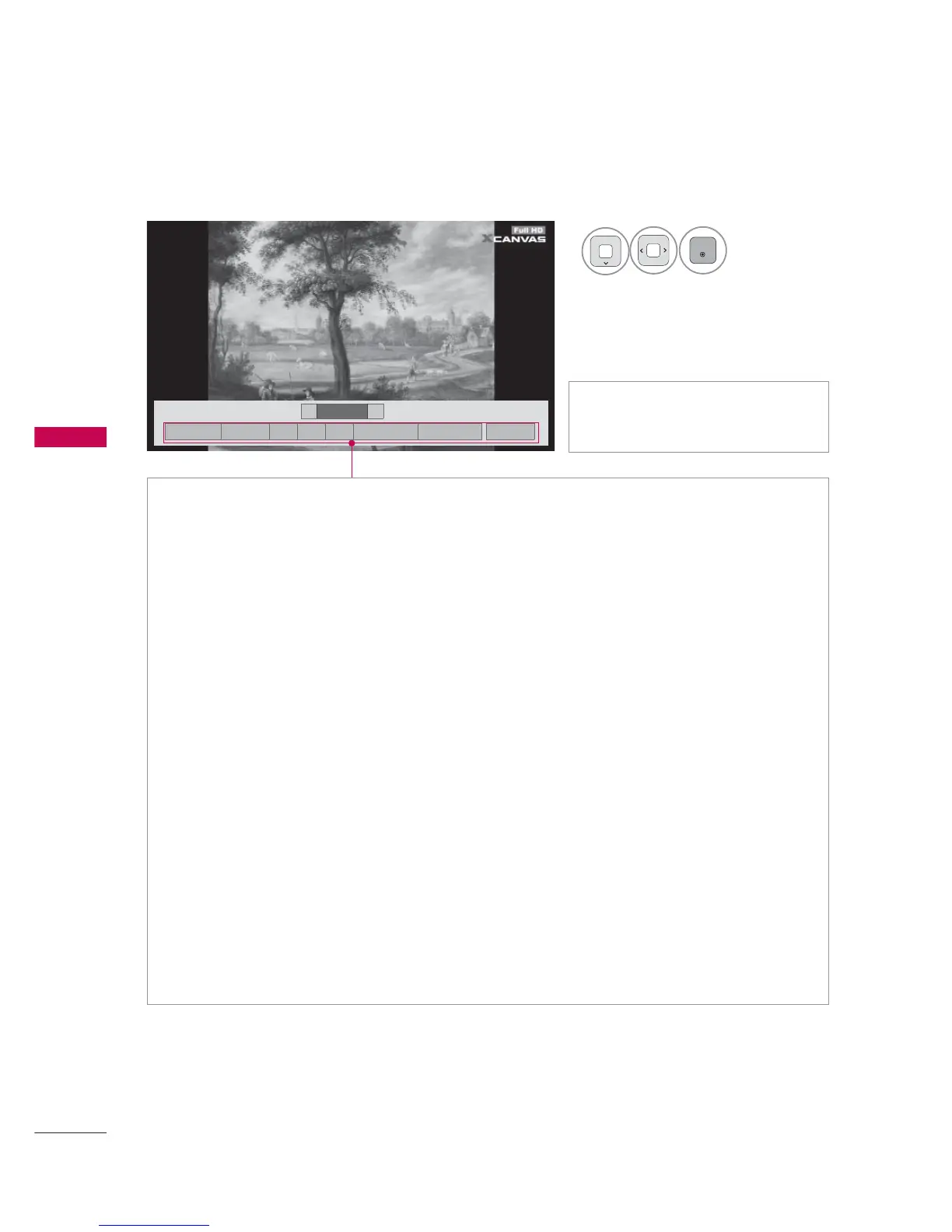
► Slideshow: Selected photos are displayed during the slide show. If no photo is selected, all photos
in the current folder are displayed during slide show.
ᯫ
Set the time interval of the slide show in Option-Set Photo View. menu.
ᯫ
You can adjust Option by using the Q.MENU button on the remote control.
►
BGM (Background Music): Listen to music while viewing photos in full size.
ᯫ
Set the BGM device and album in in Option-Set Photo View. menu.
ᯫ
You can adjust Option by using the Q.MENU button on the remote control.
►
ᱨ(Rotate) : Rotate photos.
ᯫ
Rotates the photo 90°, 180°, 270°, 360° clockwise.
ᯫ
Photo cannot be rotated if its width is greater than the available supported resolution height.
►
(Zoom In): View the photo by zoom in 2, 4 times by using Blue button.
►
ᰚ(Energy Saving): Increase the brightness of your screen by using ENERGY SAVING button.
►
Option : Set values for Slide Speed and BGM.
ᯫ
You cannot change BGM while BGM is playing.
► Hide : Hide the menu on the full-sized screen.
ᯫ
To see the menu again on the full-sized screen, press ENTER button to display.
► Exit : Move to the previous menu screen.
ᯫ
Use
!
button to select the previ-
ous or next photo.
4
Select the Slideshow,
BGM,
ᱨ(Rotate),
(Zoom In), ᰚ(Energy Saving),
Option, or Hide
.
6OLGHVKRZᱥ %*0ᱥ ᱨ ᰚ ᱭ2SWLRQ ᰙ+LGH ᰿([LW



 To Next Page