EasyManua.ls Logo

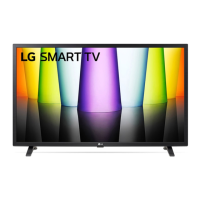
LG 32LQ630BPUA - User Manual

LG 32LQ630BPUA
25 pages
Print Icon
To Next Page IconTo Next Page
Loading...
ENGLISH_index
www.lg.com
Copyright © 2022 LG Electronics Inc.
All Rights Reserved.
The model and serial number of the product are located
on the back and on one side of the product. Record
them below in case you ever need service.
Model
Serial No.
32LQ630BPUA
32LQ630BAUA
Safety and Reference
OWNER’S MANUAL
Please read this manual carefully before
operating your set and retain it for
future reference.
LED TV*
* LG LED TV applies LCD screen with LED backlights.
Printed in Korea
*MFL718534322201REV01*
Supplier`s Declaration of
Conformity
Trade Name LG
Responsible
Party
LG Electronics USA,
Inc.
Address 111 Sylvan Avenue,
North Building,
Englewood Cliffs,
NJ07632
E-mail lg.environmental@
lge.com
LG Customer Information Center
For inquires or comments, visit www.
lg.com or call;
1-800-243-0000
USA, Consumer
User
1-888-865-3026
USA, Commercial
User
1-888-542-2623 CANADA
Register your product Online!
www.lg.com
Question and Answer IconNeed help?

Do you have a question about the LG 32LQ630BPUA and is the answer not in the manual?

Summary

Important Safety Instruction

Warning! Safety Instructions

Installation

Lifting and Moving the TV

Guidance on safely lifting and transporting the television to prevent damage.

Mounting on the Table

Instructions for placing the TV on a table, ensuring proper ventilation and stability.

Wall Mounting and Securing

Steps for safely securing the TV to a wall using brackets or mounts.

Starting TV

Turning on the TV

Basic steps and methods for powering on the television set.

Connections

External Device Connections

Overview of supported external devices and connection guidelines.

HDMI and USB Connections

Guidelines for connecting devices via HDMI and USB ports.

RS-232 C External Control Setup

Information on setting up external control via RS-232C for advanced users.

Specifications

Troubleshooting

Regulatory Information

Child Safety Guidelines

External Control Device Setup

USB to Serial Converter Setup

Details on connecting a USB to Serial converter for external control.

RS-232 C Cable Connection

Connection method using RS-232C serial cable for external control.

Command Reference

List of commands and their parameters for external device control.

Overview

This document serves as the Owner's Manual for an LG LED TV, specifically models 32LQ630BPUA and 32LQ630BAUA. It provides essential information regarding the TV's safety, installation, operation, troubleshooting, and regulatory compliance. The manual emphasizes the importance of reading and retaining the instructions for future reference, noting that the TV utilizes an LCD screen with LED backlights.

Function Description

The LG LED TV is designed for home entertainment, offering various functions for viewing television content and connecting to external devices. Key functions include:

  • Power Control: The TV can be powered on and off using a single button, which also allows access to menu controls.
  • Menu Navigation: Users can navigate and adjust settings through an on-screen menu system, accessible via the TV's physical button or a remote control.
  • External Device Connectivity: The TV supports connections to a wide range of external devices such as Blu-ray players, HD receivers, DVD players, VCRs, audio systems, USB storage devices, PCs, and gaming consoles. This is primarily achieved through HDMI and USB ports.
  • Antenna/Cable Connectivity: The TV can connect to an antenna, cable, or cable box for watching broadcast television.
  • Remote Control: The TV is designed to be operated with a remote control, enabling convenient access to various functions like volume, channel selection, input switching, and menu navigation.
  • External Control Device Setup: The TV supports external control via RS-232C, allowing integration with A/V control systems or computers for advanced management of its functions. This can be done using a USB-to-Serial converter or a direct RS-232C serial cable, depending on the model.
  • Picture and Audio Adjustments: Users can customize picture settings (e.g., aspect ratio, contrast, brightness, color, tint, sharpness, color temperature) and audio settings (e.g., equalizer, treble, bass, balance) to optimize their viewing and listening experience.
  • OSD (On Screen Display) Control: The TV allows for the remote control of its on-screen display, enabling users to turn the OSD on or off.
  • Remote Control Lock: A feature to lock the front panel controls and remote control, preventing unintended operation.
  • Energy Saving: The TV includes energy-saving modes to reduce power consumption, which can be adjusted through the PICTURE menu.
  • Channel Tuning: The TV supports tuning to analog and digital channels, including physical, major, and minor channel numbers, depending on the broadcast system (ATSC, DVB-T, ISDB-T, ISDB-BS).
  • Channel Add/Delete/Skip: Users can manage their channel list by adding, deleting, or skipping channels.
  • 3D Functionality (on applicable models): For 3D-capable models, the TV offers functions to switch 3D modes, adjust 3D options like picture correction, depth, viewpoint, color correction, sound zooming, and image view.
  • Auto Configure: A function to automatically adjust picture position and minimize image shaking, particularly useful in RGB (PC) mode.

Usage Features

The manual outlines several usage features designed to enhance the user experience:

  • Intuitive Button Control: A single button on the TV allows for basic power control and menu access, simplifying operation.
  • Comprehensive Remote Control: The remote control provides a wide array of buttons for direct access to various TV functions, including numeric keys for channel selection, dedicated buttons for input, menu, volume, mute, and picture/sound modes.
  • User Guide Access: A detailed USER GUIDE is embedded within the product, accessible through the TV's menu, providing in-depth information on installation, usage, troubleshooting, and specifications. This can also be downloaded from the LG website.
  • Optional Extras: The TV supports optional accessories like the Magic Remote Control (for models with Bluetooth functionality) for enhanced interaction.
  • HDMI and USB Connectivity: Standardized ports allow for easy connection of modern external devices, with recommendations for certified cables and specific dimensions for optimal connection.
  • RS-232C External Control: For advanced users or commercial installations, the RS-232C interface allows for programmatic control of the TV, enabling integration into larger control systems.
  • Flexible Installation Options: The TV can be mounted on a table or a wall, with clear instructions provided for both scenarios, including recommendations for proper ventilation and secure mounting.
  • Channel Management: The TV's ability to tune and manage a variety of analog and digital channels makes it adaptable to different broadcasting environments.

Maintenance Features

The manual provides crucial maintenance information to ensure the longevity and safe operation of the TV:

  • Cleaning Instructions: The TV should be cleaned gently with a soft, dry cloth. Users are advised against spraying water or liquids directly onto the TV, using harsh chemicals, or abrasive materials, which can damage the product and its panel.
  • Power Cord Care: Emphasizes protecting the power cord from physical abuse, ensuring it is securely connected, and grasping the plug (not the cord) when unplugging. Damaged or loose power cords should not be used.
  • Battery Safety: Instructions for safe handling and disposal of batteries, including keeping them out of reach of children, avoiding short circuits, disassembly, overheating, and disposal in fire.
  • Ventilation: Proper ventilation is critical to prevent overheating. The TV should not be installed in confined spaces, on carpets, or covered with cloth, and ventilation openings should not be blocked.
  • Environmental Protection: Advises against exposing the TV to direct sunlight, high humidity, heat sources, steam, oil, rain, wind, or excessively dusty places to prevent fire, electric shock, or product deformation.
  • Lightning Storm Precautions: Recommends unplugging the apparatus during lightning storms or when unused for long periods.
  • Professional Servicing: All servicing should be referred to qualified service personnel, especially if the apparatus is damaged, exposed to liquids, or not operating normally. Unauthorized modifications are strongly discouraged.
  • Safe Moving and Lifting: Detailed instructions for safely moving and lifting the TV, emphasizing the need for multiple people for larger TVs, avoiding pressure on the screen, and using original packing materials if possible.
  • Stability Hazard Warning: Comprehensive guidelines to prevent the TV from falling over, particularly concerning children, including using recommended stands/mounts, securing furniture, and routing cables safely.
  • Open Source Software Notice: Information on how to obtain source code for the open-source software used in the product, demonstrating LG's commitment to open-source principles.
  • Recycling Policy: LG Electronics offers e-waste take-back and recycling services in regions where regulations are in place, and voluntarily in others, to promote environmental protection and resource conservation.

LG 32LQ630BPUA Specifications

General IconGeneral
Screen shapeFlat
Response time- ms
Display diagonal32 \
Display brightness- cd/m²
Display resolution1366 x 768 pixels
Display technologyLED
Native aspect ratio16:9
Native refresh rate60 Hz
LED backlighting typeDirect-LED
Contrast ratio (typical)-
Supported graphics resolutions1366 x 768
Audio formats supportedAAC, AC3, EAC3, HE-AAC, MP2, MP3, PCM, WMA
High Dynamic Range (HDR) supportedYes
High Dynamic Range (HDR) technologyFilmmaker Mode, High Dynamic Range 10 (HDR10), Hybrid Log-Gamma (HLG)
Music appsSpotify, iHeartRadio
Video appsAmazon Prime Video, Apple TV, Disney+, HBO, Hulu+, Netflix, YouTube
Sports appsSports Alerts
Operating system versionwebOS22
Operating system installedWeb OS
Wi-Fi standardsWi-Fi 5 (802.11ac)
Audio decodersDolby Digital
RMS rated power10 W
Number of speakers2
PC in (D-Sub)No
HDMI ports quantity3
USB 2.0 ports quantity1
Consumer Electronics Control (CEC)SimpLink
USB 3.2 Gen 1 (3.1 Gen 1) Type-A ports quantity0
Digital signal format systemATSC
AC input voltage120 V
AC input frequency50 - 60 Hz
Power consumption (standby)0.5 W
Power consumption (typical)- W
Cables includedAC
Product colorBlack

Related product manuals