EasyManua.ls Logo

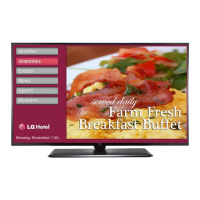
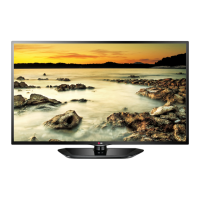
LG 32LX770M-UA - User Manual

LG 32LX770M-UA
27 pages
Print Icon
To Next Page IconTo Next Page
Loading...
Printed in KoreaP/NO : MFL69373706 (1512-REV00)
CHASSIS : LA5GI
MODEL : 32LX770M 32LX770M-UA
CAUTION
BEFORE SERVICING THE CHASSIS,
READ THE SAFETY PRECAUTIONS IN THIS MANUAL.
LED TV
SERVICE MANUAL
Internal Use Only

Other manuals for LG 32LX770M-UA

Questions and Answers

  • K
    Kimberly WalkerAug 13, 2025
    What to do if my LG 32LX770M-UA turns off suddenly?
    • M
      Michael MartinezAug 13, 2025
      If your LG LED TV turns off suddenly, it could be due to a few reasons. First, the power supply might be interrupted, so check the power control settings. Also, the Timer Power Off or Sleep Timer feature might be activated in the TIMERS settings. Finally, if there's no signal while the TV is on, it will turn off automatically after 15 minutes of inactivity.
  • C
    Christopher BrownAug 16, 2025
    Why is my LG TV remote not working?
    • B
      Brandon StuartAug 16, 2025
      There are several reasons why your LG TV remote might not be working. First, ensure the remote is set to TV Mode using the MODE key. Then, aim the remote directly at the IR receiver on the TV from a closer distance, ensuring nothing is blocking the path. Dim the room light if there's too much light. Check and replace the batteries, making sure they are inserted with the correct polarity (+ and -). If applicable, connect the MPI cable to the MPI device. Finally, verify that the remote IR codes match the settings in your TV; if you're using an Installer Remote, ensure it's compatible and contact your LG representative if needed.
  • M
    Mark VillaAug 20, 2025
    Why my LG 32LX770M-UA LED TV remote control is not working?
    • L
      Laura RussellAug 20, 2025
      If you cannot control your LG LED TV with the remote, there might be a simple fix. First, check if anything, like tape, is covering the receiver. Then, make sure there are no obstacles between the remote and the TV. Finally, try replacing the batteries in the remote with fresh ones.
  • A
    awatsonAug 25, 2025
    What to do if my LG TV has no picture?
    • B
      Bradley BaxterAug 25, 2025
      If your LG TV has no picture, start by ensuring the TV is turned ON. Check that the antenna or cable is securely connected to the TV. Verify all connections to the TV are correct. If applicable, connect the MPI cable to the MPI device. If you're tuned to an encrypted program, try switching to another channel. Lastly, adjust the Installer Menu settings to ensure the correct tuning band is selected.
  • B
    Brittney RhodesAug 27, 2025
    Why does my LG TV have sound problems?
    • B
      Barry BurnsAug 27, 2025
      If your LG TV has a normal picture but poor or no sound, first, make sure the audio isn't muted by pressing the MUTE button or using the Volume Up key. If that doesn't work, try changing the channel in case there's a broadcast problem. Also, check that Installer Menu items 020 FEATURE LEVEL and 027 HOSPITAL MODE are set as required. If applicable, select TV Speaker in the Audio Menu.
  • J
    joshua21Aug 31, 2025
    How to fix no channels on LG TV after Express Script?
    • S
      singletonsharonAug 31, 2025
      If no channels are present on your LG TV after running the Express Script, it's likely that Auto Tuning was not run. Refer to the Express Script procedure. Auto Tuning must be run in order for the channel lineup to be populated. To reactivate the Express Script, restore the TV to a factory default condition.
  • W
    William VillanuevaSep 4, 2025
    What to do if my LG LED TV has no image and sound?
    • C
      Chase RichardsonSep 4, 2025
      If your LG LED TV shows no image and produces no sound, try these steps: Check if the TV is turned on. Verify that the power cord is securely connected to a wall outlet. To ensure the wall outlet is functioning correctly, connect other products to it.
  • P
    Philip HerreraSep 8, 2025
    Why can't I enter channel numbers directly on my LG TV?
    • G
      Gabriel StephensonSep 8, 2025
      If you cannot directly enter a channel number on your LG TV, it could be due to the TV being in Pass-through Mode with Installer Menu item 028 CH. OVERIDE set to 0 (disabled). To fix this, set CH. OVERIDE to 1 to allow direct keypad entry to all channels. Alternatively, if the TV is in FTG Mode, the channel you're trying to enter may not be included in the FTG Channel Map. In this case, make changes to the FTG Channel Map using the FTG File Manager or the FTG Device Configuration Application.

LG 32LX770M-UA Specifications

General IconGeneral
Screen Size32 inches
Resolution1920 x 1080
Display TypeLED
Smart TVYes
HDMI Ports2
USB Ports1
Wi-FiYes
Ethernet PortYes
Audio Output10W
Refresh Rate60Hz

Related product manuals