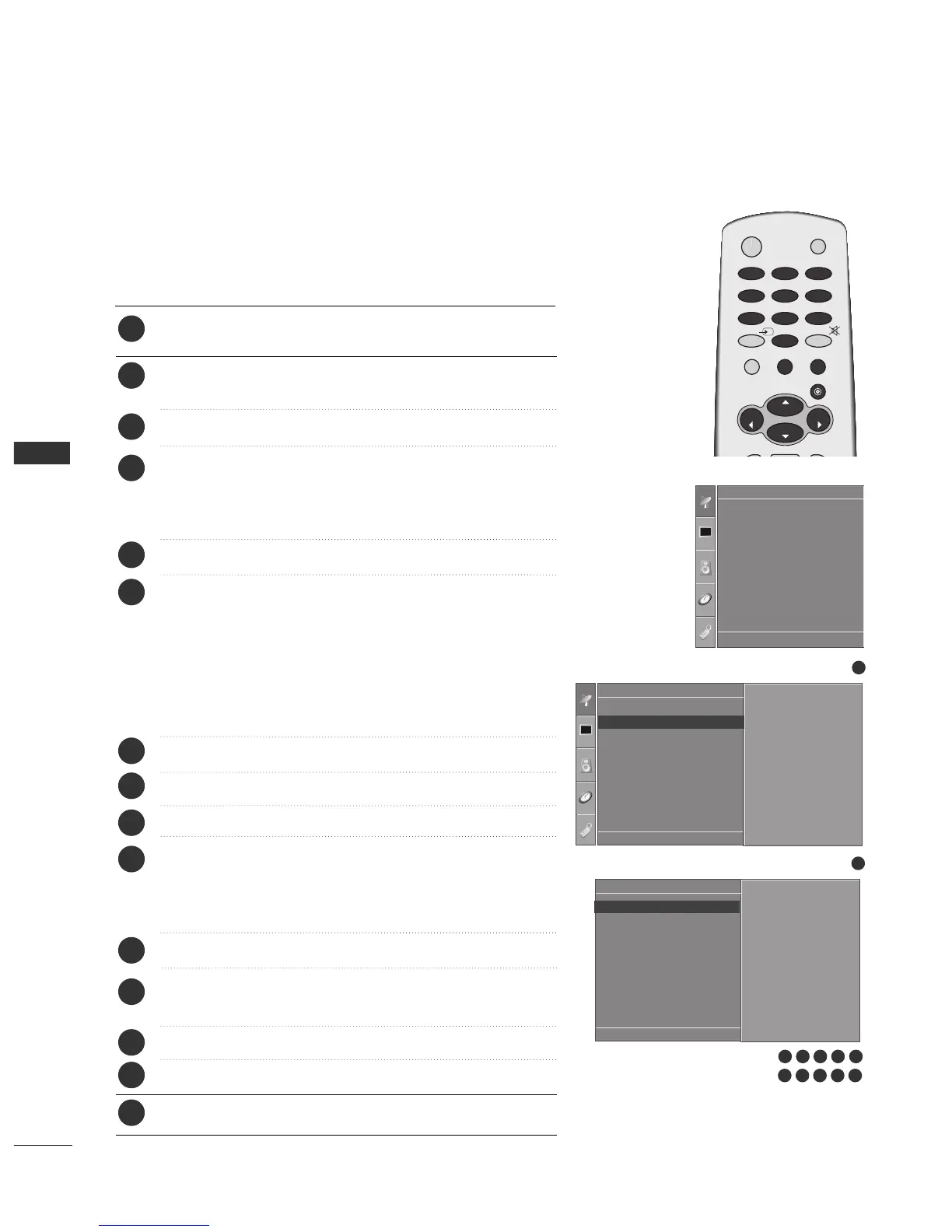
Press the
MMEENNUU
button and then
DD
//
EE
button to select the
Setup menu.
Press the
GG
button and then
DD
//
EE
button to select Manual
Tuning
.
Press the
GG
button and then
DD
//
EE
button to select Storage.
Press the
FF
//
GG
button or NUMBER buttons to select the
desired programme number (0 to 99). If you use NUMBER
buttons, any number under 10 is entered with a numeric ‘0’ in
front of it, i.e. ‘
0055
’ for 5.
Press the
DD
//
EE
button to select System.
Press the
DD
//
EE
button to select a TV system menu;
BG : PAL B/G, SECAM B/G (Europe / East Europe / Asia /
NewZealand / M.East / Africa / Australia)
I : PAL I/II (U.K. / Ireland / Hong Kong / South Africa)
DK : PAL D/K, SECAM D/K (East Europe / China / Africa / CIS)
L : SECAM L/L’ (France)
M : (USA / Korea / Philippines) (option)
Press the
DD
//
EE
button to select Band.
Press the
GG
button and then
DD
//
EE
button to select V/UHF or Cable.
Press the
DD
//
EE
button to select Channel.
You can select the desired programme number with the
FF
//
GG
button or NUMBER buttons. If possible, select the programme
number directly with the number buttons. Any number under
10 is entered with a numeric ‘0’ in front of it, i.e. ‘
0055
’ for 5.
Press the
DD
//
EE
button to select Search.
Press the
FF
//
GG
button to commence searching. If a station is
found the search will stop.
Press the
OO KK
button to store it.
To store another station, repeat steps
33
to
1133
.
Press the
EEXXIITT
button to return to normal TV viewing.
Manual programme lets you manually tune and arrange the sta-
tions in whatever order you desire.
1
2
3
4
5
6
7
8
9
10
11
12
13
14
15
1
Auto Tuning
Manual Tuning
Programme Edit
Favourite Programme
Setup
Manual Tuning
Storage
System
Band
Channel
Fine
Search
Name
Storage G
DE F G
OK MENU
2
Setup
Auto Tuning
Manual Tuning
Programme Edit
Favourite Programme
To Set
Manual Tuning G
DE F G
OK MENU
99
73 4 5 6
8 9
10 11 12
DE F G
OK MENU
WATCHING TV / PROGRAMME CONTROL



 To Next Page