PICTURE CONTROL
44
PICTURE CONTROL
•
1166::99
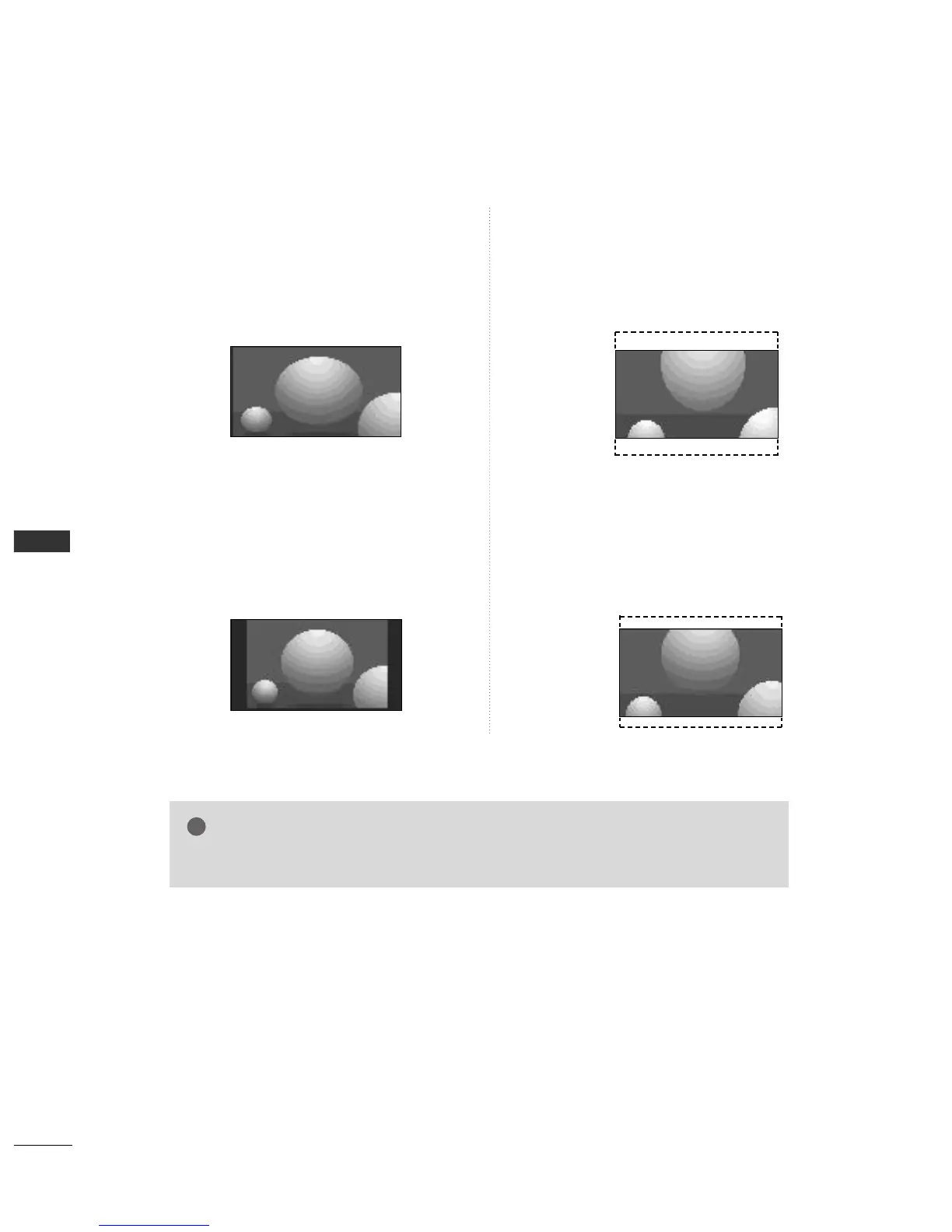
Following selection will lead you to adjust the picture
horizontally, in a linear proportion, to fill the entire
screen (useful for viewing 4:3 formatted DVDs)
.
•
1144::99
You can enjoy the picture format of 14:9 or general TV
programme through the 14:9 mode. The screen 14:9 is
viewed just like that the screen 4:3 is magnified to the
left / right.
•
ZZoooomm11
Following selection will lead you to view the
picture without any alternation, while filling
the entire screen. However, the top and bot-
tom portions of the picture will be cropped.
•
ZZoooomm22
Choose Zoom2 when you want the picture to
be altered, both horizontally extended and
vertically cropped. The picture taking a
halfway trade off between alteration and
screen coverage.
NOTE



 To Next Page