EasyManua.ls Logo

LG 32PC51 - Sound Setting Adjustment and Speaker Balance

LG 32PC51
78 pages
Print Icon
To Next Page IconTo Next Page
To Previous Page IconTo Previous Page
Loading...
SOUND & LANGUAGE CONTROL
59
1
Sound Mode
Auto Volume
Balance 0
TV Speaker
Audio
1
3 42
Audio
Sound Mode
Auto Volume
Balance 0
TV Speaker
Sound Mode G
DE F G
OK MENU
Surround MAX
Standard
Music
Movie
Sports
User
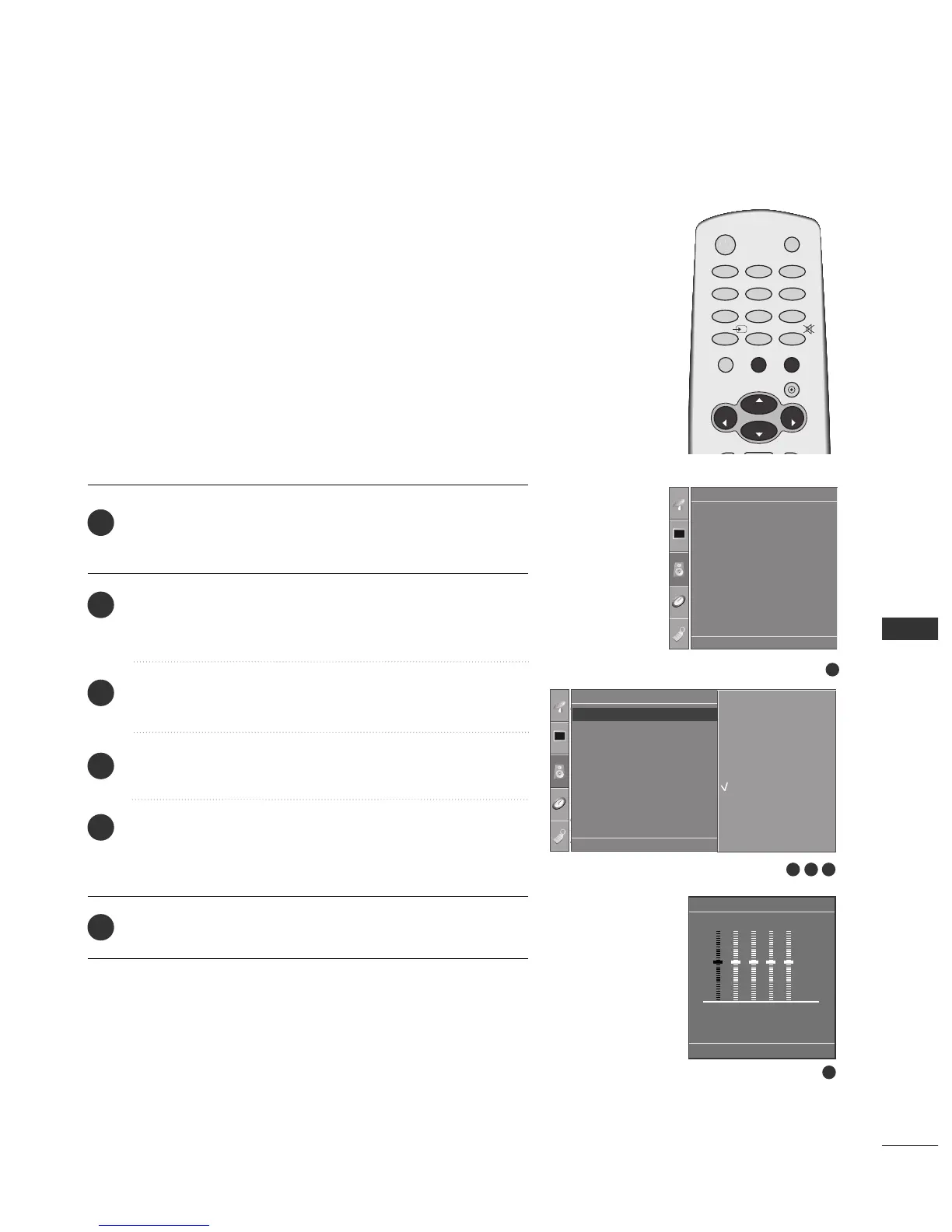
SOUND SETTING ADJUSTMENT -USER MODE
Press the
MMEENNUU
button and then
DD
//
EE
button to select
the
Audio menu.
Press the
GG
button and then
DD
//
EE
button to select
Sound Mode.
Press the
GG
button and then
DD
//
EE
button to select User.
Press the
GG
button.
Select a sound band by pressing the
FF
//
GG
button.
Make appropriate sound level with the
DD
//
EE
button.
Press the
EEXXIITT
button to return to normal TV viewing.
Adjust the sound equalizer.
User
DE F G
OK MENU
0.1 0.5 1.5 5.0 10 kHz
1
2
3
4
5
6
5
DE F G
OK MENU
OK
VOL
VOL
0
INPUT
MUTE
MENU
1
23
4
56
7
89
POWER
TV
RATIO
EXIT
PR
PR

Related product manuals