EasyManua.ls Logo

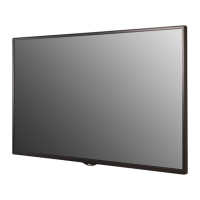
LG 32SE3D - User Manual

LG 32SE3D
135 pages
Print Icon
To Next Page IconTo Next Page
Loading...
AAA
P/No: MFL70040101 (1711-REV03)
*MFL70040101*
LG Digital Signage
(MONITOR SIGNAGE)
32SE3D 43SE3D 49SE3D 55SE3D 65SE3D
32SE3KD 43SE3KD 49SE3KD 55SE3KD 65SE3KD
43SH7DD 49SH7DD 55SH7DD
Depending upon country / Závisí na zemi / Afhængigt af landet / En función del país /
Maan mukaan / Selon pays / Abhängig vom Land / Ανάλογα με τη χώρα / Országfüggő /
Tergantung pada negaranya / A seconda del Paese / Елге байланысты / 지역에 따라 다름 /
Afhankelijk van het land / Avhengig av land / Zależnie od kraju / Dependendo do país /
В зависимости от страны / Závisí od krajiny / Beroende på land / 視國家, 地區而定 /
Ülkeye bağlı / Залежно від країни / Mamlakatga bog’liq ravishda / 国によって異なります /
Depende do país / הנידמב יולת /

Table of Contents

Other manuals for LG 32SE3D

Questions and Answers

  • D
    David ParksSep 2, 2025
    Why does the screen image look abnormal on my LG Digital Signage?
    • K
      Kevin HunterSep 2, 2025
      If the screen image on your LG Digital Signage looks abnormal, verify that the graphics card resolution and frequency are supported by the product. Also, make sure you are connecting the correct signal cable that matches the source input signal.
  • K
    Keith EnglishSep 1, 2025
    What to do if the audio function does not work on LG 32SE3D?
    • C
      Cassandra PerezSep 1, 2025
      If the audio function on your LG Digital Signage isn't working, first check if the audio cable is properly connected. Then, ensure the volume is adequately adjusted and the sound is set correctly. You may also want to select an appropriate equalizer sound and re-adjust the volume.
  • T
    Toni PettyAug 31, 2025
    Why is the screen color abnormal on my LG 32SE3D?
    • R
      Robert CooperAug 31, 2025
      If the screen color on your LG Digital Signage appears abnormal, ensure that the number of colors is set to more than 24 bits (true color) in Windows display settings (Control Panel > Display > Settings > Color Table). Also, check the connection status of the signal cable and try re-inserting the PC graphics card. Note that several pixels (red, green, blue, white, or black color) may appear on the screen, which is not a malfunction of the LCD, but a unique characteristic of the LCD panel.
  • T
    Tricia JuarezAug 30, 2025
    How to fix no image on LG Digital Signage?
    • B
      Brandon SpearsAug 30, 2025
      If your LG Digital Signage displays no image, start by ensuring the power cord is securely plugged into the power outlet. Next, verify the signal cable connection. Also, press the INPUT menu on the remote control to confirm the correct input signal is selected. If the signal from your PC's graphics card is outside the product's vertical or horizontal frequency range, adjust the frequency range according to the specifications in the manual.
  • C
    Claire DickersonAug 29, 2025
    Why does after-image appear on my LG Monitor?
    • A
      Amanda GarciaAug 29, 2025
      An after-image appearing on your LG monitor can be due to a couple of reasons: * If a fixed image is displayed for an extended period, it can damage the pixels. Use the screen-saver function to prevent this. * Displaying a dark image after a high contrast image (black and white or gray) is normal behavior for LCD screens.
  • T
    Taylor PatelAug 28, 2025
    Why does the screen image look abnormal on my LG Monitor?
    • M
      Mark BellAug 28, 2025
      If the screen image on your LG monitor appears abnormal, it could be due to: * The graphics card resolution and frequency not being supported by the monitor. Check your graphics card settings. * The incorrect input signal being connected to the signal port. Ensure the signal cable matches the source input signal.
  • R
    Richard StuartAug 27, 2025
    Why does my LG Monitor screen color look abnormal?
    • B
      Brittany VazquezAug 27, 2025
      If the screen color on your LG monitor appears abnormal, try the following: * Set the number of colors to more than 24 bits (true color). In Windows, go to Control Panel > Display > Settings > Color Table. * Check the connection status of the signal cable. Note that the appearance of a few red, green, blue, white, or black pixels is normal for LCD panels and not a malfunction.
  • A
    aestradaAug 26, 2025
    What to do if the 'Unknown Product' message appears when my LG Monitor is connected?
    • R
      Raymond RothAug 27, 2025
      If the 'Unknown Product' message appears when your LG monitor is connected, check if the Plug and Play function is supported by referring to the graphics card user manual.
  • T
    Timothy HamiltonAug 25, 2025
    What to do if the operation does not work normally on my LG Monitor?
    • J
      josephsilvaAug 26, 2025
      If your LG Monitor isn't operating normally, check these: * See if the Timer is set. * Examine the power control settings. * Consider whether the power has been interrupted.
  • J
    Jamie MorganAug 25, 2025
    What to do if the audio function does not work on my LG Monitor?
    • D
      Daniel CarrollAug 25, 2025
      If the audio function on your LG monitor isn't working, consider these steps: * Check if the audio cable is properly connected. * Adjust the volume settings. * Ensure the sound is set correctly. * Select an appropriate equalizer sound. * Adjust the volume once more to ensure it's not muted or too low.

Summary

Safety Precautions

Precautions In Installing the Product

Safety measures to follow when installing the monitor to prevent injury or damage.

Precautions for AC Adapter and Electrical Power

Safety guidelines for handling power adapters and electrical connections to prevent shocks or fires.

Precautions For Moving the Product

Safety measures to take when relocating the monitor to prevent damage or injury.

Precautions For Using the Product

General safety advice for operating the monitor to avoid damage or hazards.

Mounting on a Wall

Safety advice and considerations for securely mounting the monitor on a wall.

Assembly and Preparation

Installing on a Wall

Instructions for mounting the monitor securely on a wall.

Remote Control

Making Connections

Troubleshooting

Installation Menu Features

Accessing the Installation Menu

Steps to enter the monitor's advanced installation settings menu.

LG Digital Signage Setup Options

Detailed setup options for configuring Digital Signage features.

System Reset and Control Options

Factory reset, OPS control, interface selection, and screen check.

USB Cloning

Password Change

Using the Monitor

Customizing Settings

PICTURE Settings

Adjust image quality, size, and effects for optimal viewing.

AUDIO Settings

Adjust sound quality, effects, and volume levels.

NETWORK Settings

Configure wired and wireless network connections.

To Control Multiple Products

Command Reference and Protocols

List of RS-232C commands, data formats, and transmission protocols.

LG 32SE3D Specifications

General IconGeneral
Screen Size32 inches
Panel TechnologyIPS
Viewing Angle (H x V)178° x 178°
OrientationPortrait & Landscape
Operating Hours16/7
Color Gamut72%
Operating Temperature0°C to 40°C
Weight5.7kg
Resolution1920 x 1080
Response Time12ms
ConnectivityHDMI, USB
External ControlRS232C, RJ45
Bezel Width11.9mm
Dimensions (WxHxD)729mm x 429mm x 55.5mm

Related product manuals