10
ENGLISH
Parts and Buttons
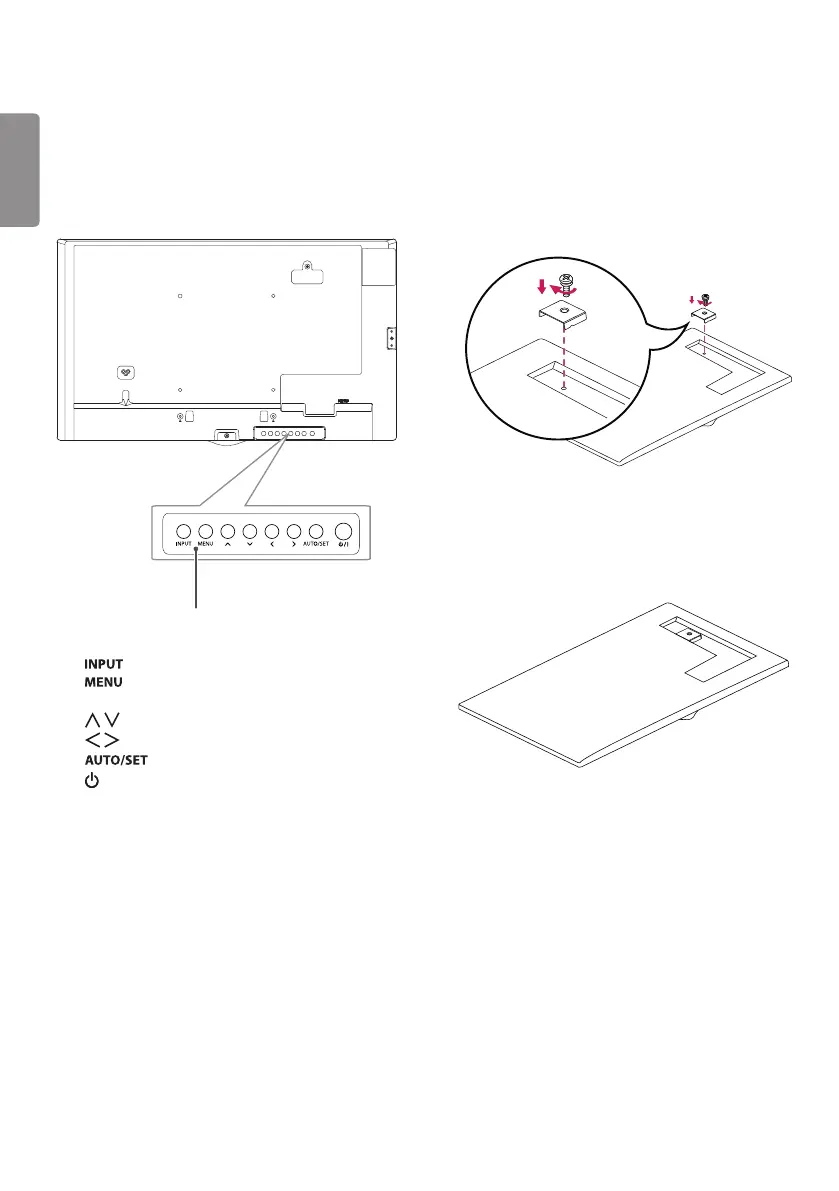
Buttons
y
:
Changes the input source.
y
:
Accesses the main menus, or saves your
input and exits the menus.
y
:
Adjust the up and down.
y
:
Moves left and right.
y
:
Displays the current signal and mode.
y
/I:
Turns the power on or off.
- The image may be different according to
the model
- The image may be different according to the
model.
Assembling the Memory Cover
Assemble the cover with a screw as illustrated to
prevent the USB memory from theft.
1
2



 To Next Page
 Loading...