19
ENGLISH
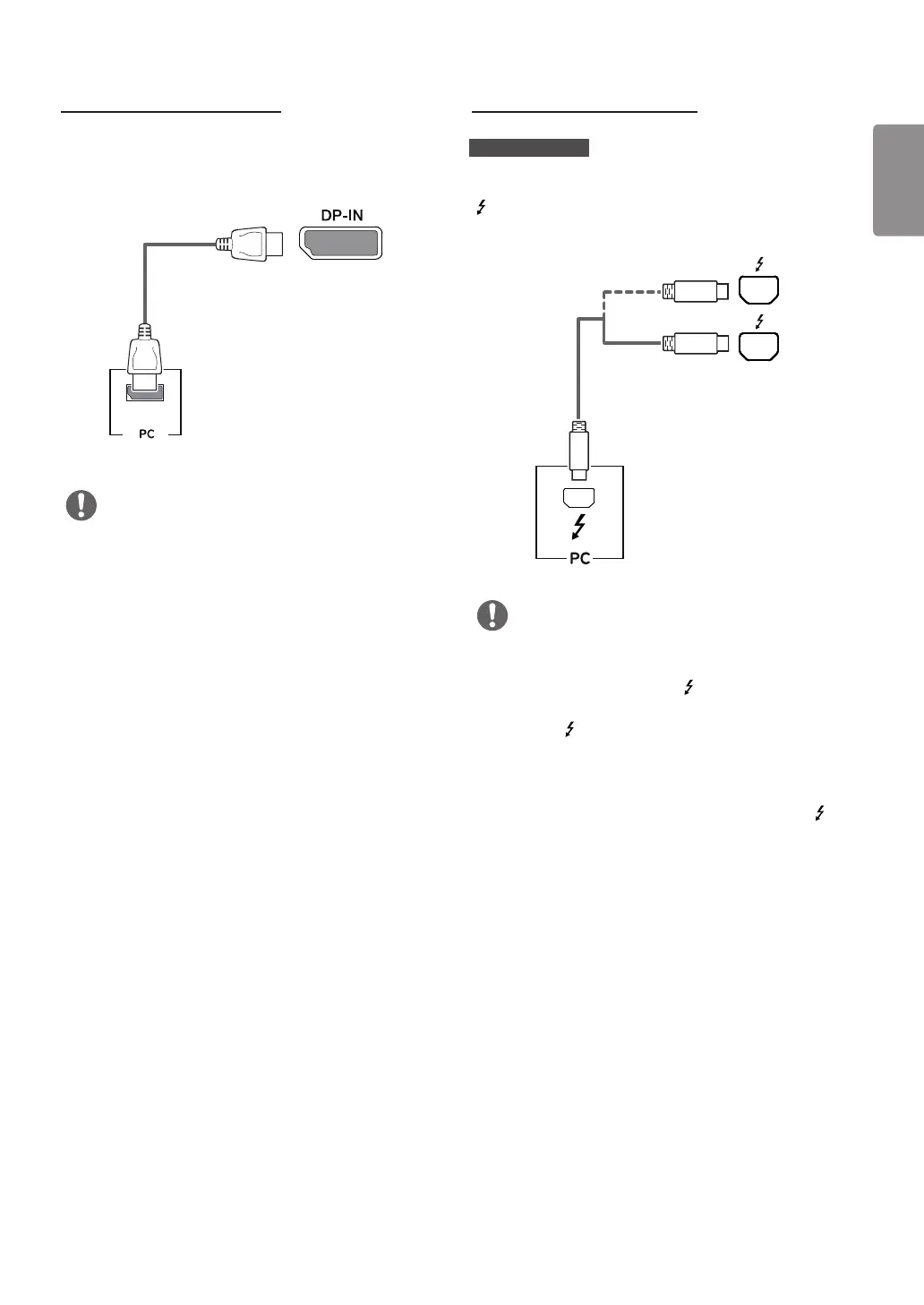
DisplayPort Connection
Transmits digital video and audio signals from your PC to
the monitor. Connect the monitor to your PC using the
DisplayPort cable as shown in the illustration below.
DP OUT
NOTE
• There may be no video or audio output depending on the
DP (DisplayPort) version of the PC.
• Make sure to use the supplied DisplayPort cable of
the product. Otherwise, this may cause the device to
malfunction.
• For using Mini DP to DP (Mini DisplayPort to DisplayPort)
cable, it is recommended that you use DisplayPort 1.2
cable.
Thunderbolt Connection
34UC98, 34CB98
You can connect your high-resolution display or high-
performance data device to the monitor via a Thunderbolt
( ) port. Connect your external device to the monitor using
the Thunderbolt cable as illustrated below.
(sold separately)
NOTE
• The maximum data transmission rate of each port is
20 Gb/s.
• Make sure to use a Thunderbolt ( ) certified cable.
Otherwise, this may cause the device to malfunction.
• Thunderbolt ( ) is supported in such environments as
Windows 7, Windows 8.1, Windows 10 and Mac product.
• In accordance with Mac products may not support the
recommended resolution or the some features.
• The ability to set up dual monitors using the Thunderbolt ( )
and daisy-chaining technology depends on the performance of
your video card.


 To Next Page