EasyManua.ls Logo

LG 34CB99 - User Manual

LG 34CB99
53 pages
Print Icon
To Next Page IconTo Next Page
Loading...
* LG LED Monitor applies LCD screen with LED
backlights.
Please read this manual carefully before operating
your set and retain it for future reference.
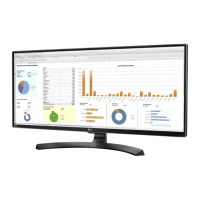
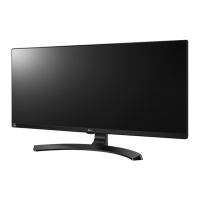
34CB99
OWNER’S MANUAL
IPS LED Monitor
(LED Monitor*)
www.lg.com
Copyright 2019 LG Electronics Inc. All Rights Reserved.

Questions and Answers

  • J
    Joel ZimmermanJul 29, 2025
    What to do if nothing is displayed on my LG 34CB99 screen?
    • B
      barbaragarciaJul 29, 2025
      If your LG Monitor screen is blank, here are a few things to try: * Ensure the power cord is properly connected to the outlet. * Verify the power cable connection and press the power button. * Make sure the correct input is enabled by going to Menu > Input. * If the signal from your PC's graphic card is outside the monitor's frequency range, check the Product Specification section of this manual to set the correct frequency. * Check the cable and try reconnecting it.
  • B
    bellraymondAug 6, 2025
    How to fix a blank screen on my LG Monitor?
    • S
      Stephen AndersonAug 6, 2025
      To resolve a blank screen issue on your LG Monitor, start by checking that the power cord is securely plugged into the power outlet. Next, verify the power cable connection and ensure the power button is pressed. Also, confirm that the connected input is enabled via Menu > Input. If the problem persists, and the signals from the PC are out of range, refer to the Product Specification section of the manual to set the appropriate frequency. Finally, inspect the cable and reconnect it.
  • C
    Charles CooperAug 12, 2025
    How to troubleshoot a black screen on an LG 34CB99?
    • A
      Albert McguireAug 12, 2025
      To troubleshoot a black screen on your LG Monitor, first ensure the power cord is properly plugged into the power outlet. Next, check the power cable connection and press the power button. Verify that the connected input is enabled (Menu > Input). If the signals from the PC (graphic card) are out of the horizontal or vertical frequency range of the monitor, please see the Product Specification section of this manual to set the appropriate frequency. Lastly, check the cable and reconnect it.
  • D
    Dominic JeffersonAug 20, 2025
    What to do if my LG 34CB99 Monitor has no display?
    • C
      Christopher DavisAug 20, 2025
      If your LG Monitor shows no display, try these steps: 1. Check if the power cord is correctly plugged into the power outlet. 2. Check the power cable connection and press the power button. 3. Ensure that the connected input is enabled (Menu > Input). 4. If signals from the PC are out of range, see the Product Specification section to set the correct frequency. 5. Check the cable and reconnect it.

Summary

License Information

Monitor Assembly and Installation

Product Contents and Initial Setup

Lists included components and initial setup steps.

Safe Monitor Handling and Placement

Guidelines for safe moving, lifting, table, and wall installation.

Connecting and Using the Monitor

PC Connectivity Options

Connect PC via HDMI, DisplayPort, and USB Type-C.

AV and Peripheral Connections

Connect AV devices and peripherals via HDMI and USB ports.

Headphone Audio Output

How to connect headphones for audio output.

User Settings and Menu Navigation

Accessing and Navigating OSD Menus

How to activate and use the monitor's OSD menu.

Detailed Settings Configuration

Configuration for Quick Settings, Input, Picture, Sound, and General preferences.

Troubleshooting Common Issues

Display and Signal Problem Solutions

Solutions for no display, out of range, or no signal errors.

Image Quality Issue Resolution

Addresses screen retention, instability, and color anomalies.

Product Specifications

Screen, Signal, and Connector Specs

Details on LCD screen, color depth, resolution, signals, and connectors.

Power, Dimensions, and Environmental Data

Information on power, adapter, dimensions, and operating conditions.

Advanced Technical Specifications

Factory support modes and HDMI video timing details.

Compliance and Legal Information

Declaration of Conformity

States compliance with EMC requirements for home appliances.

Open Source License Information

Information on obtaining source code for open-source licenses.

LG 34CB99 Specifications

General IconGeneral
Screen Size34 inches
Resolution3440 x 1440
Panel TypeIPS
Aspect Ratio21:9
Brightness300 cd/m²
Color GamutsRGB 99%
VESA Mount100 x 100 mm
Contrast Ratio1000:1
Response Time5 ms
ConnectivityHDMI, DisplayPort, USB-C
SpeakersYes
Viewing Angle178°(R/L), 178°(U/D)
Ports2 x HDMI, 1 x DisplayPort, 2 x USB 3.0

Related product manuals