EasyManua.ls Logo

LG 34UC97 - User Manual

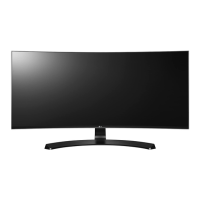
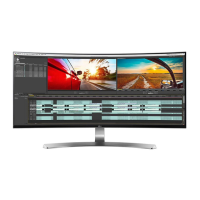
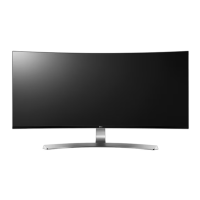
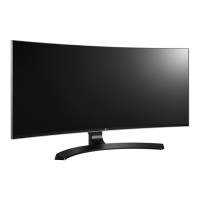
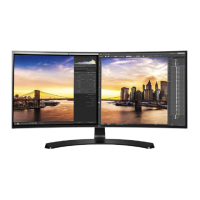
LG 34UC97
34 pages
Print Icon
To Next Page IconTo Next Page
Loading...
www.lg.com
IPS LED MONITOR
LED MONITOR
*
OWNER'S MANUAL
Please read the safety information carefully
before using the product.
34UC97
34UC97C
* LG LED Monitor applies LCD screen with LED backlights.

Other manuals for LG 34UC97

Questions and Answers

  • A
    Amber HartJul 27, 2025
    What to do if nothing is displayed on my LG 34UC97 screen?
    • J
      Jerry BrewerJul 27, 2025
      If nothing is showing on your LG Monitor, start by checking that the power cord is properly connected to the outlet and that the power cable is securely attached. Then, press the power button. Ensure the correct input is enabled via Menu > Input. If the monitor is in sleep mode, try moving the mouse or pressing a key on the keyboard. Verify that your computer is turned on. Check the cable and reconnect it. If you're using a Mac, note that DisplayPort 1.2 might not be supported.
  • L
    lewischristopherAug 3, 2025
    Why is my LG Monitor screen display unstable and shaky?
    • N
      Nicole Ryan DDSAug 3, 2025
      If your LG Monitor screen is unstable or shaky, or if images are leaving shadow trails, it might be due to the resolution being set to HDMI 1080i 60/50 Hz (interlaced). Try changing the resolution to 1080p or the recommended resolution to resolve this issue.
  • A
    amayAug 11, 2025
    What to do if my LG 34UC97 Monitor screen retains an image?
    • A
      Ashley CunninghamAug 11, 2025
      If your LG Monitor screen retains an image, it's likely due to displaying a still image for an extended period, which can damage the screen. To prevent this and extend the monitor's lifespan, use a screensaver.
  • C
    cartersarahAug 18, 2025
    How to turn off OSD Lock on LG 34UC97 Monitor?
    • D
      Darlene FullerAug 18, 2025
      If the OSD Lock message appears on your LG Monitor, navigate to Menu > Settings and set OSD Lock to Off. This should remove the message and unlock the OSD.

Summary

ASSEMBLING AND PREPARING

Product Composition

Lists all components included in the product box.

Monitor Stand Assembly

Step-by-step instructions for assembling the monitor stand.

Tabletop Installation

Instructions for placing the monitor on a table and ensuring proper ventilation.

USING THE MONITOR

Connecting to a PC

Details how to connect the monitor to a computer using various video inputs.

USER SETTINGS

Picture Settings

Guides on adjusting screen sharpness, black level, and response time.

TROUBLESHOOTING

No Display Issues

Provides solutions for problems where nothing is displayed on the screen.

PRODUCT SPECIFICATION

LCD Screen Specifications

Details LCD type, color depth, resolution, and pixel pitch.

LG 34UC97 Specifications

General IconGeneral
Screen Size34 inches
Resolution3440 x 1440
Aspect Ratio21:9
Panel TypeIPS
Refresh Rate60 Hz
Brightness300 cd/m²
Contrast Ratio1000:1
Response Time5 ms
Viewing Angle178°(H)/178°(V)
Ports2 x Thunderbolt, 2 x HDMI, DisplayPort, 2 x USB 3.0
Speakers7W x 2
Color GamutsRGB 99%
VESA MountYes

Related product manuals