22
ENGLISH
USB Type-C
TM
connection
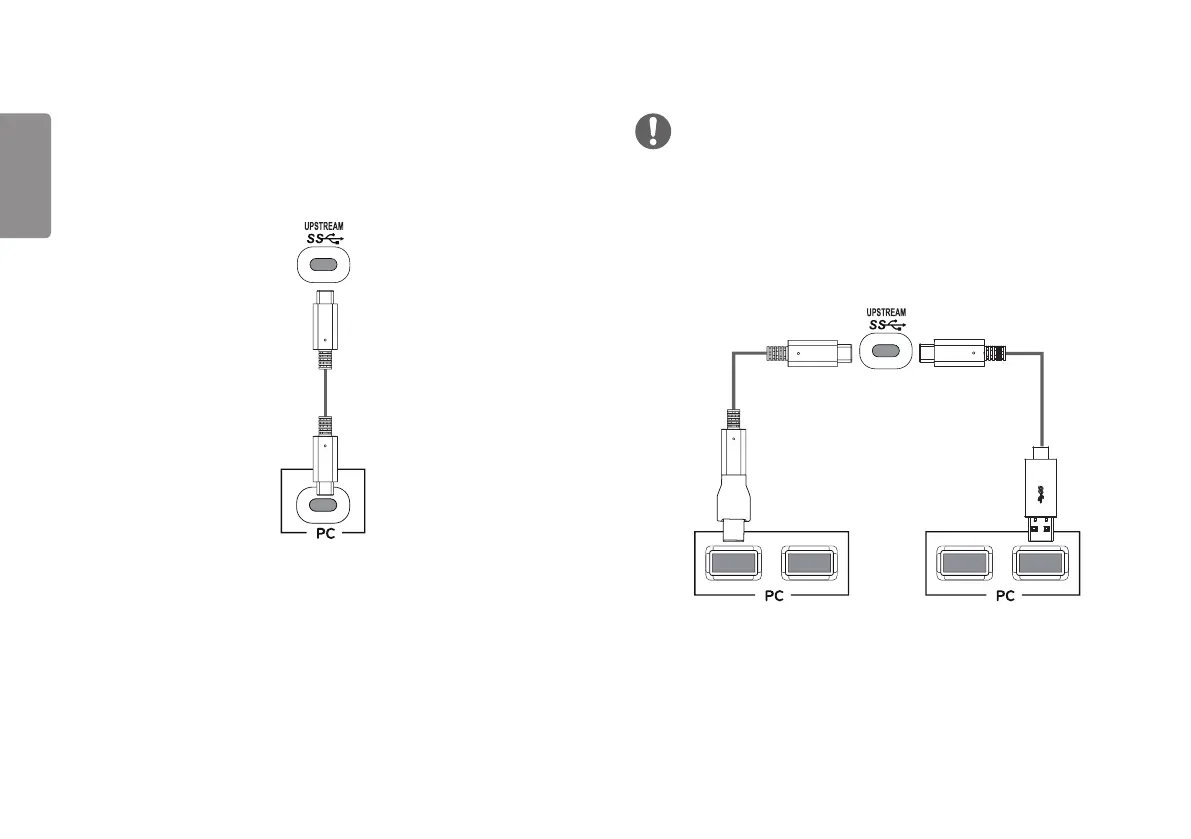
Transmits digital video and audio signals and USB data from your PC to the monitor.
Connect the monitor to your PC using the USB-C cable as shown in the illustration
below. Press the menu button and then select the input option from the input menu.
(USB C-C cable)
NOTE
PD (Power Delivery), DP Alternate Mode (DP over USB-C) and USB Data are
supported via USB-C Port.
Features may not work properly depending on the connected device’s specifications
and the environment.
USB-C port is not for the Monitor Power source but for a PC power source.
Connect Adapter to supply power to the Monitor.
(sold separately)(USB C-C cable +
USB C-A Gender)


 To Next Page