17
ENGLISH
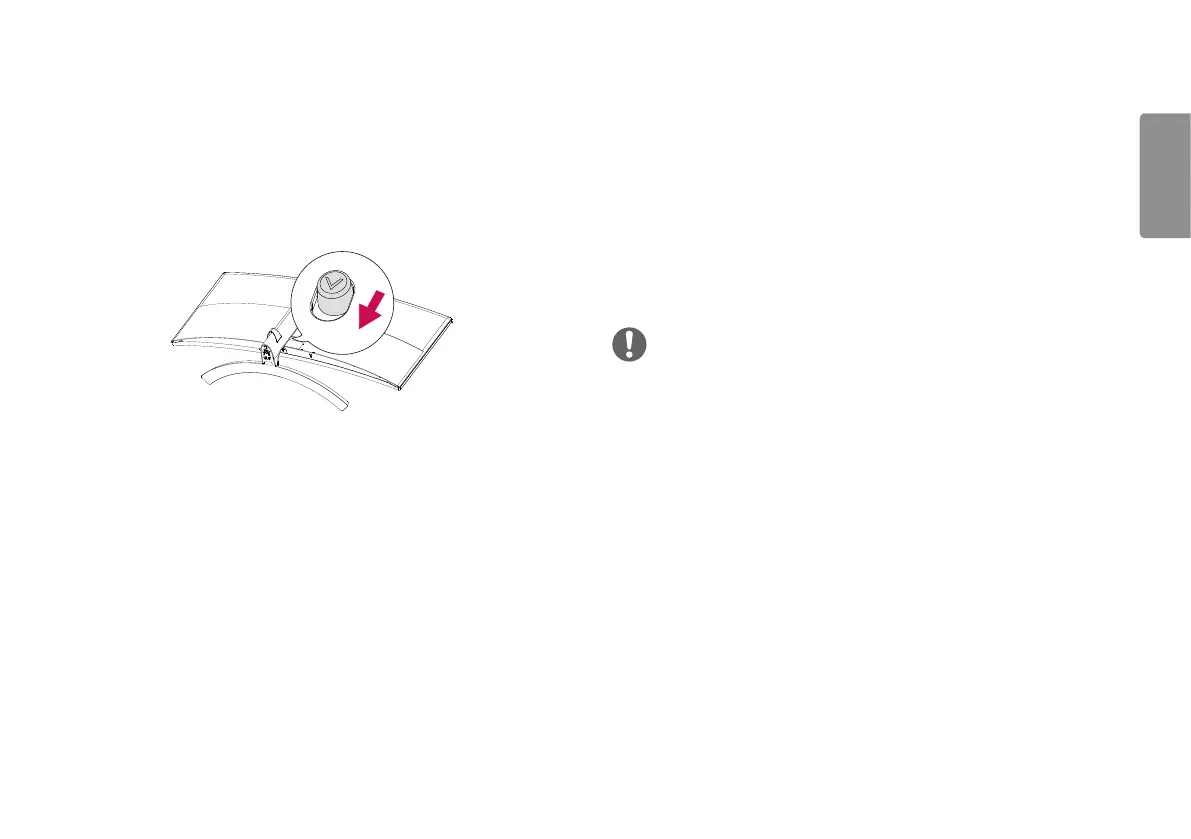
Detaching the Stand Body
1 Place the monitor’s screen face down. To protect the screen from scratches,
cover the surface with a soft cloth.
2 Remove the stand from the monitor by pressing the button on the bottom
center of the back of the monitor.
Installing the Wall Mount Plate
This monitor meets the specifications for the wall mount plate or other compatible
devices.
1 Place the screen face down. To protect the monitor panel (screen), cover the
surface with a soft cloth or the monitor protection pad included in the product
package.
2 Remove the four screws tightened on the back of the monitor.
3 Place the wall mount plate onto the monitor and align it with the screw holes.
4 Tighten the four screws using a screwdriver to fix the plate to the monitor.
NOTE
The wall mount plate is sold separately.
For more information on installation, refer to the wall mount plate’s installation
guide.
Be careful not to apply too much force while mounting the wall mount plate as it
may cause damage to the screen.


 To Next Page