EasyManua.ls Logo

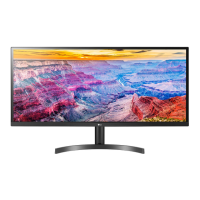
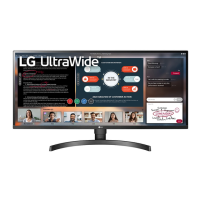
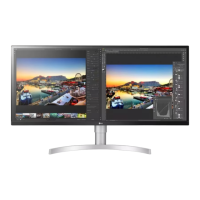
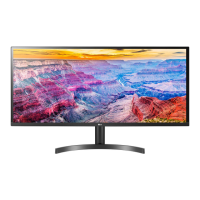
LG 34WL50S - User Manual

LG 34WL50S
26 pages
Print Icon
To Next Page IconTo Next Page
Loading...
* LG LED Monitor applies LCD screen with LED backlights.
Please read this manual carefully before operating your set and
retain it for future reference.
29WL50S
34WL50S
OWNER’S MANUAL
LED LCD MONITOR
(LED Monitor*)
www.lg.com
Copyright © 2019 LG Electronics Inc. All Rights Reserved.

Questions and Answers

  • A
    Adam HernandezAug 19, 2025
    What to do if nothing is displayed on LG 34WL50S Monitor screen?
    • A
      Amanda Wright MDAug 19, 2025
      If nothing is displayed on the screen of your LG Monitor, ensure the power cord is correctly plugged into the power outlet. You can also test the power plug using a lamp or another device to verify it's working.
  • D
    Duane TaylorAug 21, 2025
    What to do if there is no signal message on LG Monitor?
    • K
      kimberly90Aug 21, 2025
      If the 'No Signal' message appears on your LG Monitor, check the signal cable and try reconnecting it to ensure a proper connection.
  • A
    andersonevanAug 23, 2025
    How to fix out of range message on LG Monitor?
    • K
      Kelli MorenoAug 23, 2025
      The 'Out of Range' message on your LG monitor indicates that the signals from your PC's graphics card are outside the monitor's supported frequency range. Please refer to the Product Specification section of this manual to set the appropriate frequency.
  • J
    jhutchinsonAug 26, 2025
    How to turn on LG 34WL50S Monitor?
    • J
      John RyanAug 26, 2025
      To turn on your LG monitor, check the power cable connection and press the power button.
  • S
    Susan GrayAug 27, 2025
    How to fix flickering screen on LG 34WL50S Monitor?
    • K
      kristen58Aug 28, 2025
      If the screen on your LG monitor is flickering and the selected resolution is HDMI 1080i 60/50 Hz (interlaced), change the resolution to 1080P or the recommended resolution.
  • V
    vincentmoranAug 30, 2025
    How to stop image sticking on LG Monitor?
    • D
      Danny WilliamsAug 30, 2025
      Displaying a still image for a long time can damage your LG monitor screen, causing image retention. To extend the monitor's life, use a screensaver.
  • A
    Andrew SchaeferSep 1, 2025
    How to install LG 34WL50S Monitor display driver?
    • L
      Laura GrahamSep 1, 2025
      To ensure proper functionality of your LG monitor, install the display driver from the LG website: http://www.lg.com. Also, verify that your video card supports Plug&Play function.
  • A
    Alicia CurtisSep 3, 2025
    Why is my LG Monitor power LED blinking?
    • M
      Matthew SmithSep 3, 2025
      If the power LED on your LG monitor is blinking, it might be in sleep mode. Try moving the mouse or pressing any key on the keyboard to wake it up. Also, ensure that your computer is turned on.
  • L
    Laura SanchezSep 6, 2025
    What to do if the LG 34WL50S display color appears unstable or monochrome?
    • J
      Juan RobertsSep 6, 2025
      If the display color on your LG monitor appears unstable or monochrome, check if the signal cable is connected properly. Try reconnecting the cable or reinserting the PC's graphics card.
  • K
    Kristina ButlerSep 8, 2025
    How to enable input on LG 34WL50S?
    • T
      thomaskyleSep 8, 2025
      If the power is on and the power LED is displaying white on your LG monitor, ensure that the connected input is enabled by going to Settings > Input > Input list.

Summary

ASSEMBLING AND PREPARING

Product and Button Description

Monitor Handling and Safety

Safety instructions and best practices for safely moving and lifting the monitor.

Installing on a Table

Wall Mount Installation

USING THE MONITOR

USER SETTINGS OVERVIEW

Main Menu and Settings Configuration

Quick Settings and Input Selection

Picture Mode Configuration

Advanced Picture Adjustments

Gaming Settings and FreeSync

Color, Sound, and Reset Options

General System Preferences

TROUBLESHOOTING GUIDE

PRODUCT SPECIFICATION (29 WL505)

PRODUCT SPECIFICATION (34 WL505)

LG 34WL50S Specifications

General IconGeneral
HD typeUltraWide Full HD
Pixel pitch0.312 x 0.31 mm
Screen shapeFlat
Display diagonal34 \
Surface hardness3H
Anti-glare screenYes
Display resolution2560 x 1080 pixels
Display technologyLED
Native aspect ratio21:9
Maximum refresh rate75 Hz
sRGB coverage (typical)99 %
Contrast ratio (typical)1000:1
Display number of colors16.7 million colors
Display diagonal (metric)86.6 cm
Display brightness (typical)300 cd/m²
High Dynamic Range (HDR) technologyHigh Dynamic Range 10 (HDR10)
RMS rated power10 W
Number of speakers2
Product colorBlack
Market positioningHome
DisplayPorts quantity0
Panel mounting interface100 x 100 mm
AC input voltage100 - 240 V
AC input frequency50 - 60 Hz
Energy efficiency scaleA to G
Power consumption (max)48 W
Power consumption (off)0.3 W
Power consumption (standby)0.5 W
Power consumption (typical)42 W
Package depth490 mm
Package width940 mm
Package height235 mm
Package weight10600 g
Weight and Dimensions IconWeight and Dimensions
Depth (with stand)208.8 mm
Width (with stand)825.6 mm
Height (with stand)487.4 mm
Weight (with stand)6900 g
Depth (without stand)51.2 mm
Height (without stand)369.8 mm
Weight (without stand)5900 g

Related product manuals