EasyManua.ls Logo

LG 34WL500 - User Manual

LG 34WL500
27 pages
Print Icon
To Next Page IconTo Next Page
Loading...
* LG LED Monitor applies LCD screen with LED backlights.
Please read this manual carefully before operating your set and
retain it for future reference.
29WL500
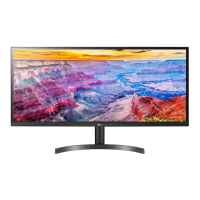
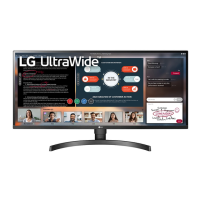
34WL500
OWNER’S MANUAL
LED LCD MONITOR
(LED Monitor*)
www.lg.com
Copyright © 2019 LG Electronics Inc. All Rights Reserved.

Questions and Answers

  • N
    Nicole WilliamsAug 13, 2025
    Why is my LG 34WL500 Monitor screen flickering, and nothing is displayed?
    • M
      Megan CalderonAug 13, 2025
      If nothing is displayed on the screen of your LG Monitor, and the selected resolution is HDMI 1080i 60/50 Hz (interlaced), the screen may be flickering. Change the resolution to 1080P or the recommended resolution.
  • M
    Marvin BoyleAug 16, 2025
    Why does my LG Monitor say nothing is displayed when connected to PC?
    • S
      Seth JeffersonAug 16, 2025
      If nothing is displayed on the screen of your LG Monitor because signals transferred from the PC (graphics card) are out of the horizontal or vertical frequency range of the monitor, please see the Product Specification section of this manual to set the appropriate frequency.
  • J
    jhooverAug 20, 2025
    What to do if there is no sound from the headphone port or speaker on LG 34WL500 Monitor?
    • C
      Caroline MillerAug 20, 2025
      If you are getting no sound from the headphone port or speaker on your LG Monitor, first try increasing the volume using the button on the monitor. Then, set the audio output of your PC to the monitor you are using. On Microsoft Windows, go to Control Panel > Hardware and Sound > Sound and set the monitor as the default device.
  • A
    Ashley MorrisAug 25, 2025
    What to do if the signal cable is disconnected on LG Monitor?
    • G
      Glenn BlackAug 25, 2025
      If nothing is displayed on your LG Monitor screen and the signal cable between the PC and the monitor is missing or disconnected, check the cable and reconnect it.
  • D
    Daniel SimmonsAug 27, 2025
    How to install display driver for LG Monitor to resolve abnormal display color?
    • E
      Elizabeth CookAug 27, 2025
      To resolve display color abnormalities on your LG Monitor, be sure to install the display driver from our web site: http://www.lg.com. Make sure to check if the video card supports Plug&Play function.
  • S
    Stephanie WigginsAug 31, 2025
    How to fix LG 34WL500 when nothing is displayed on the screen?
    • T
      Thomas RiosAug 31, 2025
      If nothing is displayed on your LG Monitor screen, first ensure the power cord is correctly plugged into the outlet, testing the outlet with another device if possible. Then, verify the power cable connection and press the power button. Also, confirm that the connected input is enabled in the monitor's settings under Input > Input list. If the monitor is in sleep mode, try moving the mouse or pressing a key on the keyboard. Finally, check that your computer is turned on.
  • C
    Cassie LeeSep 4, 2025
    Why does my LG Monitor retain images, and nothing is displayed on the screen?
    • B
      Beth BakerSep 4, 2025
      If nothing is displayed on the screen of your LG Monitor, and the monitor is displaying a still image for a prolonged time it may cause damage to the screen, resulting in the retention of the image. To extend the lifetime of the monitor, use a screensaver.
  • K
    Kristin SpenceSep 8, 2025
    Why are there pixilated spots on my LG 34WL500 screen?
    • B
      Brian KnappSep 8, 2025
      When using the LG Monitor, pixilated spots (red, green, blue, white, or black) may appear on the screen. It is normal for an LCD screen. It is not an error, nor is it related to the monitor's performance.

LG 34WL500 Specifications

General IconGeneral
3DNo
HD typeUltraWide Full HD
Pixel pitch0.312 x 0.31 mm
Screen shapeFlat
Display diagonal34 \
Display resolution2560 x 1080 pixels
Display technologyLED
Native aspect ratio21:9
Maximum refresh rate75 Hz
sRGB coverage (typical)99 %
Contrast ratio (typical)1000:1
Display number of colors16.78 million colors
Display brightness (typical)300 cd/m²
Supported graphics resolutions2560 x 1080
High Dynamic Range (HDR) supportedYes
On/off switch-
Product colorBlack
Market positioningHome
VGA (D-Sub) ports quantity0
Panel mounting interface100 x 100 mm
AC input voltage100 - 240 V
AC input frequency50 - 60 Hz
Energy efficiency scaleA to G
Power consumption (standby)- W
Power consumption (typical)30 W
Package depth235 mm
Package width940 mm
Package height490 mm
Package weight10600 g
Harmonized System (HS) code85285210
Weight and Dimensions IconWeight and Dimensions
Depth (with stand)208.8 mm
Width (with stand)825.6 mm
Height (with stand)487.4 mm
Weight (with stand)6900 g
Depth (without stand)51.2 mm
Height (without stand)369.8 mm
Weight (without stand)5900 g

Related product manuals