EasyManua.ls Logo

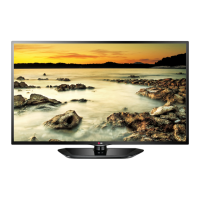
LG 37LN530B - User Manual

LG 37LN530B
60 pages
Print Icon
To Next Page IconTo Next Page
Loading...
www.lg.comP/NO : SAC35595001 (1211-REV00)
32LN530B
37LN530B
32LN5300
39LN5300
42LN5300
42LN5400
47LN5400
50LN5400
55LN5400
39LN5450
47LN5450
55LN5450
Please read this manual carefully before operating
your set and retain it for future reference.
OWNER’S MANUAL
LED TV
* LG LED TV applies LCD screen with LED backlights.

Questions and Answers

  • C
    Chelsea LeSep 23, 2025
    Why is there unusual sound from inside my LG 37LN530B LED TV?
    • M
      Mary FisherSep 23, 2025
      An unusual sound from inside your LG LED TV might occur due to changes in ambient humidity or temperature when the product is turned on or off. This does not indicate a problem with your TV.
  • K
    Kathryn BradshawAug 25, 2025
    Why does my LG LED TV turn off suddenly?
    • T
      Thomas OsborneAug 25, 2025
      If your LG LED TV turns off unexpectedly, examine the power control settings to ensure the power supply isn't being interrupted. Check the Time settings to see if the Auto sleep feature is enabled. Also, note that the TV will automatically turn off after 15 minutes of inactivity if there is no signal.
  • A
    Alexander MooreAug 26, 2025
    How to fix LG 37LN530B LED TV with no sound but image?
    • D
      Darren WilliamsAug 26, 2025
      If your LG LED TV displays images but produces no sound, first, press the VOL + button to increase the volume. Also, check if the sound is muted by pressing the MUTE button. Try switching to other channels to rule out a broadcast issue. Finally, verify that the TV Speaker feature is enabled in the menu options.
  • M
    Marissa LopezAug 27, 2025
    What to do if LG 37LN530B remote control is not working?
    • Y
      youngmichaelAug 27, 2025
      If you're unable to control your LG LED TV with the remote, first, ensure there are no obstructions between the remote and the TV's sensor. Then, check the remote's batteries to confirm they are working and properly installed. Finally, check the remote control sensor on the product and try again.
  • S
    stephenmillerSep 23, 2025
    What to do if there is no output from one of the speakers on my LG 37LN530B?
    • K
      Kelly MiddletonSep 23, 2025
      If you're experiencing no output from one of the speakers on your LG LED TV, adjust the Balance in the menu option.
  • C
    Crystal JacksonSep 13, 2025
    Why do thin lines appear in the background of my LG 37LN530B screen?
    • G
      Gregory RiceSep 13, 2025
      If thin lines appear in the background of your LG LED TV screen, check the video cable connections.
  • S
    Stacey LeeSep 12, 2025
    Why do afterimages appear on my LG 37LN530B?
    • J
      Joshua GarrisonSep 12, 2025
      Afterimages (ghosts) that appear when your LG LED TV is turned off may be due to pixels damaged from a fixed image displayed for an extended period. To prevent this, use a screen saver.
  • T
    Timothy StevensSep 12, 2025
    Why does my LG 37LN530B make unusual sounds?
    • K
      Kayla JohnsonSep 12, 2025
      A change in ambient humidity or temperature may cause your LG LED TV to produce unusual noises when it turns on or off. This is normal and does not indicate a problem with the TV.
  • M
    Michelle KennedySep 4, 2025
    Why is the color quality poor on my LG 37LN530B?
    • W
      Wayne WilsonSep 4, 2025
      If the image on your LG LED TV is in black and white or the color quality is poor, try adjusting the color settings in the menu. Ensure that the TV is far enough away from other electronic devices that might cause interference. You might also want to try changing channels in case the issue is with the broadcast signal.
  • G
    Gregory SilvaSep 2, 2025
    What to do if my LG LED TV has no image and sound?
    • A
      Andrew AriasSep 2, 2025
      If your LG LED TV shows no image and produces no sound, first, ensure that the TV is turned on. Next, check that the power cord is properly connected to a working wall outlet. To verify the outlet's functionality, try connecting another device to it.

LG 37LN530B Specifications

General IconGeneral
BrandLG
Model37LN530B
CategoryLED TV
LanguageEnglish

Related product manuals