EasyManua.ls Logo

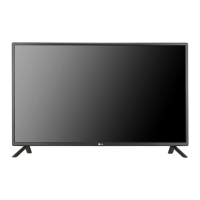
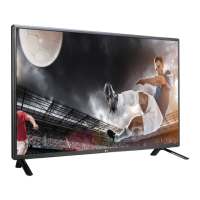
LG 42LS35A - User Manual

LG 42LS35A
76 pages
Print Icon
To Next Page IconTo Next Page
Loading...
www.lg.com
OWNER’S MANUAL
MONITOR SIGNAGE
32LS33A
42LS33A
47LS33A
55LS33A
65LS33A
42LS35A
47LS35A
55LS35A
Please read this manual carefully before operating the your set and
retain it for future reference.
MONITOR SIGNAGE MODELS

Questions and Answers

Summary

Assembling and Preparing

Parts and Buttons

Details the screen buttons and connection panel ports on the monitor.

Mounting on a Wall

Details on how to safely mount the monitor on a wall, including clearances and VESA standards.

Securing the product to a wall (optional)

Explains how to use eye-bolts and ropes for securing the monitor to a wall.

Remote Control

Making Connections

RGB Connection

Details how to connect a PC using an analog RGB signal cable.

HDMI Connection

Explains how to connect devices using an HDMI cable for digital video and audio.

USB Connection

Instructions for connecting USB storage devices for multimedia playback.

Using the Monitor

Entertainment

Using the My Media

How to connect USB storage devices and use multimedia features like playing files.

Customizing Settings

Picture Settings

Adjusts image size, quality, and effect settings for optimal viewing.

Audio Settings

Adjusts sound quality, effects, and volume levels for an optimal audio experience.

Time Settings

Configures clock, on/off times, auto-off, and automatic standby modes.

Option Settings

Customizes general settings such as language, ISM method, and DivX VOD registration.

Network Settings

Configures network connection settings and checks the network status.

Troubleshooting

No image is displayed

Solutions for issues where no image appears on the screen.

The screen image looks abnormal.

Solutions for common screen display issues like wrong position, lines, or noise.

The audio function does not work.

Troubleshooting steps for audio issues like no sound or low volume.

Controlling the Multiple Product

Command Reference List

A comprehensive list of commands, their codes, and data parameters for controlling the product.

Transmission; Receiving Protocol

Explains the format for transmitting commands and receiving acknowledgements via RS-232C.

Summary

Assembling and Preparing

Parts and Buttons

Details the screen buttons and connection panel ports on the monitor.

Mounting on a Wall

Details on how to safely mount the monitor on a wall, including clearances and VESA standards.

Securing the product to a wall (optional)

Explains how to use eye-bolts and ropes for securing the monitor to a wall.

Remote Control

Making Connections

RGB Connection

Details how to connect a PC using an analog RGB signal cable.

HDMI Connection

Explains how to connect devices using an HDMI cable for digital video and audio.

USB Connection

Instructions for connecting USB storage devices for multimedia playback.

Using the Monitor

Entertainment

Using the My Media

How to connect USB storage devices and use multimedia features like playing files.

Customizing Settings

Picture Settings

Adjusts image size, quality, and effect settings for optimal viewing.

Audio Settings

Adjusts sound quality, effects, and volume levels for an optimal audio experience.

Time Settings

Configures clock, on/off times, auto-off, and automatic standby modes.

Option Settings

Customizes general settings such as language, ISM method, and DivX VOD registration.

Network Settings

Configures network connection settings and checks the network status.

Troubleshooting

No image is displayed

Solutions for issues where no image appears on the screen.

The screen image looks abnormal.

Solutions for common screen display issues like wrong position, lines, or noise.

The audio function does not work.

Troubleshooting steps for audio issues like no sound or low volume.

Controlling the Multiple Product

Command Reference List

A comprehensive list of commands, their codes, and data parameters for controlling the product.

Transmission; Receiving Protocol

Explains the format for transmitting commands and receiving acknowledgements via RS-232C.

LG 42LS35A Specifications

General IconGeneral
Screen Size42 inches
Display TypeLCD
Resolution1920 x 1080
Aspect Ratio16:9
Contrast Ratio5000:1
Viewing Angle (H/V)178° / 178°
Built-in SpeakersYes
VESA Mounting200 x 200 mm
Operating Hours16/7
Operating Temperature0°C to 40°C
ConnectivityHDMI, DVI-D, USB, RS232C
Power Consumption100W (Typical)

Related product manuals