
EasyManua.ls Logo

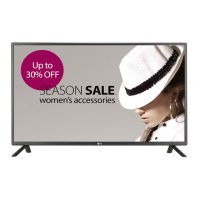
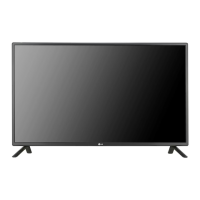
LG 42LS55A - User Manual

LG 42LS55A
72 pages
Print Icon
To Next Page IconTo Next Page
Loading...
OWNER’S MANUAL
MONITOR SIGNAGE
Please read this manual carefully before operating the your set and retain it
for future reference.
www.lg.com
MONITOR SIGNAGE MODELS
42LS55A
47LS55A
55LS55A
32LS53A
42LS53A
47LS53A
55LS53A
65LS53A

Questions and Answers

  • J
    Joel CrawfordAug 30, 2025
    Why after-image appears on LG 42LS55A Digital Signage?
    • P
      patrickmartinAug 31, 2025
      If an after-image appears on your LG Digital Signage, and you've been using a fixed image for a long time, the pixels may be damaged. Use the screen-saver function to prevent this. Also, when a dark image is displayed after an image with high contrast, image sticking may occur, which is normal for LCD screens.
  • J
    jordandarylAug 29, 2025
    What to do if the operation does not work normally on LG Digital Signage?
    • J
      Jordan PerezAug 30, 2025
      If the operation of your LG Digital Signage does not work normally, check if the Timers are set. Also, review the power control settings. Consider whether there has been a power interruption.
  • D
    devin78Aug 28, 2025
    What to do if the screen image looks abnormal on LG 42LS55A Digital Signage?
    • C
      Charles WardAug 28, 2025
      If the screen image on your LG Digital Signage looks abnormal, check if the video card resolution and frequency are supported by the product. If the frequency is out of range, set to the recommended resolution in the Control Panel Display Setting menu. Also, ensure the proper input signal is connected to the signal port by using the signal cable that matches the source input signal.
  • C
    cindy95Aug 27, 2025
    What to do if the audio function does not work on LG Digital Signage?
    • K
      Karen LopezAug 27, 2025
      If the audio isn't working on your LG Digital Signage, first check that the audio cable is properly connected. Then, make sure the volume is adequately adjusted and that the sound settings are correctly configured. You may also want to try selecting an appropriate equalizer sound to see if that resolves the issue.
  • C
    Charlene SotoAug 27, 2025
    How to fix no image on LG 42LS55A Digital Signage?
    • M
      Maria RiveraAug 27, 2025
      If your LG Digital Signage displays no image, start by ensuring the power cord is securely plugged into the power outlet. Next, verify that the signal cable between your PC and the signage is properly connected. If the issue persists and you're using a PC, check that the signal from the video card is within the product's vertical or horizontal frequency range, adjusting as needed, noting the maximum resolution is 1920 x 1080 (60Hz). Finally, press the INPUT menu on the remote control to confirm the correct input signal is selected.
  • J
    Julie WillisAug 25, 2025
    Why is the screen color abnormal on my LG 42LS55A Digital Signage?
    • D
      David AndersonAug 26, 2025
      If the screen color on your LG Digital Signage is abnormal, ensure that the number of colors is set to more than 24 bits (true color) via Control Panel - Display - Settings - Color Table in Windows. Check the connection status of the signal cable and re-insert the PC video card. Note that several pixels (red, green, white, or black) may appear on the screen, which is not a malfunction of the LCD.
  • V
    Victor GardnerAug 25, 2025
    What to do if the 'Unknown Product' message appears when my LG Monitor is connected?
    • R
      Robert BarronAug 25, 2025
      If the 'Unknown Product' message appears when your LG Monitor is connected, check if the Plug & Play function is supported by referring to the video card user manual.

Summary

ASSEMBLY AND PREPARATION

Accessories

Lists all included items in the product box.

Connecting the Stand

Step-by-step guide on how to attach the monitor stand.

Connecting the Speakers

Instructions for attaching and connecting external speakers to the monitor.

Installation Safety CAUTIONS

Safety warnings and procedures for installing the monitor on a wall.

Wall Mounting Stability WARNINGS

Additional instructions and critical safety warnings for securing the monitor to a wall mount.

REMOTE CONTROL

MAKING CONNECTIONS

Connecting to a PC

Instructions for connecting a computer to the monitor using various ports.

ENTERTAINMENT

USB Storage Device Usage

Steps to connect USB drives and tips for their use during media playback.

USER SETTINGS

Picture Settings

Adjusting picture quality parameters like brightness, contrast, and color modes.

Sound Settings

Adjusting audio modes, effects, volume, and AV sync.

TROUBLESHOOTING

Display Issues

Troubleshooting steps for no image, unknown product messages, and abnormal screen display.

Image Quality Problems

Solutions for after-images, color abnormalities, and screen defects.

Audio and Operation Issues

Troubleshooting no sound, dull sound, and unexpected power-offs.

TO CONTROL MULTIPLE PRODUCTS

RS-232 C Connection and Configuration

Instructions for connecting multiple monitors via RS-232C and pinout details.

Command Reference

A comprehensive list of commands and their data for controlling the monitor.

Transmission Protocol

Details the format and structure of commands and acknowledgments for communication.

LG 42LS55A Specifications

General IconGeneral
Screen Size42 inches
Display TypeLCD
Resolution1920 x 1080
Aspect Ratio16:9
Brightness450 cd/m²
Contrast Ratio5000:1
Viewing Angle (H/V)178°/178°
OutputAudio Out
Speaker10W + 10W
VESA Mounting200 x 200 mm
Operating Temperature0°C to 40°C
Storage Temperature-20°C to 60°C
Standby Power Consumption0.5W
Response Time8 ms
InputHDMI, Composite, Component, USB

Related product manuals