- 8 -
(8) Click OK button at the "edit window".
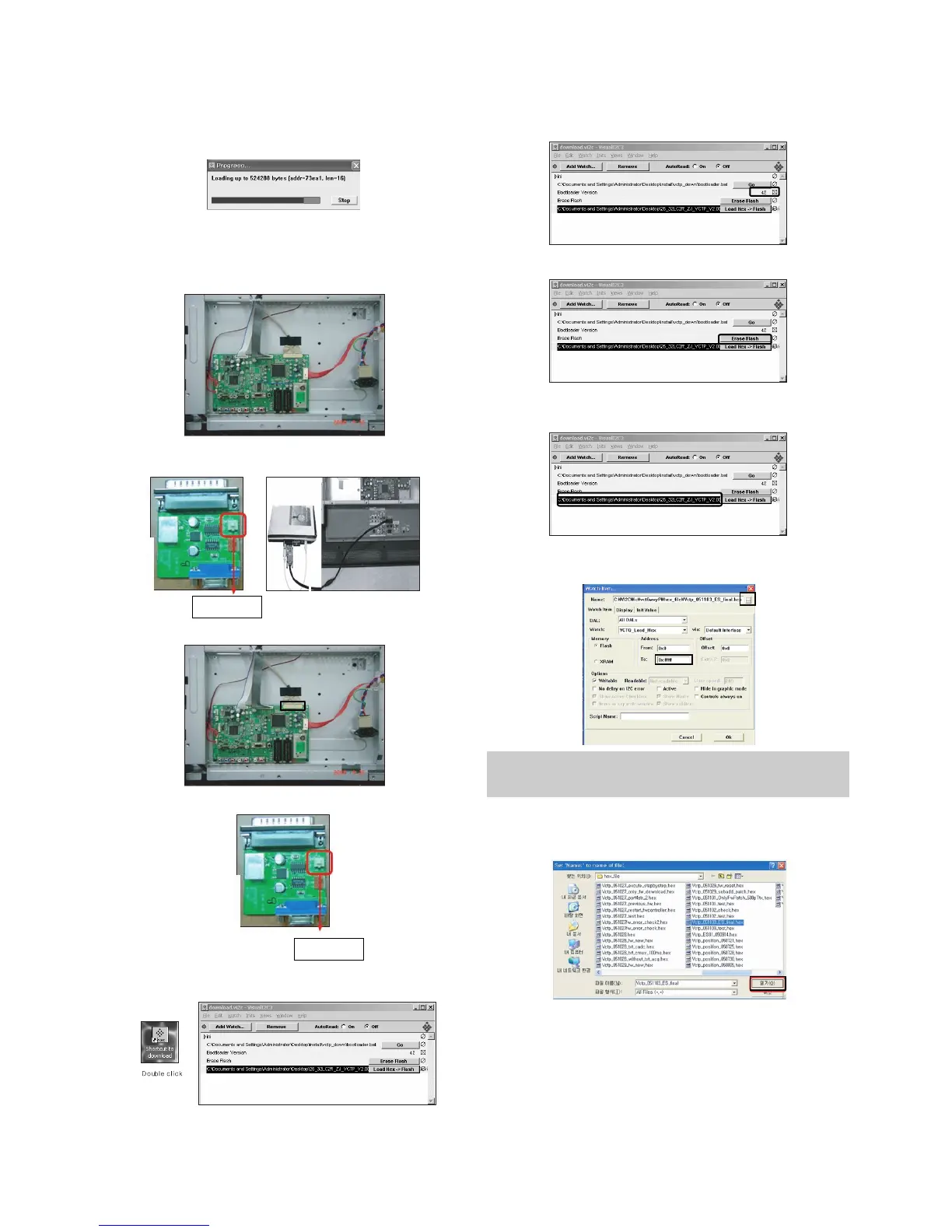
(9) Under Downloading process.
(10) If download is failed, for example "No acknowledge from
slave". Execute download again from(1).
6-2.Download method 2 (AV Plate Ass’y)
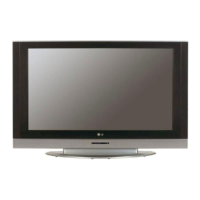
(1) Push S/W ‘ON" (connect SCL to GND using switch at Jig )
and connect the download jig to D-sub jack.
(2) Supply the power (Stand-by 5V) and wait for 3 seconds.
(3)
Push the S/W off.(Disconnect SCL to GND using switch at jig).
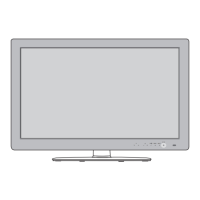
(4) Execute ‘Download.vi2c’ program in PC, then a main
widow will be opened.
(5)
Double click the blue box and confirm "Bootloader Version" as 42
.
(6) Click the "Erase Flash" button.
(7) Double click the download file low then, "edit" window will
be opened.
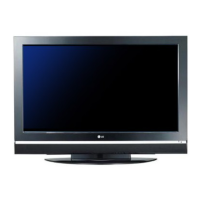
(8) Chick the choice button I n the "edit window", then "file
choice window’ will be opened.
(9) Click the “load > flash” button.
(10) Choose the Hex file in folder and execute downloading
with click "open button".
Push S/W
Push S/W
You must verify the words of “0xfffff” in the black box(A) of figure.
(In case of H3 Service it is 0x7ffff : If you make H4 service after
the H3 service, there could be some problem)


 To Next Page