EasyManua.ls Logo

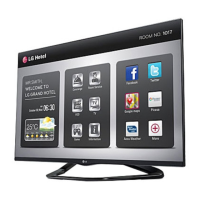
LG 47LP870H - User Manual

LG 47LP870H
90 pages
Print Icon
To Next Page IconTo Next Page
Loading...
EZ-Manager Wizard
pages 11 18
Custom Master TV Setup
pages 31 34
FTG Mode of Operation
pages 45 46
EXPERIENCED INSTALLER
Commercial Mode Setup Guide
Note: Selected features shown in this guide may not be available on all models.
Lodging Guest Interactive Pro:Centric
®
TVs
© Copyright 2013 LG Electronics U.S.A., Inc.
P/N: 206-4235 (Rev B)
42LP870H
47LP870H
55LP870H

Table of Contents

Other manuals for LG 47LP870H

Questions and Answers

  • J
    jamesmichaelAug 21, 2025
    Why is there no sound on my LG TV?
    • B
      Brian AllenAug 22, 2025
      If you have normal picture but poor or no sound on your LG TV: * Check if the audio is muted. Press the MUTE button or use the Volume Up key to increase the sound level. * The issue might be with the broadcast itself. Try changing to a different channel to see if the sound improves.
  • D
    Donald SuttonAug 25, 2025
    What to do if my LG TV has no picture?
    • P
      pwilliamsAug 25, 2025
      If your LG TV isn't displaying a picture, there could be several reasons: * The TV might be turned off, so ensure it is turned on. Also, check for any power failures. * The antenna or cable might not be properly connected. Ensure these are securely connected to your TV. * The connections might be incorrect, so double-check all connections on the TV. * If applicable, the MPI cable might not be connected, so connect the MPI cable to the MPI device. * You might be trying to watch an encrypted program, so try changing to another channel. * The tuning band might be wrong, so adjust the Installer Menu settings.
  • N
    Nicole WestAug 26, 2025
    What causes communication error on LG TV?
    • J
      Joshua HahnAug 26, 2025
      If you're experiencing a communication error (Communications Timeout) with your LG TV, here are some things to check: * Make sure all communication cables are securely connected. * Verify that the TV is receiving power by checking and connecting the power cord. * Ensure that the TV is turned on, as it needs to be ON for communication (check Installer Menu item 118 POWER SAVINGS). * In the FTG Device Configuration Application, make sure you've selected the correct COM port for the cable you are using.
  • C
    cookmichaelAug 27, 2025
    How to fix LG TV when I cannot enter channel number?
    • A
      anthonybrianAug 28, 2025
      If you can't directly enter a channel number on your LG TV: * If the TV is in Pass-through Mode, the Installer Menu item 028 CH. OVERIDE might be set to 0 (disabled). Set CH. OVERIDE to 1 to allow direct keypad entry to all channels. * If the TV is in FTG Mode, the channel you entered might not be part of the FTG Channel Map. If necessary, make changes to the FTG Channel Map using the FTG File Manager or the FTG Device Configuration Application.
  • R
    romerothomasAug 29, 2025
    Why is clone menu hard to read on LG TV?
    • D
      dawsonrebeccaAug 29, 2025
      If the clone menu is difficult to read on your LG TV, it may be due to a weak signal. Connect the TV to a reliable analog channel signal source.
  • M
    Mr. Kevin MendozaSep 1, 2025
    Why does clone copy setup quickly on LG TV?
    • B
      blairzacharySep 1, 2025
      If the clone copies the setup in less than 30 seconds on your LG TV, it means there wasn't enough time to copy the entire TV setup. For TLL-1100A, turn it OFF and then ON. For LT2002, press RESET on the clone programmer. Then redo Learn/Teach. (Learning usually takes about 90 seconds; Teaching usually takes 3 to 4 minutes.)
  • S
    Samantha MendozaSep 3, 2025
    What to do if clone menu does not display on LG TV?
    • K
      Kimberly MoralesSep 3, 2025
      If the clone menu doesn't display on the LG TV screen, the TLL-1100A shows an error message, or the LT2002 LED doesn't blink, check the following: * Ensure the MPI cable is properly connected. * The TV must be turned ON for the clone programmer to work. * (LT2002 only) Install four fresh AA high-quality alkaline batteries. * (TLL-1100A only) Ensure the TLL-1100A is fully charged or connected to AC power.
  • S
    suzannerichardsSep 4, 2025
    Why is new setup not present on LG TV?
    • T
      Tanya JacksonSep 5, 2025
      If the new setup isn't present on your LG TV, disconnect the Target TV from AC power for 15 seconds to reset it.
  • K
    Katherine GlassSep 6, 2025
    Why does remote not operate clone programmer on LG TV?
    • V
      Victoria BrooksSep 7, 2025
      If the remote does not operate the clone programmer with your LG TV, only use an LG Installer Remote to operate clone programmer with TV.
  • E
    Erik WebbSep 9, 2025
    Why did clone time disappear on LG TV?
    • H
      hhoganSep 9, 2025
      If the time has disappeared on your LT2002 LG TV clone, it is because the batteries were removed. The batteries must remain installed to retain time settings.

LG 47LP870H Specifications

General IconGeneral
BrandLG
Model47LP870H
CategoryLED TV
LanguageEnglish

Related product manuals