48
ENG
ENGLISH
CUSTOMIZING SETTINGS
NETWORK settings
1
Press MENU to access the main menus.
2
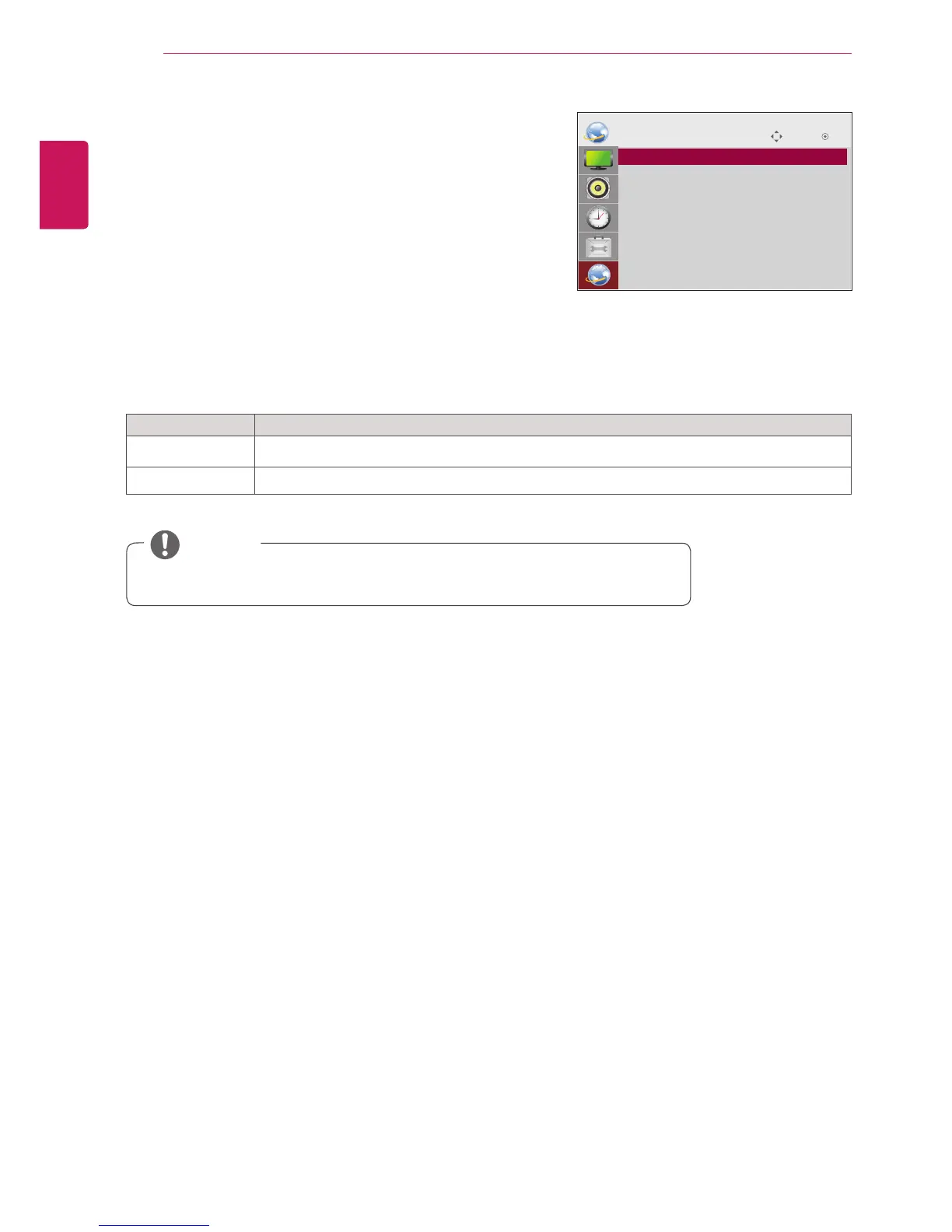
Press the Navigation buttons to scroll to NETWORK and
press OK.
3
Press the Navigation buttons to scroll to the setting or
option you want and press OK.
- To return to the previous level, press BACK.
4
When you are finished, press EXIT.
When you return to the previous menu, press BACK.
The available option settings are described in the following:
Move OK
NETWORK
ꔋ
• Network Setting : Wired
• Network Status : Not connected
Setting Description
Network Setting Configure the network settings.(See p.27)
Network Status Display the network status.(See p.28)
NOTE
y Network setting menu will not be available until the display connected
to physical network.



 To Next Page