EasyManua.ls Logo

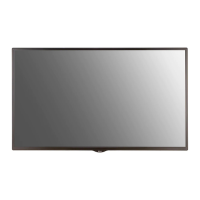
LG 49SH7E - User Manual

LG 49SH7E
135 pages
Print Icon
To Next Page IconTo Next Page
Loading...
www.lg.com
Copyright © 2018 LG Electronics Inc. All Rights Reserved.
OWNER’S MANUAL
LG Digital
Signage
(MONITOR SIGNAGE)
Please read this manual carefully before operating your set and retain it
for future reference.
43SH7E
49SH7E
55SH7E
32SM5E
43SM5E
49SM5E
55SM5E
32SM5KE
43SM5KE
49SM5KE
55SM5KE

Table of Contents

Other manuals for LG 49SH7E

Questions and Answers

  • D
    Dr. Mario BryantAug 25, 2025
    Why is the screen color abnormal on my LG 49SH7E?
    • S
      sean07Aug 26, 2025
      If the screen color on your LG Digital Signage is abnormal, set the number of colors to more than 24 bits (true color) by selecting [Control Panel] ? [Display] ? [Settings] ? [Color Table] in Windows. Also, check the connection status of the signal cable and re-insert the PC graphics card. Note that several pixels (red, green, blue, white, or black color) may appear on the screen due to the unique characteristics of the LCD panel, and this is not a malfunction.
  • T
    Timothy DicksonAug 23, 2025
    How to fix no image on LG 49SH7E?
    • B
      Briana McclainAug 23, 2025
      If no image is displayed on your LG Digital Signage, first ensure the power cord is correctly plugged into the power outlet. Then, check the signal cable and access the input menu to verify the input signal. If the signal from the PC (Graphics card) is out of the vertical or horizontal frequency range of the product, adjust the frequency range by referring to the Specifications in this manual.

Summary

IMPORTANT PRECAUTIONS

Electrical Power Related Precautions

Safety guidelines for connecting and using the power cord and outlet.

Precautions In Installing the Product

Safety advice for product installation, including placement and ventilation.

Precautions for Using;Cleaning the Product

Safety measures for operating and cleaning the product to prevent damage or injury.

ASSEMBLY AND PREPARATION

Installing on a Wall

Steps and requirements for securely mounting the monitor on a wall.

REMOTE CONTROL

MAKING CONNECTIONS

External Device Connection

Connecting various external audio/video devices to the monitor.

TROUBLESHOOTING

Content Manager

Group Manager 2.0

[GROUP MANAGEMENT]

Tools for creating, editing, deleting groups, and viewing all connected devices.

ScreenShare

How to Use [ScreenShare]

Instructions for sharing mobile or PC screens wirelessly via WiDi or Miracast.

LG Presenter

Connect

Steps to connect a PC (Windows or Mac) to the Signage monitor.

MANAGEMENT TOOLS

Admin

Web browser interface for monitoring and controlling display status.

TO CONTROL AN EXTERNAL PC USING TOUCH SCREEN

Connecting to a PC

Connects and controls an external PC via the monitor's touch screen.

SMART CALIBRATION

How to Run

Guides on executing the automatic color and brightness calibration.

Manual Calibration

Allows manual adjustment of color settings for specific screen areas.

CONTROLLING MULTIPLE PRODUCTS

Connecting cables

Illustrates how to connect multiple monitors using RS-232C cables.

Command Reference List

Lists commands and their corresponding hexadecimal codes for control.

LG 49SH7E Specifications

General IconGeneral
Viewing Angle (H x V)178° x 178°
Panel TypeIPS
Operating Temperature0°C to 40°C
Response Time8 ms
Storage Temperature-20°C to 60°C
Standby Power Consumption0.5W
Display TypeLED
Display Size49 inches
Resolution1920 x 1080
ConnectivityHDMI, USB, RS-232C, Ethernet

Related product manuals