
EasyManua.ls Logo

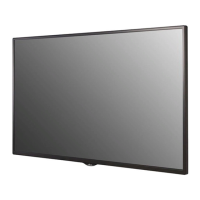
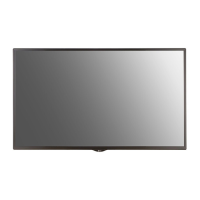
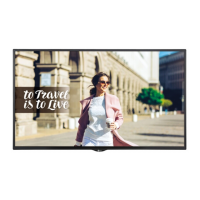
LG 49SM5D - User Manual

LG 49SM5D
123 pages
Print Icon
To Next Page IconTo Next Page
Loading...
www.lg.com
Copyright © 2018 LG Electronics Inc. All Rights Reserved.
OWNER’S MANUAL
LG Digital
Signage
(MONITOR SIGNAGE)
Please read this manual carefully before operating your set and retain it
for future reference.
32SM5D
43SM5D
49SM5D
55SM5D
65SM5D
43SM3D
49SM3D
55SM3D
32SM5KD
43SM5KD
49SM5KD
55SM5KD
65SM5KD

Table of Contents

Other manuals for LG 49SM5D

Questions and Answers

  • E
    Elizabeth TorresSep 9, 2025
    What to do if the operation does not work normally on LG 49SM5D?
    • A
      Albert FoleySep 9, 2025
      If the operation of your LG Digital Signage does not work normally, check if the Timer is set and review the power control settings. Also, consider whether there was a recent power interruption.
  • D
    Derek GarciaSep 8, 2025
    How to fix the audio function if it does not work on LG 49SM5D Digital Signage?
    • O
      obatesSep 8, 2025
      If the audio function does not work on your LG Digital Signage, check if the audio cable is properly connected. Adjust the volume and ensure the sound is set correctly. Select the appropriate equalizer sound and try adjusting the volume again.
  • H
    hardylouisSep 7, 2025
    Why is no image displayed on my LG Digital Signage?
    • V
      Victor VelasquezSep 7, 2025
      If no image is displayed on your LG Digital Signage, first, ensure the power cord is correctly plugged into the outlet. Next, verify the signal cable connection. Then, use the INPUT menu on the remote to select the correct input signal. If the signal from your PC is out of range, adjust the frequency range by referring to the Specifications in this manual.
  • K
    Katrina DavidsonAug 22, 2025
    How to fix no image on LG Digital Signage?
    • Z
      Zachary LozanoAug 22, 2025
      If no image is displayed on your LG Digital Signage, first, ensure the power cord is correctly plugged into the power outlet. Then check the signal cable and access the input menu to check the input signal. Also, if the signal from the PC (Graphics card) is out of the vertical or horizontal frequency range of the product, adjust the frequency range by referring to the Specifications in this manual.
  • D
    Daniel DawsonSep 5, 2025
    How to fix if the operation does not work normally on LG Digital Signage?
    • J
      jjimenezSep 5, 2025
      If the operation does not work normally on your LG Digital Signage, check if the Timer is set. You may also want to check the power control settings and verify that power was not interrupted.
  • P
    Peter WillisSep 3, 2025
    Why does the audio function not work on my LG Digital Signage?
    • M
      Michael RichardsonSep 3, 2025
      If the audio function does not work on your LG Digital Signage, check if the audio cable is connected properly. Also, adjust the volume, ensure the sound is set properly and select the appropriate equalizer sound.
  • R
    Rachel JohnstonSep 2, 2025
    Why does after-image appear on LG Digital Signage?
    • B
      bobbyvillegasSep 2, 2025
      If you notice an after-image on your LG Digital Signage, it could be due to using a fixed image for a long time, which may damage the pixels; use the screen-saver function. Also, when a dark image is displayed on the screen after an image with high contrast (black and white or gray), this may cause image sticking, which is normal for LCD screen products.
  • J
    Jessica HendrixSep 1, 2025
    What to do if the screen image looks abnormal on LG 49SM5D Digital Signage?
    • J
      Julie MorrisSep 1, 2025
      If the screen image looks abnormal on your LG Digital Signage, check if the graphics card resolution and frequency are supported by the product. If the frequency is out of range, set to the recommended resolution in the [Control Panel] ? [Display] ? [Setting] menu. Also, ensure the proper input signal is connected to the signal port by connecting the signal cable that matches with the source input signal.
  • G
    gthompsonAug 31, 2025
    What to do if screen color is abnormal on LG 49SM5D?
    • S
      Stacy WhiteAug 31, 2025
      If the screen color is abnormal on your LG Digital Signage, set the number of colors to more than 24 bits (true color) by selecting [Control Panel] ? [Display] ? [Settings] ? [Color Table] in Windows. Also, check the connection status of the signal cable or re-insert the PC graphics card. Note that several pixels (red, green, blue, white, or black color) may appear on the screen, which is not a malfunction of the LCD, but attributable to the unique characteristics of the LCD panel.
  • I
    Ian MyersAug 29, 2025
    Why is there no image displayed on my LG 49SM5D?
    • T
      Tanya JacksonAug 30, 2025
      If no image is displayed on your LG Digital Signage, check if the power cord is correctly plugged into the power outlet. Also, verify the signal cable and access the input menu to check the input signal. If the signal from the PC is out of the vertical or horizontal frequency range, adjust the frequency range by referring to the Specifications in this manual.

Summary

Important Precautions

Electrical Power Safety

Safety measures for electrical power usage, grounding, and connections.

Product Installation, Moving, and Usage Safety

Safety guidelines for installing, moving, using, and cleaning the product.

Environmental and Disposal Precautions

Precautions related to environment, humidity, and product disposal.

Licenses

Supported Licenses and Compliance

Information on supported licenses and compliance standards for the product.

Assembly and Preparation

Optional Accessories

Details on optional accessories like stand kits and speaker kits.

Product Parts and Assembly

Overview of product parts and step-by-step assembly instructions.

Connecting Peripherals and Mounting

Instructions for connecting speakers, IR sensor, and wall mounting.

Remote Control and Connections

Remote Control Operation

Explanation of remote control buttons and their functions.

Making External Connections

How to connect PCs and external devices using various ports.

Troubleshooting Common Issues

No Image, Signal, or Screen Issues

Solutions for problems like no image, invalid format, no signal, and abnormal screen display.

Audio, Color, and Operational Issues

Troubleshooting for audio problems, abnormal colors, and operational malfunctions.

Image Sticking Prevention

Recommendations and methods to prevent image sticking.

Product Specifications

General and Video Specifications

Details on video signals, resolutions, and general technical parameters.

Model-Specific and Environmental Specs

Detailed specs for various models, environmental conditions, and audio.

System Settings and Configuration

Basic and General Settings

Configuring Home, Ez Settings, General options like language, time, and network.

Display and Sound Adjustments

Customizing display parameters (picture, aspect ratio) and sound output.

Advanced and Admin Settings

Managing advanced features, security, and system resets.

Content Management and Distribution

Content Manager Functions

Using the Player, Scheduler, and Template features for content management.

Group Management and ScreenShare

Grouping monitors, distributing content, and sharing device screens.

Management Tools and Control

Control Manager and Picture ID

Monitoring display status, managing settings via web, and using Picture ID for multi-vision.

Touch and IDB Features

Utilizing touch-exclusive features and the Interactive Digital Board (IDB).

Connectivity and Control Protocols

IR Code and Multi-Product Control

Understanding IR codes and controlling multiple products via RS-232C.

Command Reference List

Detailed list of commands for controlling various monitor functions via RS-232C.

LG 49SM5D Specifications

General IconGeneral
Pixel pitch- mm
Response time12 ms
Display diagonal49 \
Display brightness450 cd/m²
Display technologyLED
Native aspect ratio16:9
Display number of colors-
RS-232CYes
USB version3.2 Gen 1 (3.1 Gen 1)
DVI-D ports quantity1
OrientationHorizontal/Vertical
Product colorBlack
Product designDigital signage flat panel
Bezel width (side)11.9 mm
Bezel width (bottom)18 mm
Panel mounting interface300 x 300 mm
Operating temperature (T-T)0 - 40 °C
Operating relative humidity (H-H)10 - 80 %
AC input voltage100 - 240 V
AC input frequency50 - 60 Hz
Power consumption (standby)- W
Power consumption (typical)85 W
Sustainability certificatesENERGY STAR
Cables includedAC, RS-232, VGA
Package depth166 mm
Package width1197 mm
Package height760 mm
Package weight17200 g
PurposeRetail
Processor cores4
Computer system typeSystem on Chip (SoC)
Weight and Dimensions IconWeight and Dimensions
Depth38.6 mm
Width1102.2 mm
Height638.5 mm
Weight14100 g

Related product manuals