EasyManua.ls Logo

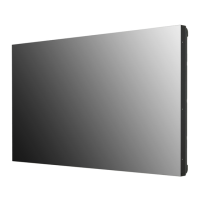
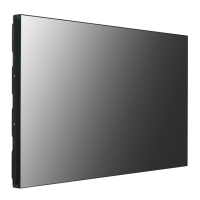
LG 49VH7C - User Manual

LG 49VH7C
112 pages
Print Icon
To Next Page IconTo Next Page
Loading...
www.lg.com
Copyright © 2018 LG Electronics Inc. All Rights Reserved.
OWNER’S MANUAL
LG Digital
Signage
(MONITOR SIGNAGE)
Please read this manual carefully before operating your set and retain it
for future reference.
49VM5C
49VH7C

Table of Contents

Other manuals for LG 49VH7C

Questions and Answers

  • S
    Steven BrownSep 6, 2025
    What to do if the Unknown Product message appears when connecting LG 49VH7C Digital Signage?
    • M
      murphyjoannaSep 7, 2025
      If the 'Unknown Product' message appears when connecting your LG Digital Signage, check if the Plug and Play function is supported by referring to the graphics card user manual.
  • E
    Eric JohnsonAug 22, 2025
    What to do if my LG Monitor displays no image?
    • A
      Amy PerryAug 22, 2025
      If your LG Monitor isn't displaying an image, there are a few things to check: * Ensure the power cord is correctly plugged into the power outlet. * Verify the signal cable connection. Press the INPUT menu on the remote control to check the input signal. * If the signal from your PC's graphics card is outside the monitor's vertical or horizontal frequency range, adjust the frequency range according to the specifications in the manual.
  • Z
    Zachary PalmerSep 3, 2025
    Why does after-image appear on LG 49VH7C?
    • W
      William SmithSep 4, 2025
      If an after-image appears on your LG Digital Signage, especially after using a fixed image for a long time, use the screen-saver function. Also, when a dark image is displayed on the screen after an image with high contrast (black and white or gray), this is normal for LCD screen products.
  • D
    David SmithSep 2, 2025
    What to do if the screen image looks abnormal on LG 49VH7C?
    • C
      Cindy PierceSep 2, 2025
      If the screen image looks abnormal on your LG Digital Signage, check if the graphics card resolution and frequency are supported by the product. If the frequency is out of range, set to the recommended resolution in the [Control Panel] ? [Display] ? [Setting] menu. Also, ensure you connect the signal cable that matches with the source input signal.
  • M
    Melissa BlairSep 1, 2025
    Why does the audio function not work on my LG 49VH7C Digital Signage?
    • S
      snyderjeffreySep 1, 2025
      If the audio function does not work on your LG Digital Signage, check if the audio cable is connected properly. Also, make sure the volume is adjusted appropriately and the sound is set correctly. Try selecting the appropriate equalizer sound and re-adjusting the volume.
  • J
    Jason WilsonAug 30, 2025
    What to do if the screen color is abnormal on LG Digital Signage?
    • R
      rhamiltonAug 30, 2025
      If the screen color is abnormal on your LG Digital Signage, set the number of colors to more than 24 bits (true color) by selecting [Control Panel] ? [Display] ? [Settings] ? [Color Table] in Windows. Also, check the connection status of the signal cable. Note that this can be attributable to the unique characteristics of the LCD panel and is not a malfunction.
  • M
    Maria WilliamsAug 29, 2025
    Why is no image displayed on my LG 49VH7C?
    • M
      mccormicklanceAug 29, 2025
      If no image is displayed on your LG Digital Signage, first, ensure the power cord is correctly plugged into the power outlet. Then, check the signal cable and access the input menu to check the input signal. Also, the signal from the PC (Graphics card) may be out of the vertical or horizontal frequency range of the product. In this case, adjust the frequency range by referring to the Specifications in this manual.
  • J
    Jennifer CampbellAug 27, 2025
    Why does the 'Unknown Product' message appear when my LG Monitor is connected?
    • J
      John WilsonAug 27, 2025
      If the 'Unknown Product' message appears when your LG monitor is connected, check if the Plug and Play function is supported by referring to the graphics card user manual.
  • J
    Jonathan ArnoldAug 27, 2025
    What to do if the screen image looks abnormal on my LG Monitor?
    • N
      Nicole HarrisAug 27, 2025
      If the screen image on your LG monitor looks abnormal: * Verify that the graphics card resolution and frequency are supported by the monitor. If the frequency is out of range, set to the recommended resolution in the [Control Panel] ? [Display] ? [Setting] menu. * Ensure the correct input signal is connected to the signal port by connecting the signal cable that matches the source input signal.
  • A
    Anita PierceAug 25, 2025
    Why does my LG Monitor screen color look abnormal?
    • L
      Lorraine MayAug 26, 2025
      If the screen color on your LG monitor appears abnormal, try the following: * Set the number of colors to more than 24 bits (true color). In Windows, go to [Control Panel] ? [Display] ? [Settings] ? [Color Table]. * Check the connection status of the signal cable. Note that unique characteristics of the LCD panel can cause this, and it is not a malfunction.

LG 49VH7C Specifications

General IconGeneral
Screen Size49 inches
Panel TechnologyIPS
Brightness500 cd/m²
Contrast Ratio1200:1
Viewing Angle (H x V)178° x 178°
Response Time8 ms
Operating Temperature0°C to 40°C
Storage Temperature-20°C to 60°C
Standby Power Consumption0.5 W
Weight14.5 kg
Native Resolution1920 x 1080 (Full HD)
InputHDMI, DisplayPort, DVI-D, USB
OutputDP, Audio Out

Related product manuals