- 13 -
LGE Internal Use OnlyCopyright © LG Electronics. Inc. All rights reserved.
Only for training and service purposes
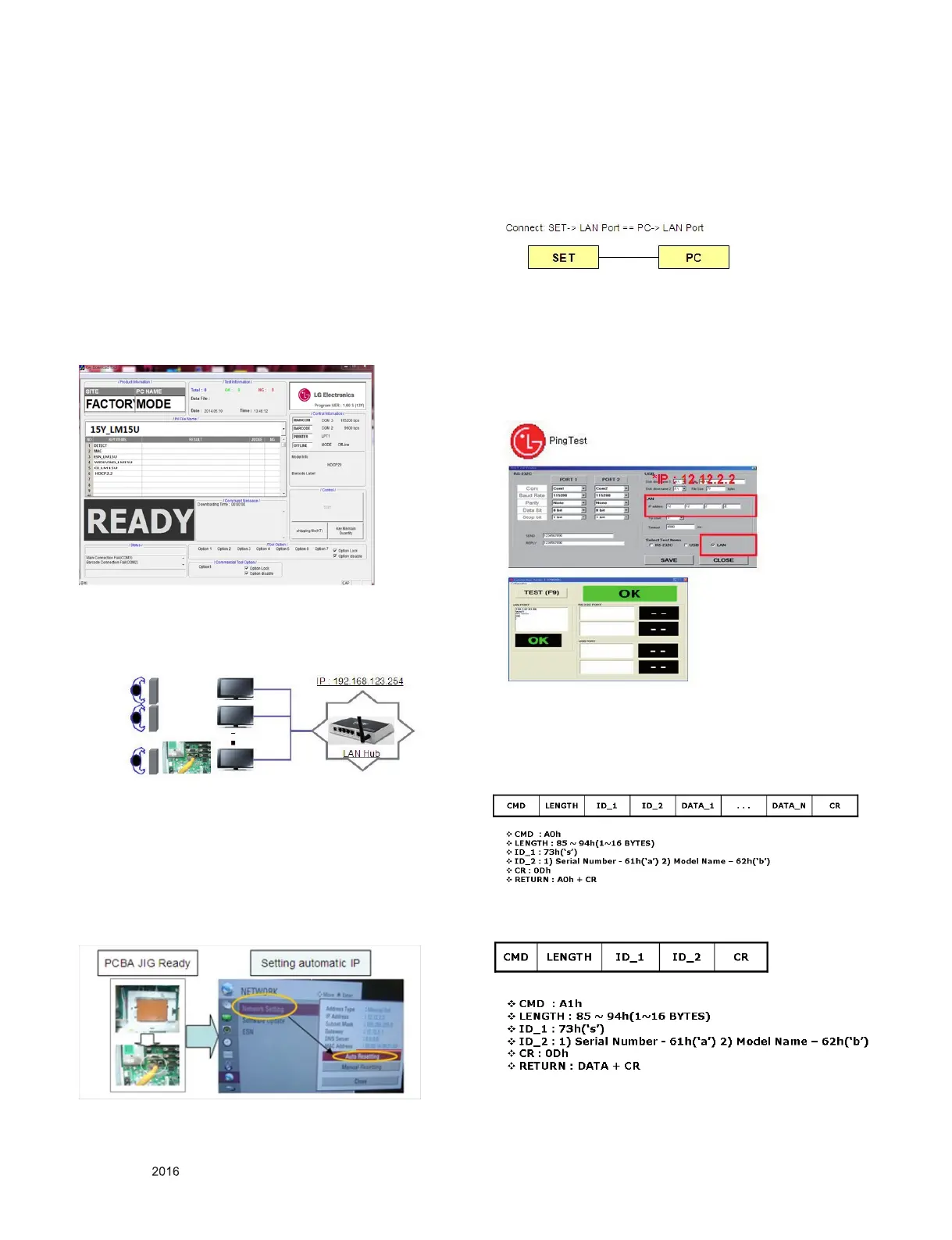
4.2. MAC address & HDCP2.2 D/L
4.2.1. Equipment & Condition
1) Play le: keydownload.exe
4.2.2. Communication Port connection
1) Key Write: Com 1,2,3,4 and 115200 (Baudrate)
2) Barcode: Com 1,2,3,4 and 9600 (Baudrate)
4.2.3. Download process
1) Select the download items.
2) Mode check: Online Only
3) Check the test process : DETECT -> MAC -> HDCP2.2
4) Play: Press Enter key
5) Check of result: Ready, Test, OK or NG
4.3. LAN Inspection
4.3.1. Equipment & Condition
▪ Each other connection to LAN Port of IP Hub and Jig
4.3.2. LAN inspection solution
1) LAN Port connection with PCB
2) Network setting at MENU Mode of SET (Installer Menu →
119 → 253 → Menu)
3) Setting automatic IP
4) Setting state conrmation
→ If automatic setting is nished, you conrm IP and MAC
Address.
4.4. LAN PORT INSPECTION(PING TEST)
4.4.1. Equipment setting
1) Play the LAN Port Test PROGRAM.
2) Input IP set up for an inspection to Test Program.
*IP Number : 12.12.2.2
4.4.2. LAN PORT inspection(PING TEST)
1) Play the LAN Port Test Program.
2) Connect each other LAN In Port Jack.
3) Play Test (F9) button and conrm OK Message.
4) Remove LAN CABLE
5) Connect each other LAN Out Port Jack.
6) Play Test (F9) button and conrm OK Message.
7) Remove LAN CABLE
4.5. Serial number download
Connect Bar Code scan equipment and set by RS-232C
cable.
1) E2PROM Data Write
2) E2PROM Data Read



 To Next Page