EasyManua.ls Logo

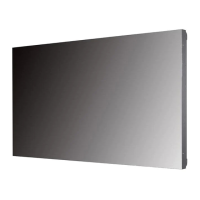
LG 49VM5E - User Manual

LG 49VM5E
129 pages
Print Icon
To Next Page IconTo Next Page
Loading...
www.lg.com
Copyright © 2019 LG Electronics Inc. All Rights Reserved.
Please read this manual carefully before operating your set and retain it
for future reference.
49VH7E
55VH7E
49VM5E
55VM5E
OWNER’S MANUAL
LG Digital
Signage
(MONITOR SIGNAGE)

Table of Contents

Other manuals for LG 49VM5E

Questions and Answers

  • T
    Timothy LambAug 26, 2025
    What to do if the screen color is abnormal on LG 49VM5E?
    • M
      Mallory OlsenAug 27, 2025
      If you are experiencing abnormal screen color on your LG Digital Signage, set the number of colors to more than 24 bits (true color) by selecting (Control Panel ? Display ? Settings ? Color Table) in Windows. Also, check the connection status of the signal cable and re-insert the PC graphics card. Note that several pixels (red, green, blue, white, or black color) may appear on the screen. This is not a malfunction of the LCD, but attributable to the unique characteristics of the LCD panel.
  • L
    Lance GrayAug 25, 2025
    What to do if the screen image looks abnormal on LG 49VM5E?
    • E
      elliottmatthewAug 25, 2025
      If the screen image looks abnormal on your LG Digital Signage, verify that the graphics card resolution and frequency are supported by the product. If the frequency is out of range, set to the recommended resolution in the (Control Panel ? Display ? Setting) menu. Also, ensure the proper input signal is connected to the signal port by connecting the signal cable that matches with the source input signal.
  • W
    wheelernancyAug 23, 2025
    Why does the screen image look abnormal on my LG Digital Signage?
    • A
      Angela SmithAug 23, 2025
      If the screen image on your LG Digital Signage looks abnormal, ensure that the graphics card resolution and frequency are supported by the product. If the frequency is out of range, set to the recommended resolution in the (Control Panel ? Display ? Setting) menu. Also, verify that the correct input signal is connected to the appropriate signal port; connect the signal cable that matches the source input signal.

LG 49VM5E Specifications

General IconGeneral
Screen Size49 inches
Panel TechnologyIPS
Display TypeLED
Contrast Ratio1200:1
Viewing Angle (H x V)178° x 178°
Response Time8 ms
OutputAudio Out
External ControlRS-232C, LAN
Operating Hours24/7
Operating Temperature0°C to 40°C
Storage Temperature-20°C to 60°C
Standby Power Consumption0.5W
Resolution1920 x 1080
InputHDMI, DisplayPort, USB
OrientationLandscape, Portrait

Related product manuals