EasyManua.ls Logo

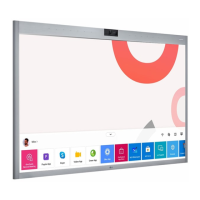
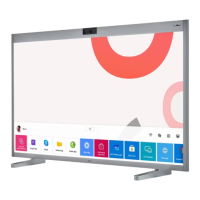
LG 55CT5WJ-I - User Manual

LG 55CT5WJ-I
36 pages
Print Icon
To Next Page IconTo Next Page
Loading...
OWNER’S MANUAL
LG Digital Signage
(MONITOR SIGNAGE)
Please read this manual carefully before operating your set and retain it for future
reference.
www.lg.com
Copyright © 2021 LG Electronics Inc. All Rights Reserved.
55CT5WJ
55CT5WJ-B
55CT5WJ-I
55CT5WJ-Z
*MFL71831003*
(2212-REV03)

Other manuals for LG 55CT5WJ-I

Questions and Answers

  • R
    Raymond SawyerSep 8, 2025
    Why is my LG Digital Signage flickering or fluttering?
    • J
      jessicamiddletonSep 8, 2025
      If your LG Digital Signage is flickering or fluttering, this can be normal if you turn the monitor on when it is cold. However, also ensure that the current resolution and frequency settings of the graphics card are supported by the monitor.
  • D
    Daniel PerezAug 25, 2025
    What to do if my LG Digital Signage power won’t turn on?
    • K
      Kristy BaileyAug 25, 2025
      If your LG Digital Signage isn't turning on, first check if the power cord is correctly plugged into the power outlet. If it still doesn't turn on, try disconnecting the AC adapter, cleaning the contacting port, and then try turning the power on again.
  • S
    summercollinsAug 25, 2025
    Why does my LG Digital Signage screen flicker?
    • J
      john56Aug 26, 2025
      If the screen of your LG Digital Signage is flickering, especially when you turn it on when it's cold, this is normal. Also make sure that the current resolution and frequency settings of the graphics card are supported by the monitor.
  • C
    cindy88Sep 18, 2025
    Why does my LG 55CT5WJ-I display ‘Unknown Product’?
    • B
      Benjamin CruzSep 18, 2025
      Check if the driver of PC(graphics card) has been installed. Also, check if the plug and play function is supported by the PC(graphics card) user manual.
  • J
    Jack CurtisSep 8, 2025
    Why is multi-touch not responding on my LG 55CT5WJ-I?
    • P
      Paul DrakeSep 8, 2025
      If you are experiencing issues with multi-touch not responding on your LG Digital Signage, ensure that you are using content that supports Multi-touch point. Also, try removing the USB cable and reconnecting it after 10 seconds. You can also try running the content again or restarting your PC.
  • J
    Joel CookSep 12, 2025
    Why did my LG 55CT5WJ-I Digital Signage suddenly turn off?
    • P
      Paul CampbellSep 12, 2025
      If your LG Digital Signage suddenly turned off, check if the auto-off function is activated in the time-related settings. Also, make sure the product power cord is connected properly, ensuring a stable power supply. Finally, review the power control settings.
  • D
    Daniel WalkerSep 3, 2025
    How to fix LG 55CT5WJ-I Digital Signage when the power won’t turn on?
    • O
      ortizrebeccaSep 3, 2025
      If your LG Digital Signage power won’t turn on, first ensure the power cord is securely plugged into the power outlet. If it still fails to power on, try disconnecting the AC adapter, cleaning the contacting port, and then try turning it on again.
  • L
    Lori GilesSep 3, 2025
    What to do if my LG 55CT5WJ-I says ‘No signal’ or ‘Invalid Format’?
    • D
      Dr. Christopher KellySep 3, 2025
      If your LG Digital Signage displays a message saying ‘No signal’ or ‘Invalid Format’, check the signal cable to ensure it is properly connected between the PC and the product. Also, access the input menu to check the input signal. If the issue persists, the signal from your PC (graphics card) might be outside the product's frequency range. In this case, adjust the frequency range by referring to the specifications in this manual.
  • C
    Christy Cohen DDSSep 23, 2025
    What to do if the location of a touch does not correspond to the touch coordinates on LG Digital Signage?
    • N
      nguyenrickySep 23, 2025
      This may occur when the touch screen is not calibrated properly. Change your tablet PC settings.
  • T
    Tiffany WallaceAug 29, 2025
    Why is my LG 55CT5WJ-I Digital Signage screen color unstable?
    • M
      Michael JacksonAug 29, 2025
      If your LG Digital Signage screen color is unstable or mono-colored, check the connection status of the signal cable. If the connection is fine, try re-inserting the PC graphics card.

LG 55CT5WJ-I Specifications

General IconGeneral
Panel TechnologyIPS
Operating Hours24/7
Operating Temperature0 °C to 40 °C
Storage Temperature-20 °C to 60 °C
Standby Power Consumption0.5W
Operating SystemwebOS
Screen Size55"
Native Resolution1920 x 1080 (Full HD)
Contrast Ratio1200:1
Viewing Angle (H x V)178° x 178°
Life Time50, 000 hours
OrientationLandscape/Portrait
InputHDMI, USB
OutputAudio
External ControlRS-232C, LAN
Input Voltage100-240V
Frequency50/60Hz
PortsHDMI x1, USB x1, RS-232C x1, LAN x1
Brightness500 cd/m²

Related product manuals