EasyManua.ls Logo

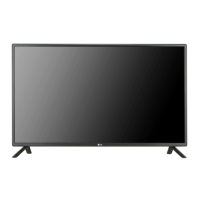
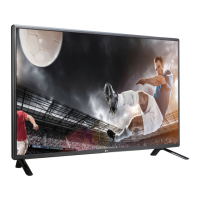
LG 55LS35A - User Manual

LG 55LS35A
76 pages
Print Icon
To Next Page IconTo Next Page
Loading...
www.lg.com
OWNER’S MANUAL
MONITOR SIGNAGE
32LS33A
42LS33A
47LS33A
55LS33A
65LS33A
42LS35A
47LS35A
55LS35A
Please read this manual carefully before operating the your set and
retain it for future reference.
MONITOR SIGNAGE MODELS

Questions and Answers

  • G
    garciajamesSep 17, 2025
    Why does 'Unknown Product' message appear when my LG Monitor is connected?
    • S
      Scott JamesSep 18, 2025
      If you see an 'Unknown Product' message when connecting your LG Monitor, check if the plug&play function is supported by your video card. Refer to your video card's user manual for instructions.
  • R
    Ruth OrtegaAug 25, 2025
    What to do if my LG Monitor displays no image?
    • G
      gpetersonAug 25, 2025
      If your LG Monitor displays no image, ensure the power cord is correctly connected to the outlet. Also, verify that the signal cable between your PC and the monitor is securely connected. Check the input signal by pressing the 'INPUT' menu on the remote control. Finally, ensure the signal from your PC's video card is within the monitor's vertical or horizontal frequency range, adjusting as needed by referring to the Specifications in this manual.
  • D
    David SimsAug 25, 2025
    Why is no image displayed on my LG Monitor?
    • L
      Luke KellyAug 26, 2025
      There might be several reasons: * Ensure the power cord is securely connected to the outlet. * The signal from your PC's video card may be outside the LG Monitor's vertical or horizontal frequency range. Refer to the manual's specifications to adjust the frequency range. * Verify the signal cable between your PC and the monitor is properly connected. * Use the 'INPUT' menu on the remote control to check the input signal.
  • J
    John WilsonAug 27, 2025
    What to do if the audio function does not work on my LG Monitor?
    • R
      Renee FarmerAug 27, 2025
      If the audio on your LG Monitor isn't working, try the following: 1. Check if the audio cable is properly connected. 2. Adjust the volume settings. 3. Ensure the sound settings are correctly configured. 4. Select an appropriate equalizer sound setting. 5. Adjust the volume again to ensure it's at a suitable level.
  • J
    jfordSep 18, 2025
    Why is no image displayed on my LG Digital Signage?
    • P
      palmerkaraSep 18, 2025
      If your LG Digital Signage is not displaying an image, there could be several reasons. First, ensure the power cord is properly connected to the outlet. Second, the signal from your PC's video card might be outside the product's vertical or horizontal frequency range; in this case, adjust the frequency range according to the specifications. Third, verify the signal cable is correctly connected. Finally, use the 'INPUT' menu on the remote control to check the input signal.
  • Q
    quinnbrandonSep 23, 2025
    What to do if 'Unknown Product' message appears when my LG 55LS35A Digital Signage is connected?
    • J
      Jeffrey RomeroSep 23, 2025
      To resolve the 'Unknown Product' message when connecting your LG Digital Signage, check if the plug&play function is supported by referring to the video card user manual.
  • S
    Scott LiSep 9, 2025
    Why does the audio function not work on my LG Digital Signage?
    • L
      Louis ValdezSep 9, 2025
      If the audio function on your LG Digital Signage isn't working, first check if the audio cable is properly connected. Then, adjust the volume and ensure the sound is set correctly. You may also want to select the appropriate equalize sound and try adjusting the volume again.
  • N
    natalie34Sep 10, 2025
    Why does after-image appear on my LG Digital Signage?
    • L
      lolsonSep 10, 2025
      An after-image may appear on your LG Digital Signage if a fixed image is displayed for a long time, potentially damaging pixels. Use the screen-saver function to prevent this. Also, displaying a dark image after a high-contrast image (black and white or gray) can cause image sticking, which is normal for LCD screens.
  • J
    James MurphySep 3, 2025
    What to do if the screen image looks abnormal on LG 55LS35A?
    • V
      Vanessa ZamoraSep 3, 2025
      If the screen image looks abnormal on your LG Digital Signage, press the 'AUTO' button on the remote control to automatically select the optimal screen status. If this doesn't resolve the issue, navigate to [PICTURE] - [Screen] in the OSD menu and adjust the Position, Size, and Phase settings. Also, ensure the video card resolution and frequency are supported; if the frequency is out of range, set to the recommended resolution in the Control Panel "Display" Setting menu. Finally, make sure the correct input signal is connected to the appropriate signal port.
  • S
    Steve HenrySep 1, 2025
    How to fix no image on LG 55LS35A?
    • A
      Adam RitterSep 1, 2025
      If no image is displayed on your LG Digital Signage, first, ensure the power cord is properly connected to the outlet. Also, check that the signal cable between the PC and the product is securely connected. Use the 'INPUT' menu on the remote control to verify the input signal. If the signal from the PC (video card) is out of the vertical or horizontal frequency range, adjust the frequency range by referring to the Specifications in this manual.

Summary

Assembling and Preparing Your Monitor

Monitor Parts and Button Functions

Identifies and explains the function of all buttons and ports on the monitor.

Wall Mounting Instructions

Provides guidelines and cautions for safely mounting the monitor on a wall.

Remote Control Operations

Remote Control Buttons and Functions

Explains the functions of various buttons on the remote control.

Detailed Remote Button Operations

Provides detailed explanations for specific remote control buttons and their actions.

Making Connections to Your Monitor

Connecting External Devices Overview

Illustrates how to connect various external devices to the monitor's input ports.

Using the Monitor Features

Customizing Settings

Accessing Main Menus

Guides on how to navigate and access the main setting menus.

Picture Settings and Adjustments

Explains various settings to adjust picture quality and appearance.

Basic Image Adjustments

Details basic image adjustment options like brightness and contrast.

Audio Settings and Modes

Guides on adjusting sound modes, effects, and audio synchronization.

Troubleshooting Common Issues

No Image Display Solutions

Solutions for when the screen displays no image, including cable checks.

Abnormal Screen Image Problems

Troubleshooting steps for abnormal screen display issues like lines or noise.

Audio Function Problems

Troubleshooting steps for audio problems such as no sound or poor quality.

Product Specifications

Controlling Multiple Products

RS-232 C Command Reference

Details commands, parameters, and usage for RS-232C product control.

LG 55LS35A Specifications

General IconGeneral
Screen Size55 inches
Display TypeLED
Viewing Angle (H/V)178°/178°
Built-in SpeakersYes (10W x 2)
VESA Mounting400 x 400 mm
Operating Temperature0°C to 40°C
Storage Temperature-20°C to 60°C
Standby Power Consumption0.5W
Resolution1920 x 1080 (FHD)
Contrast Ratio1200:1
ConnectivityHDMI, USB, RS232C

Related product manuals