EasyManua.ls Logo

LG 55LV35A5BC - User Manual

LG 55LV35A5BC
67 pages
Print Icon
To Next Page IconTo Next Page
Loading...
www.lg.com
OWNER’S MANUAL
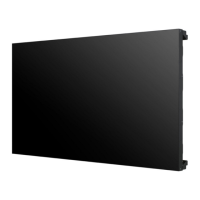
MONITOR SIGNAGE
47LV35A
55LV35A
Please read this manual carefully before operating your set and retain it
for future reference.
MONITOR SIGNAGE MODELS

Questions and Answers

  • K
    Kimberly JohnsonSep 14, 2025
    Why do black spots appear on my LG Digital Signage screen?
    • A
      anthony88Sep 14, 2025
      The appearance of several pixels (red, green, white, or black color) on the screen can be attributable to the unique characteristics of the LCD panel and does not indicate a malfunction of the LCD in your LG Digital Signage.
  • A
    aevansAug 25, 2025
    Why is my LG Monitor screen so dark?
    • T
      Tyler KimAug 25, 2025
      If your LG monitor screen appears extremely dark, try adjusting the brightness and contrast settings. If the issue persists, the backlight may require repair.
  • C
    Charles KingAug 26, 2025
    Why does my LG Monitor keep turning off?
    • A
      Amber Rogers MDAug 26, 2025
      If your LG Monitor suddenly turned off, check if the sleep timer is enabled. Also, verify the power control settings and ensure there are no power interruptions.
  • L
    Leslie GarciaAug 26, 2025
    Why is the screen on my LG Monitor displayed abnormally?
    • A
      Angela GarciaAug 27, 2025
      If your LG Monitor is displaying an abnormal screen, ensure that the correct input signal is connected to the appropriate signal port using the corresponding signal cable.
  • H
    Henry BoothSep 15, 2025
    What to do if the 'No signal' message appears on my LG Digital Signage?
    • G
      Gregory FosterSep 15, 2025
      If the 'No signal' message appears on your LG Digital Signage, first check the signal cable connecting your PC and the signage to ensure it's properly connected. If the connection is correct, press the INPUT menu on the remote control to verify the input signal.
  • T
    Terrance NavarroSep 23, 2025
    Why are there black spots on my LG 55LV35A5BC screen?
    • E
      Eric CarlsonSep 23, 2025
      Several pixels (red, green, white, or black color) may appear on the screen, which can be attributable to the unique characteristics of the LCD panel. It is not a malfunction of the LCD.
  • M
    Michael BallardSep 7, 2025
    What to do if the 'Invalid Format' message appears on LG 55LV35A5BC Digital Signage?
    • J
      Jenny CooperSep 7, 2025
      If you see an 'Invalid Format' message on your LG Digital Signage, it means the signal from your PC's video card is outside the product's vertical or horizontal frequency range. Adjust the frequency range according to the specifications in the manual. The maximum resolution for RGB, HDMI, and DVI is 1920 x 1080 @ 60 Hz.
  • J
    Jack Pratt MDSep 8, 2025
    Why is the screen color unstable on my LG 55LV35A5BC Digital Signage?
    • R
      Richard HollandSep 8, 2025
      If the screen color on your LG Digital Signage is unstable or mono-colored, check the connection status of the signal cable. If the connection is good, try re-inserting the PC video card.
  • R
    riosdebraSep 2, 2025
    How to fix poor color resolution on LG Monitor?
    • E
      Emily LopezSep 2, 2025
      If your LG Monitor screen has poor color resolution (16 colors), adjust the color settings in Windows. Go to Control Panel - Display - Settings - Color Table menu and set the number of colors to more than 24 bits (true color).
  • M
    mary70Aug 31, 2025
    How to fix thin lines on LG Monitor?
    • M
      Mark GonzalezAug 31, 2025
      If you see thin lines on the background of your LG Monitor screen when using a D-Sub analog signal, press the AUTO button on the remote control to automatically optimize the screen. If the issue persists, navigate to [PICTURE] - [Screen] - [Size] in the OSD menu and make adjustments.

LG 55LV35A5BC Specifications

General IconGeneral
Display TypeLED
Aspect Ratio16:9
Brightness350 cd/m²
Response Time8 ms
Built-in SpeakersYes (10W x 2)
VESA Mounting400 x 400 mm
Operating Temperature0°C to 40°C
Storage Temperature-20°C to 60°C
Power Consumption150 W
Standby Power Consumption0.5 W
Frequency50/60 Hz
Screen Size55 inches
Resolution1920 x 1080
Contrast Ratio1200:1
Viewing Angle178°
ConnectivityHDMI, USB, RS-232C
Input Voltage100-240V
PortsHDMI, RS-232C

Related product manuals