EasyManua.ls Logo

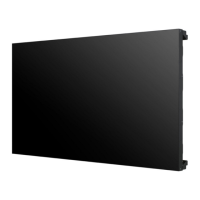
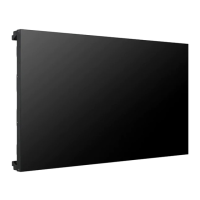
LG 55LV77A-5B.AUS - User Manual

LG 55LV77A-5B.AUS
85 pages
Print Icon
To Next Page IconTo Next Page
Loading...
www.lg.com
OWNER’S MANUAL
MONITOR SIGNAGE
55LV75A
55LV77A
Please read this manual carefully before operating your set and retain it
for future reference.
MONITOR SIGNAGE MODELS

Table of Contents

Questions and Answers

  • T
    tharrisSep 23, 2025
    What to do if my LG 55LV77A-5B.AUS displays no image?
    • J
      Jamie MurphySep 23, 2025
      If your LG Digital Signage isn't displaying an image, ensure the power cord is properly connected to the outlet. Also, try adjusting the brightness and contrast settings. Check the signal cable and access the input menu to verify the input signal. If the signal from the PC (video card) is out of the vertical or horizontal frequency range of the product, adjust the frequency range by referring to the Specifications.
  • P
    perezjohnAug 23, 2025
    What to do if the LG Monitor screen is very dark?
    • D
      David MuellerAug 23, 2025
      If your LG Monitor's screen is extremely dark, try adjusting the brightness and contrast settings. If the issue persists, the backlight may require repair.
  • T
    Thomas MartinAug 25, 2025
    Why is there no sound from my LG Monitor?
    • P
      Patrick Brooks MDAug 26, 2025
      Ensure the audio cable is connected properly to get sound from your LG Monitor.
  • K
    Katherine MccarthyAug 27, 2025
    How to check if the power cord is connected to my LG Monitor?
    • M
      Meghan SmithAug 27, 2025
      Ensure the power cord is properly connected to the outlet to supply power to your LG Monitor.
  • C
    christiegutierrezAug 27, 2025
    Why is the screen color unstable on my LG Monitor?
    • A
      Anita EvansAug 27, 2025
      Unstable or mono-colored screen issues on your LG Monitor can often be resolved by checking the connection status of the signal cable. If the problem continues, try re-inserting the PC video card.
  • J
    Justin PadillaSep 18, 2025
    Why do black spots appear on my LG Monitor screen?
    • K
      Kaitlyn CannonSep 18, 2025
      The appearance of several pixels (red, green, white, or black color) on the screen of your LG Monitor may be due to the unique characteristics of the LCD panel and is not a malfunction.
  • R
    Robert EdwardsSep 15, 2025
    How to remove thin lines on the LG Monitor background screen?
    • Z
      Zachary SmithSep 15, 2025
      To remove thin lines on the background screen of your LG Monitor, press the 'AUTO' button on the remote control to automatically select an optimal screen status. If adjustment is not satisfactory, select [PICTURE] - [Screen] - [Size] in the OSD menu.
  • S
    samantha13Sep 16, 2025
    Why does an after-image appear on my LG Monitor when it's turned off?
    • S
      snyderthomasSep 16, 2025
      If an after-image appears when your LG Monitor is turned off, it may be due to using a fixed image for an extended period, which can damage pixels. Use the screen-saver function to prevent this.
  • J
    Jeffrey CookeSep 6, 2025
    How to fix LG 55LV77A-5B.AUS when no image is displayed?
    • M
      Marcus HillSep 6, 2025
      If your LG Digital Signage displays no image, ensure the power cord is properly connected to the outlet. Also, check the signal cable and access the input menu to verify the input signal. Try adjusting the brightness and contrast settings. If the PC signal is out of range, adjust the frequency range by referring to the specifications.
  • M
    Monica MillerSep 4, 2025
    Why did my LG Monitor power suddenly turn off?
    • B
      Bryan JonesSep 4, 2025
      Your LG Monitor might have turned off suddenly because the sleep timer is set, the power control settings are enabled, or there was a power interruption. Check these settings to ensure the monitor functions correctly.

LG 55LV77A-5B.AUS Specifications

General IconGeneral
Operating Temperature0 °C to 40 °C
Storage Temperature-20 °C to 60 °C
Screen Size55"
Native Resolution1920 x 1080 (Full HD)
Viewing Angle (H x V)178° x 178°
Surface TreatmentAnti-glare
Life Time50, 000 hours
Operation Hours24 Hrs
OrientationLandscape/Portrait
InputDVI-D, USB
External ControlRS-232C
Power Supply100-240V~, 50/60Hz

Related product manuals