EasyManua.ls Logo

LG 55LV77A-5B.AEK - User Manual

LG 55LV77A-5B.AEK
84 pages
Print Icon
To Next Page IconTo Next Page
Loading...
www.lg.com
OWNER’S MANUAL
MONITOR SIGNAGE
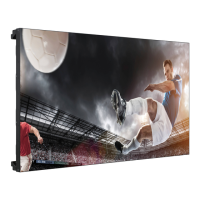
55LV75A
55LV77A
Please read this manual carefully before operating your set and retain it
for future reference.
MONITOR SIGNAGE MODELS

Table of Contents

Questions and Answers

  • M
    Matthew BarkerSep 23, 2025
    What to do if my LG 55LV77A-5B.AEK displays no image?
    • C
      Casey LewisSep 23, 2025
      If your LG Digital Signage isn't displaying an image, ensure the power cord is properly connected to the outlet. Also, try adjusting the brightness and contrast settings. Check the signal cable and access the input menu to verify the input signal. If the signal from the PC (video card) is out of the vertical or horizontal frequency range of the product, adjust the frequency range by referring to the Specifications.
  • A
    Anthony BerryAug 23, 2025
    What to do if the LG Monitor screen is very dark?
    • M
      Mrs. Melissa Floyd DDSAug 23, 2025
      If your LG Monitor's screen is extremely dark, try adjusting the brightness and contrast settings. If the issue persists, the backlight may require repair.
  • K
    Kyle MasonAug 25, 2025
    Why is there no sound from my LG Monitor?
    • D
      Daniel MillerAug 26, 2025
      Ensure the audio cable is connected properly to get sound from your LG Monitor.
  • G
    garciacharlesAug 27, 2025
    How to check if the power cord is connected to my LG Monitor?
    • J
      Joel MendozaAug 27, 2025
      Ensure the power cord is properly connected to the outlet to supply power to your LG Monitor.
  • J
    Jennifer JohnsonAug 27, 2025
    Why is the screen color unstable on my LG Monitor?
    • T
      Tanya DavidAug 28, 2025
      Unstable or mono-colored screen issues on your LG Monitor can often be resolved by checking the connection status of the signal cable. If the problem continues, try re-inserting the PC video card.
  • A
    Antonio ThomasSep 18, 2025
    Why do black spots appear on my LG Monitor screen?
    • S
      Sara WilsonSep 18, 2025
      The appearance of several pixels (red, green, white, or black color) on the screen of your LG Monitor may be due to the unique characteristics of the LCD panel and is not a malfunction.
  • D
    douglas74Sep 15, 2025
    How to remove thin lines on the LG Monitor background screen?
    • K
      Kenneth EvansSep 15, 2025
      To remove thin lines on the background screen of your LG Monitor, press the 'AUTO' button on the remote control to automatically select an optimal screen status. If adjustment is not satisfactory, select [PICTURE] - [Screen] - [Size] in the OSD menu.
  • L
    lindajohnsonSep 16, 2025
    Why does an after-image appear on my LG Monitor when it's turned off?
    • M
      Martin HowardSep 16, 2025
      If an after-image appears when your LG Monitor is turned off, it may be due to using a fixed image for an extended period, which can damage pixels. Use the screen-saver function to prevent this.
  • K
    Kevin BrownSep 6, 2025
    How to fix LG 55LV77A-5B.AEK when no image is displayed?
    • A
      adamsthomasSep 6, 2025
      If your LG Digital Signage displays no image, ensure the power cord is properly connected to the outlet. Also, check the signal cable and access the input menu to verify the input signal. Try adjusting the brightness and contrast settings. If the PC signal is out of range, adjust the frequency range by referring to the specifications.
  • A
    Andre DavisSep 3, 2025
    Why did my LG Monitor power suddenly turn off?
    • S
      Sarah KleinSep 3, 2025
      Your LG Monitor might have turned off suddenly because the sleep timer is set, the power control settings are enabled, or there was a power interruption. Check these settings to ensure the monitor functions correctly.

LG 55LV77A-5B.AEK Specifications

General IconGeneral
BrandLG
Model55LV77A-5B.AEK
CategoryDigital Signage
LanguageEnglish

Related product manuals