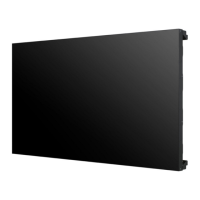
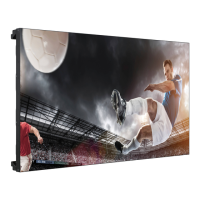
This document is an Easy Setup Guide for LG Digital Signage (Monitor Signage) models 47LV35A and 55LV35A. It provides instructions for assembling, preparing, installing, and configuring the display units, as well as information on safety precautions and remote control usage.
Function Description
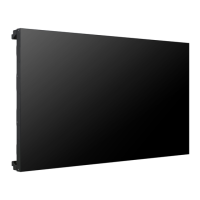
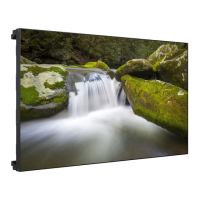
The LG Digital Signage is a monitor designed for multi-vision setups, allowing users to create large-scale displays by connecting multiple units. It supports various input sources, including HDMI, DVI, RGB, and USB, making it versatile for different content delivery needs. The device is capable of displaying images in a tiled configuration, where a single image can be enlarged and spread across multiple connected monitors. It also features an IR Receiver for remote control operations and RS-232C connectivity for serial control, which is essential for managing multiple displays in a daisy-chain setup. The signage includes a "Tile Mode" for configuring multi-monitor displays and a "Picture ID" function to individually control specific monitors within a tiled arrangement.
Usage Features
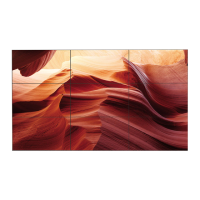
- Multi-Vision Configuration: The primary feature is the ability to connect multiple monitors to form a larger display. The manual details how to join sets using VESA wall mounts and tiling guides to adjust gaps between units, enabling configurations like 2x2, 3x3, and 4x4 tiling.
- Input Versatility: The monitor supports a wide range of input connections, including HDMI, DVI, RGB/AV/COMPONENT IN, USB, RS-232C IN/OUT, IR IN, and LAN. This allows for connection to various external devices such as PCs, camcorders, cameras, HD receivers, DVD players, gaming devices, and VCRs.
- Remote Control Operation: The device comes with a remote control that allows users to power on/off the monitor, select input modes, adjust picture status mode (PSM), and access various menus like "Settings" and "White Balance." The remote also includes navigation buttons for menu interaction and a "Tile" button to select the Tile Mode.
- Tile Mode: This mode allows an input image to be enlarged and displayed across multiple connected monitors. Users can configure the number of rows and columns for the tiled display.
- Picture ID Function: In a multi-vision setup, the Picture ID menu enables individual control of specific monitors. By assigning a unique ID to each monitor, users can target and adjust settings for a single display using the remote control, even when multiple monitors are connected. If Picture ID is set to "Off," all monitors can be controlled simultaneously.
- White Balance Adjustment: The "White Balance Adjust Menu" allows for manual calibration of screen color. Users can adjust R-Gain, G-Gain, and B-Gain to fine-tune the red, green, and blue levels, respectively, ensuring consistent color across all monitors in a multi-vision setup. Backlight brightness can also be adjusted.
- USB Cloning: The "Installation Menu" indicates support for USB Cloning, suggesting that settings can be copied from one monitor to others via USB, simplifying setup for multiple units.
- SuperSign Software: The manual mentions SuperSign software and manual are available for download from the LG Electronics website, indicating advanced management and content delivery capabilities for digital signage applications.
Maintenance Features
- Easy Setup Guide: The manual itself serves as a guide for initial setup, providing clear, step-by-step instructions for unpacking, handling, and connecting the monitor.
- Accessory Check: Users are advised to check the product box for all included accessories, and contact the dealer if any items are missing, ensuring a complete setup.
- Safety Precautions: Detailed precautions are provided for moving and handling the device, emphasizing the importance of proper lifting techniques (e.g., using two persons, supporting from the side/back and underneath) to prevent damage or injury. Warnings against clamping, dropping, stacking, or leaning on the set box are also included.
- Line Defect Prevention: The manual illustrates common causes of line defects (e.g., COF and LOG defects) due to impacts on the edge of the set, implicitly guiding users on how to handle the monitor carefully to prevent such issues.
- Cable Management: The inclusion of "Mounting Cable Tie" accessories suggests provisions for organizing cables, which helps maintain a tidy installation and prevents accidental disconnections or damage.
- Software Updates: Users are encouraged to visit the LG Electronics website to download the latest software for their model, ensuring the device operates with the most current features and bug fixes.
- Battery Replacement: Instructions for replacing remote control batteries are provided, ensuring continuous functionality of the remote.
- Troubleshooting (Implicit): While not explicitly a troubleshooting section, the "CAUTION" and "NOTE" sections throughout the manual address potential issues, such as using pirated items, color inconsistency in multi-vision setups, and proper IR Receiver installation, guiding users to avoid common problems. For instance, it advises attaching IR Receivers to all sets or connecting them via RS-232C for multi-monitor control. It also notes that if the signal cable is too long, a DVI booster or optical cable should be used.



 To Next Page
 General