EasyManua.ls Logo

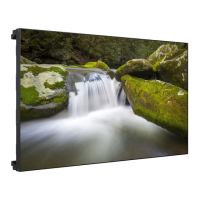
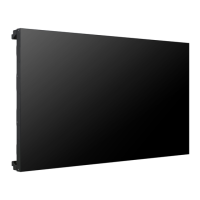
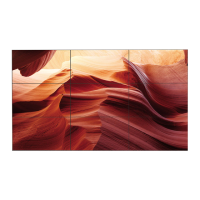
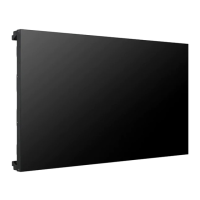
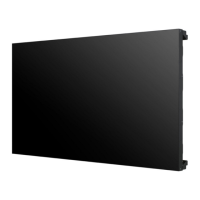
LG 55LV35A5BC - User Manual

LG 55LV35A5BC
67 pages
Print Icon
To Next Page IconTo Next Page
Loading...
www.lg.com
OWNER’S MANUAL
MONITOR SIGNAGE
47LV35A
55LV35A
Please read this manual carefully before operating your set and retain it
for future reference.
MONITOR SIGNAGE MODELS

Questions and Answers

  • T
    Thomas HarrisSep 16, 2025
    How to fix 'Invalid Format' message on LG 55LV35A5BC?
    • A
      Albert MerrittSep 16, 2025
      If the 'Invalid Format' message appears on your LG Digital Signage, it means the signal from the PC is outside the product's frequency range. Adjust the frequency range by referring to the Specifications in this manual. The maximum resolution for RGB, HDMI, and DVI is 1920 x 1080 @ 60 Hz.
  • L
    Luis McbrideSep 18, 2025
    Why did my LG 55LV35A5BC Digital Signage suddenly turn off?
    • S
      sobrienSep 18, 2025
      If your LG Digital Signage suddenly turned off, check if the sleep timer is set. Also, review the power control settings and check for any power interruptions.
  • T
    Terry DickersonSep 18, 2025
    How to correct wrong screen position on LG 55LV35A5BC?
    • M
      Michael DuncanSep 18, 2025
      If the screen position is wrong on your LG Digital Signage when using a D-Sub analog signal, press the AUTO button on the remote control to automatically select the optimal screen status. Also, verify that the video card resolution and frequency are supported by the product; if the frequency is out of range, set to the recommended resolution in the Control Panel Display Setting menu.
  • B
    Benjamin ShepherdSep 19, 2025
    How to fix horizontal noise on LG 55LV35A5BC?
    • S
      stephen51Sep 22, 2025
      If horizontal noise appears or the characters look blurred on your LG Digital Signage when using a D-Sub analog signal, press the AUTO button on the remote control to automatically select an optimal screen status. If adjustment is not satisfactory, select [PICTURE] - [Screen] - [Phase] in OSD menu.
  • A
    angela01Sep 23, 2025
    How to remove thin lines on LG 55LV35A5BC Digital Signage screen?
    • M
      Maria SmithSep 23, 2025
      If thin lines appear on the background screen of your LG Digital Signage when using a D-Sub analog signal, press the AUTO button on the remote control to automatically select an optimal screen status. If adjustment is not satisfactory, select [PICTURE] - [Screen] - [Size] in OSD menu.
  • R
    Robert SmithSep 23, 2025
    How to prevent after-image on LG Digital Signage?
    • K
      Kent RobertsSep 23, 2025
      If an after-image appears when your LG Digital Signage is turned off, and you frequently use a fixed image, the pixels may be damaged quickly. Use the screen-saver function to prevent this.
  • T
    Terrance NavarroSep 23, 2025
    Why are there black spots on my LG 55LV35A5BC screen?
    • E
      Eric CarlsonSep 23, 2025
      Several pixels (red, green, white, or black color) may appear on the screen, which can be attributable to the unique characteristics of the LCD panel. It is not a malfunction of the LCD.
  • M
    mary70Aug 31, 2025
    How to fix thin lines on LG Monitor?
    • M
      Mark GonzalezAug 31, 2025
      If you see thin lines on the background of your LG Monitor screen when using a D-Sub analog signal, press the AUTO button on the remote control to automatically optimize the screen. If the issue persists, navigate to [PICTURE] - [Screen] - [Size] in the OSD menu and make adjustments.
  • A
    aevansAug 25, 2025
    Why is my LG Monitor screen so dark?
    • T
      Tyler KimAug 25, 2025
      If your LG monitor screen appears extremely dark, try adjusting the brightness and contrast settings. If the issue persists, the backlight may require repair.
  • C
    Charles KingAug 26, 2025
    Why does my LG Monitor keep turning off?
    • A
      Amber Rogers MDAug 26, 2025
      If your LG Monitor suddenly turned off, check if the sleep timer is enabled. Also, verify the power control settings and ensure there are no power interruptions.

LG 55LV35A5BC Specifications

General IconGeneral
Display TypeLED
Aspect Ratio16:9
Brightness350 cd/m²
Response Time8 ms
Built-in SpeakersYes (10W x 2)
VESA Mounting400 x 400 mm
Operating Temperature0°C to 40°C
Storage Temperature-20°C to 60°C
Power Consumption150 W
Standby Power Consumption0.5 W
Frequency50/60 Hz
Screen Size55 inches
Resolution1920 x 1080
Contrast Ratio1200:1
Viewing Angle178°
ConnectivityHDMI, USB, RS-232C
Input Voltage100-240V
PortsHDMI, RS-232C

Related product manuals