32
ENG
ENGLISH
ENTERTAINMENT
Viewing Photos
View image files saved in the USB storage device.
1
Press SETTINGS to access the main menu.
2
Press the navigation button to scroll to MY MEDIA and press OK.
3
Press the navigation button to scroll to Photo List and press OK.
4
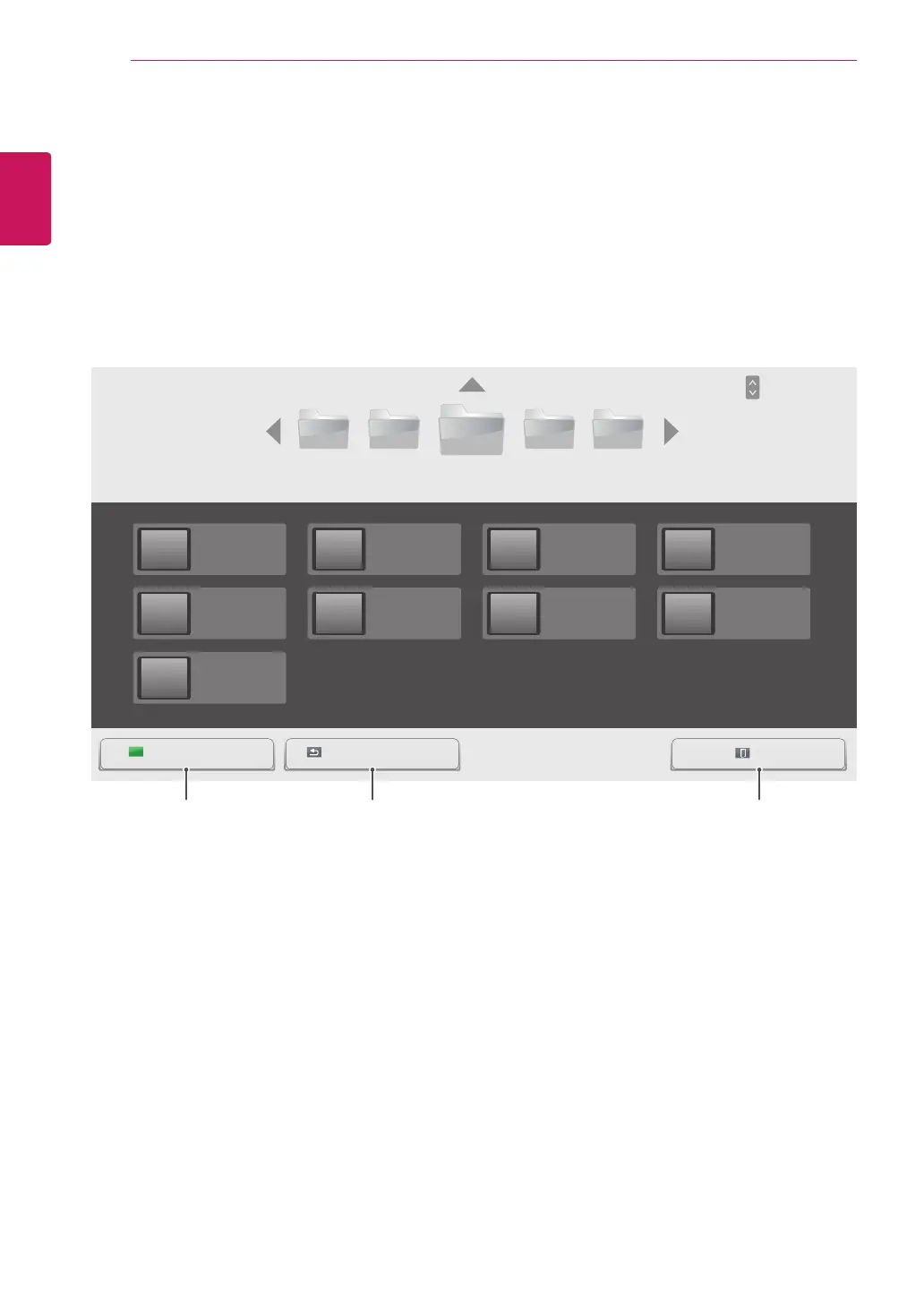
Press the navigation buttons to scroll to a folder you want and press OK.
5
Press the navigation buttons to scroll to a file you want and press OK.
USB -
003002001 004 005
Page 1/3
Photo List
Page 1/1
ExitGo to root folder Go to upper folder
HR1.jpg
01/23/2014
HR5.jpg
02/21/2014
HR9.jpg
02/21/2014
HR2.jpg
01/23/2014
HR6.jpg
02/21/2014
HR3.jpg
01/23/2014
HR7.jpg
02/21/2014
HR4.jpg
01/23/2014
HR8.jpg
02/21/2014
Page ChangePAGE
Returns to the home
screen of My Media.
Returns to the previous screen. Exits My Media.



 To Next Page