To Next Page
D
Dr. Patrick Rios DDSSep 23, 2025
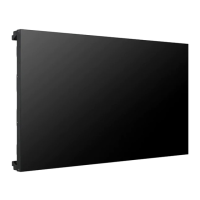
What to do if the Unknown Product message appears when LG 55LS73C-BF is connected?
- KKaren BrooksSep 23, 2025
Check if the Plug and Play function is supported by referring to the graphics card user manual.

What to do if the Unknown Product message appears when LG 55LS73C-BF is connected?
Check if the Plug and Play function is supported by referring to the graphics card user manual.
Why is the screen color abnormal on my LG 55LS73C-BF?
If the screen color on your LG Digital Signage is abnormal, set the number of colors to more than 24 bits (true color) by selecting [Control Panel] ? [Display] ? [Settings] ? [Color Table] in Windows. Check the connection status of the signal cable, and try re-inserting the PC graphics card. Note that this can be attributable to the unique characteristics of the LCD panel and is not a malfunction.
What to do if the audio function does not work on my LG Digital Signage?
If the audio function on your LG Digital Signage isn't working, verify the audio cable is properly connected. Adjust the volume and ensure the sound is set correctly. Also, select the appropriate equalizer sound and adjust the volume again.
What to do if the screen image looks abnormal on my LG Digital Signage?
If the screen image looks abnormal on your LG Digital Signage, check if the graphics card resolution and frequency are supported by the product. If the frequency is out of range, set to the recommended resolution in the [Control Panel] ? [Display] ? [Setting] menu. Also, connect the signal cable that matches with the source input signal.
What to do if after-image appears on the LG Digital Signage?
If an after-image appears on your LG Digital Signage, and you use a fixed image for a long time, it may damage the pixels, so use the screen-saver function. When a dark image is displayed on the screen after an image with high contrast (black and white or gray), this may cause image sticking, which is normal for LCD screen products.
Why is no image displayed on my LG Digital Signage?
If no image is displayed on your LG Digital Signage, it could be due to the signal from your PC's graphics card being out of the product's vertical or horizontal frequency range. To resolve this, adjust the frequency range according to the specifications in the manual. Another possible cause is a disconnected signal cable between your PC and the product. Ensure the signal cable is securely connected.
What to do if audio function does not work on LG Digital Signage?
If the audio function on your LG Digital Signage isn't working, first ensure the audio cable is properly connected. Then, adjust the volume and check that the sound is set up correctly. You may also want to select an appropriate equalizer sound and adjust the volume again.
Why does the Unknown Product message appear when LG Digital Signage is connected?
Check if the Plug and Play function is supported by referring to the graphics card user manual.
Why is there no image on my LG Digital Signage?
If no image is displayed on your LG Digital Signage, ensure the power cord is correctly plugged into the power outlet. Also, check the signal cable and verify the input signal by pressing the INPUT menu on the remote control. If the signal from the PC (Graphics card) is out of the vertical or horizontal frequency range of the product, adjust the frequency range by referring to the Specifications in this manual.
What to do if the audio function is not working on my LG 55LS73C-BF?
If the audio function does not work on your LG Digital Signage, make sure the audio cable is connected properly. Then, adjust the volume and ensure the sound is set correctly. You may also want to select the appropriate equalizer sound and adjust the volume again.
 General
| Brand | LG |
|---|---|
| Model | 55LS73C-BF |
| Category | Digital Signage |
| Language | English |