20
ENGLISH
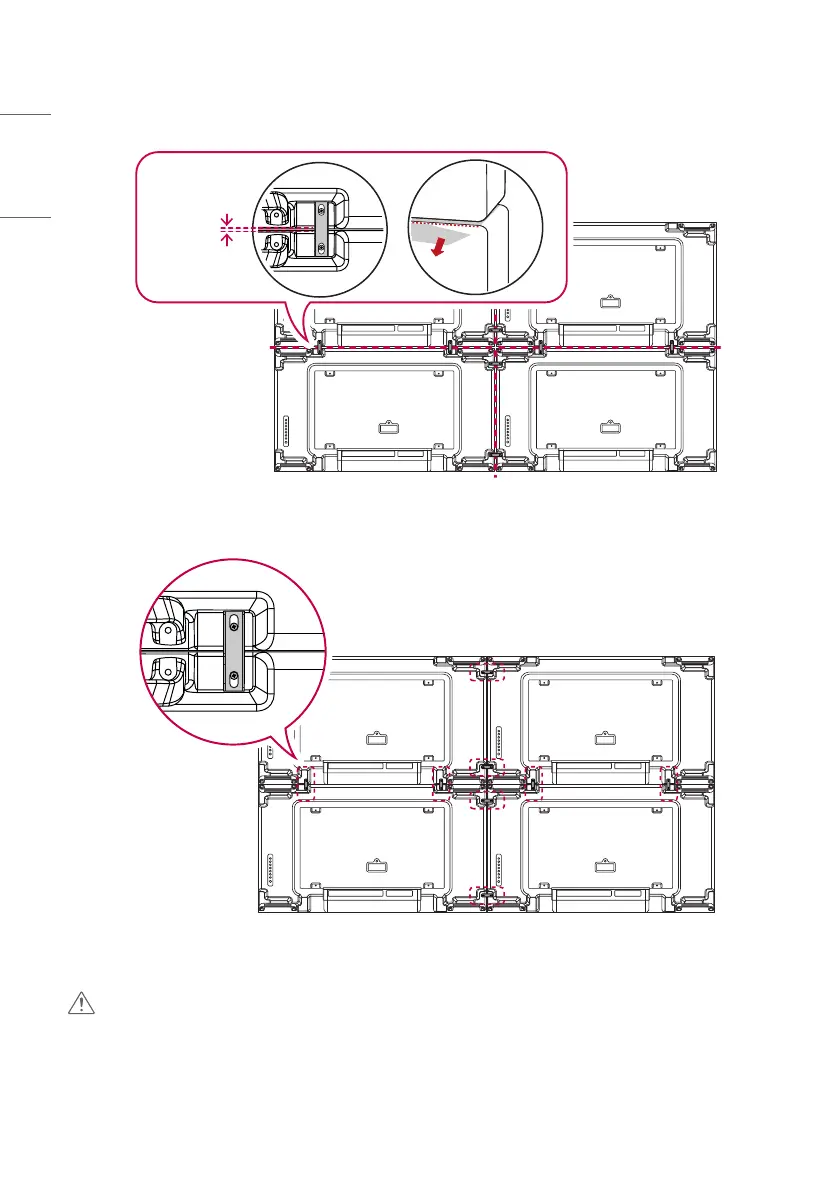
2 Adjust the spacing between the sets using the tiling guide, and remove the protective sheet.
≥ 1 mm
(0.03 inches)
3 Complete the 2x2 tiling. You can use various options of tiling including 3x3 by using the same method.
Completeness of the Set (2x2 tiling complete)
CAUTION
• Failure to lay the protective sheet on top before installing additional sets may result in damage to the panel.
• Make sure to level the sets before tightening the tiling guide; doing so when the set axis is rotated may cause
damage to the panel.


 To Next Page