EasyManua.ls Logo

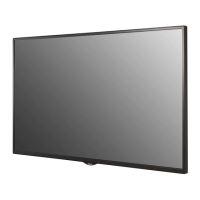
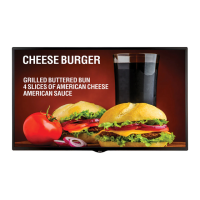
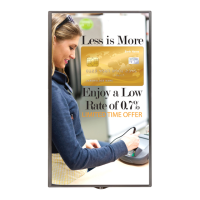
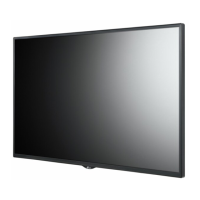
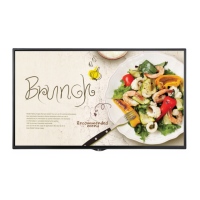
LG 55SE3KD - User Manual

LG 55SE3KD
135 pages
Print Icon
To Next Page IconTo Next Page
Loading...
AAA
P/No: MFL70040101 (1711-REV03)
*MFL70040101*
LG Digital Signage
(MONITOR SIGNAGE)
32SE3D 43SE3D 49SE3D 55SE3D 65SE3D
32SE3KD 43SE3KD 49SE3KD 55SE3KD 65SE3KD
43SH7DD 49SH7DD 55SH7DD
Depending upon country / Závisí na zemi / Afhængigt af landet / En función del país /
Maan mukaan / Selon pays / Abhängig vom Land / Ανάλογα με τη χώρα / Országfüggő /
Tergantung pada negaranya / A seconda del Paese / Елге байланысты / 지역에 따라 다름 /
Afhankelijk van het land / Avhengig av land / Zależnie od kraju / Dependendo do país /
В зависимости от страны / Závisí od krajiny / Beroende på land / 視國家, 地區而定 /
Ülkeye bağlı / Залежно від країни / Mamlakatga bog’liq ravishda / 国によって異なります /
Depende do país / הנידמב יולת /

Table of Contents

Other manuals for LG 55SE3KD

Questions and Answers

  • B
    brandi84Sep 18, 2025
    Why does after-image appear on my LG 55SE3KD?
    • C
      Cynthia SosaSep 18, 2025
      An after-image appearing on your LG Digital Signage can occur if you use a fixed image for a long time, potentially damaging the pixels. Use the screen-saver function to prevent this. Also, when a dark image is displayed on the screen after an image with high contrast (black and white or gray), this is normal for LCD screen products.
  • I
    Ivan WilsonAug 25, 2025
    What to do if the audio function does not work on my LG Monitor?
    • S
      Sarah Jordan DDSAug 25, 2025
      If the audio function on your LG monitor isn't working, consider these steps: * Check if the audio cable is properly connected. * Adjust the volume settings. * Ensure the sound is set correctly. * Select an appropriate equalizer sound. * Adjust the volume once more to ensure it's not muted or too low.
  • M
    Mr. Trevor Mitchell IIIAug 25, 2025
    What to do if the operation does not work normally on my LG Monitor?
    • C
      Christina DavisAug 26, 2025
      If your LG Monitor isn't operating normally, check these: * See if the Timer is set. * Examine the power control settings. * Consider whether the power has been interrupted.
  • K
    Karen ValentineAug 26, 2025
    What to do if the 'Unknown Product' message appears when my LG Monitor is connected?
    • J
      Jacob HallAug 27, 2025
      If the 'Unknown Product' message appears when your LG monitor is connected, check if the Plug and Play function is supported by referring to the graphics card user manual.
  • C
    craigsoniaSep 18, 2025
    How to fix audio function if it does not work on LG 55SE3KD?
    • C
      cjohnsonSep 18, 2025
      To fix the audio function on your LG Digital Signage, first see if the audio cable is connected properly. Then, adjust the volume and see if the sound is set properly. Also, select the appropriate equalizer sound and adjust the volume again.
  • S
    Shannon CrawfordSep 23, 2025
    Why does LG 55SE3KD Digital Signage show 'Unknown Product' message?
    • F
      fwatersSep 23, 2025
      If the 'Unknown Product' message appears when your LG Digital Signage is connected, check if the Plug and Play function is supported by referring to the graphics card user manual.
  • R
    rodney10Sep 9, 2025
    What to do if operation does not work normally on LG Digital Signage?
    • D
      David RaySep 9, 2025
      If the operation of your LG Digital Signage does not work normally, check if the Timer is set, verify the power control settings, and ensure there were no power interruptions.
  • T
    tony25Sep 10, 2025
    What to do if the 'Unknown Product' message appears when connecting my LG 55SE3KD Digital Signage?
    • D
      Dylan MataSep 12, 2025
      If the 'Unknown Product' message appears when connecting your LG Digital Signage, check if the Plug and Play function is supported by referring to the graphics card user manual.
  • S
    Scott AverySep 3, 2025
    How to prevent after-image on LG Digital Signage?
    • T
      Tiffany DavisSep 3, 2025
      If you notice an after-image appearing on your LG Digital Signage, especially after displaying a fixed image for an extended period, it may be due to pixel damage. To prevent this, use the screen-saver function. Also, when a dark image is displayed after a high contrast image, image sticking may occur, which is normal for LCD screens.
  • L
    Lisa HernandezSep 1, 2025
    What to do if the audio function does not work on LG 55SE3KD Digital Signage?
    • D
      Darryl BrownSep 1, 2025
      If the audio function on your LG Digital Signage isn't working, first check if the audio cable is properly connected. Then, ensure the volume is adequately adjusted and the sound is set correctly. You may also want to select an appropriate equalizer sound and re-adjust the volume.

LG 55SE3KD Specifications

General IconGeneral
BrandLG
Model55SE3KD
CategoryDigital Signage
LanguageEnglish

Related product manuals