EasyManua.ls Logo

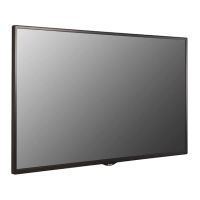
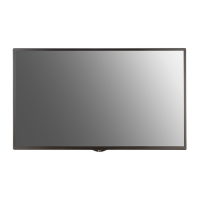
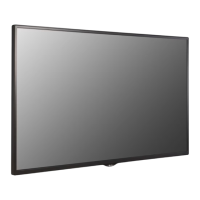
LG 55SM5B - User Manual

LG 55SM5B
129 pages
Print Icon
To Next Page IconTo Next Page
Loading...
www.lg.com
Copyright © 2018 LG Electronics Inc. All Rights Reserved.
Please read this manual carefully before operating your set and retain it
for future reference.
32SM5B
43SM5B
49SM5B
55SM5B
65SM5B
32SM5KB
43SM5KB
49SM5KB
55SM5KB
65SM5KB
43SM3B
49SM3B
55SM3B
OWNER’S MANUAL
LG Digital
Signage
(MONITOR SIGNAGE)

Table of Contents

Other manuals for LG 55SM5B

Questions and Answers

  • O
    ofloresAug 17, 2025
    What to do if the operation does not work normally on my LG 55SM5B Digital Signage?
    • K
      Karina DavisAug 17, 2025
      If the operation of your LG Digital Signage isn't working correctly: * Check if the Timer is set. * Review the power control settings to ensure power hasn't been interrupted.
  • M
    Mary ThorntonAug 20, 2025
    Why no image is displayed on my LG 55SM5B?
    • A
      Anthony WrightAug 20, 2025
      If no image is displayed on your LG Digital Signage, make sure the power cord is correctly plugged into the power outlet. Also, check the signal cable between the PC and the product to ensure it's properly connected. Verify that the input signal is selected correctly by pressing the INPUT menu on the remote control. If the signal from the PC is out of the vertical or horizontal frequency range, adjust the frequency range by referring to the Specifications; the maximum resolution is 1920 x 1080 (60 Hz).
  • C
    Caitlin HendricksAug 22, 2025
    What to do if the screen color is abnormal on my LG 55SM5B?
    • E
      esteskellyAug 23, 2025
      If the screen color appears abnormal on your LG Digital Signage, set the number of colors to more than 24 bits (true color) via Control Panel - Display - Settings - Color Table in Windows. Check the connection status of the signal cable, and try re-inserting the PC graphic card. Note that several pixels (red, green, white, or black) may appear, which is normal for LCD panels and not a malfunction.
  • J
    John OrtegaAug 25, 2025
    What to do if the audio function does not work on my LG 55SM5B?
    • M
      melanie06Aug 26, 2025
      If the audio function is not working on your LG Digital Signage, check if the audio cable is properly connected. Adjust the volume and ensure the sound is set correctly. Try selecting the appropriate equalizer sound and adjusting the volume again.
  • J
    Jessica PottsAug 27, 2025
    Why does the screen image look abnormal on my LG Digital Signage?
    • E
      Ernest SmithAug 28, 2025
      If the screen image looks abnormal on your LG Digital Signage, check if the graphic card resolution and frequency are supported by the product. If the frequency is out of range, set to the recommended resolution in the Control Panel Display Setting menu. Also, ensure the proper input signal is connected to the signal port by connecting the signal cable that matches the source input signal.
  • K
    Kendra HarrisAug 30, 2025
    Why after-image appears on the LG 55SM5B Digital Signage?
    • G
      Glenda StephensAug 30, 2025
      If an after-image appears on your LG Digital Signage, and you've been using a fixed image for a long time, the pixels may be damaged; use the screen-saver function to prevent this. Also, when a dark image is displayed after an image with high contrast, it may cause image sticking, which is normal for LCD screen products.
  • R
    Robin ChapmanSep 1, 2025
    What to do if the 'Unknown Product' message appears when connecting my LG 55SM5B Digital Signage?
    • A
      Anna JohnsonSep 1, 2025
      If the 'Unknown Product' message appears when connecting your LG Digital Signage, check if the Plug and Play function is supported by referring to the graphic card user manual.
  • A
    Ashley GallagherSep 4, 2025
    Why is no image displayed on my LG Digital Signage?
    • K
      kyle02Sep 4, 2025
      There might be several reasons why your LG Digital Signage isn't displaying an image: * Ensure the power cord is correctly plugged into the power outlet. * The signal cable between your PC and the signage might not be connected properly. Check the signal cable and access the input menu to verify the input signal. * The signal from your PC's graphic card may be outside the product's vertical or horizontal frequency range. Adjust the frequency range according to the specifications, noting that the maximum resolution is 1920 x 1080 (60 Hz).
  • J
    Jeffery RodriguezSep 6, 2025
    Why does the audio function not work on my LG 55SM5B?
    • R
      rosespencerSep 6, 2025
      If the audio function on your LG Digital Signage isn't working, consider these points: * Ensure the audio cable is properly connected. * Adjust the volume settings. * Verify that the sound is set up correctly. * Select an appropriate equalizer sound.
  • J
    Joshua HuffSep 8, 2025
    Why does after-image appear on my LG Digital Signage?
    • F
      Frederick OwensSep 9, 2025
      An after-image may appear on your LG Digital Signage due to these reasons: * Using a fixed image for an extended period can damage pixels. Use the screen-saver function. * Image sticking may occur when a dark image is displayed after an image with high contrast. This is normal for LCD screens.

Summary

Important Precautions

Electrical Power Related Precautions

Safety guidelines for electrical power use, including using the correct cord and avoiding damaged plugs.

Precautions in Installing the Product

Safety guidelines related to product installation, such as avoiding heat sources and ensuring ventilation.

Precautions in Moving the Product

Safety measures to follow when moving the monitor, such as turning it off and removing cables.

Precautions in Using;Cleaning the Product

Guidelines for safe operation, cleaning, and handling of the monitor to prevent damage or injury.

On Disposal (Only, Hg lamp used LCD Monitor)

Instructions for the proper disposal of the monitor, considering its mercury content.

LICENSES

ASSEMBLY AND PREPARATION

Optional Accessories

Lists and describes optional accessories available for the product.

Parts and Buttons

Identifies and explains the function of the monitor's physical parts and buttons.

Connecting the Stand

Provides step-by-step instructions for attaching the monitor stand.

Connecting the Speakers

Details the process for connecting external speakers to the monitor.

Connecting the IR Sensor

Explains how to connect the IR sensor for remote control functionality.

Portrait Layout

Guides on how to orient the monitor in a portrait display mode.

Attaching and removing the LG Logo Bracket

Instructions for securely attaching and detaching the LG logo bracket.

Installing on a Wall

Provides essential information and precautions for wall-mounting the monitor.

Securing the monitor to a wall (optional)

Details on how to properly secure the monitor to a wall for safety.

REMOTE CONTROL

MAKING CONNECTIONS

Connecting to a PC

Instructions on how to establish a connection between the monitor and a PC.

External Device Connection

Guidance for connecting various external devices like DVD players or receivers.

Using the Input List

Explains how to navigate and select input sources using the input list.

TROUBLESHOOTING

PRODUCT SPECIFICATIONS

LG 55SM5B Specifications

General IconGeneral
Display Size55 inches
Panel TypeIPS
Operating Hours24/7
Viewing Angle (H x V)178° x 178°
OrientationLandscape / Portrait
Display TypeLED
Operating Temperature0°C to 40°C
Storage Temperature-20°C to 60°C
Standby Power Consumption0.5W
Built-in SpeakerYes
Resolution1920 x 1080
ConnectivityHDMI, USB, DVI-D
Contrast Ratio1, 200:1
Response Time8 ms
OutputAudio Out
External ControlRS-232C, LAN
InputsHDMI, DVI-D, USB

Related product manuals