EasyManua.ls Logo

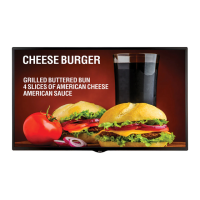
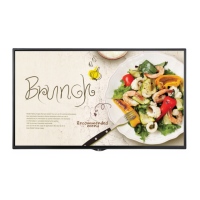
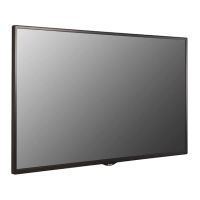
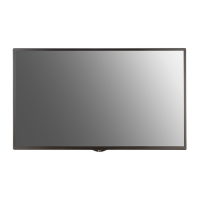
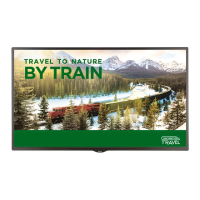
LG 55SM5E - User Manual

LG 55SM5E
135 pages
Print Icon
To Next Page IconTo Next Page
Loading...
www.lg.com
Copyright © 2018 LG Electronics Inc. All Rights Reserved.
OWNER’S MANUAL
LG Digital
Signage
(MONITOR SIGNAGE)
Please read this manual carefully before operating your set and retain it
for future reference.
43SH7E
49SH7E
55SH7E
32SM5E
43SM5E
49SM5E
55SM5E
32SM5KE
43SM5KE
49SM5KE
55SM5KE

Table of Contents

Other manuals for LG 55SM5E

Questions and Answers

  • T
    turnermichaelSep 23, 2025
    How to fix the 'Unknown Product' message on my LG 55SM5E Digital Signage?
    • J
      Jason MurphySep 23, 2025
      If you see an 'Unknown Product' message when your LG Digital Signage is connected, check if the Plug and Play function is supported by referring to the graphics card user manual.
  • R
    Rodney AndersonAug 23, 2025
    How to fix no image on LG Digital Signage?
    • S
      Susan OrozcoAug 25, 2025
      If no image is displayed on your LG Digital Signage, first ensure the power cord is correctly plugged into the power outlet. Then, check the signal cable and access the input menu to verify the input signal. If the signal from the PC (Graphics card) is out of the vertical or horizontal frequency range of the product, adjust the frequency range by referring to the Specifications in this manual.
  • C
    Charles DavisAug 25, 2025
    Why is the screen color abnormal on my LG 55SM5E?
    • D
      Dustin MillerAug 26, 2025
      If the screen color on your LG Digital Signage is abnormal, set the number of colors to more than 24 bits (true color) by selecting [Control Panel] ? [Display] ? [Settings] ? [Color Table] in Windows. Also, check the connection status of the signal cable and re-insert the PC graphics card. Note that several pixels (red, green, blue, white, or black color) may appear on the screen due to the unique characteristics of the LCD panel, and this is not a malfunction.
  • A
    Alicia Crosby MDAug 26, 2025
    What to do if the screen image looks abnormal on LG 55SM5E Digital Signage?
    • S
      Sandra WilliamsAug 26, 2025
      If the screen image on your LG Digital Signage looks abnormal, verify that the graphics card resolution and frequency are supported by the product. If the frequency is out of range, set to the recommended resolution in the [Control Panel] ? [Display] ? [Setting] menu. Ensure you connect the signal cable that matches the source input signal.
  • S
    Sally HughesAug 27, 2025
    How to troubleshoot audio function not working on LG 55SM5E?
    • L
      Larry ShortAug 27, 2025
      If the audio function does not work on your LG Digital Signage, check if the audio cable is connected properly. Then, adjust the volume and ensure the sound is set appropriately. Also, select the appropriate equalizer sound and try adjusting the volume again.
  • J
    James MillerSep 17, 2025
    What to do if the 'Unknown Product' message appears on LG 55SM5E Digital Signage?
    • A
      Alexander AyalaSep 18, 2025
      If the 'Unknown Product' message appears when your LG Digital Signage is connected, check if the Plug and Play function is supported by referring to the graphics card user manual.
  • S
    Sergio OrozcoSep 14, 2025
    Why does the screen image look abnormal on my LG 55SM5E?
    • M
      Michael DavisSep 14, 2025
      If the screen image looks abnormal on your LG Digital Signage, verify that the graphics card resolution and frequency are supported by the product. If the frequency is out of range, set to the recommended resolution in the [Control Panel] ? [Display] ? [Setting] menu. Also, ensure you connect the signal cable that matches with the source input signal.
  • R
    Rebecca BushSep 15, 2025
    What to do if after-image appears on LG Digital Signage?
    • T
      tamiguerreroSep 15, 2025
      If an after-image appears on your LG Digital Signage, and you use a fixed image for a long time, it may damage the pixels. Use the screen-saver function. Also, when a dark image is displayed on the screen after an image with high contrast (black and white or gray), this may cause image sticking, which is normal for LCD screen products.
  • A
    Alexander BrownSep 6, 2025
    What to do if the audio function doesn't work on my LG Digital Signage?
    • L
      lsmithSep 6, 2025
      Check whether the audio cable is properly connected. Adjust the volume and ensure the sound settings are correctly configured. You may also want to select an appropriate equalizer sound and re-adjust the volume.
  • B
    bakerdevinSep 3, 2025
    Why does after-image appear on LG 55SM5E Digital Signage?
    • D
      David YoungSep 3, 2025
      If an after-image appears on your LG Digital Signage, and you've been using a fixed image for a long time, the pixels may be damaged; use the screen-saver function. Also, when a dark image is displayed after an image with high contrast, it may cause image sticking, which is normal for LCD screen products.

LG 55SM5E Specifications

General IconGeneral
BrandLG
Model55SM5E
CategoryDigital Signage
LanguageEnglish

Related product manuals