EasyManua.ls Logo

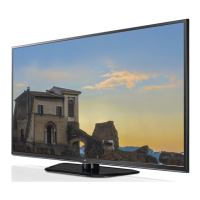
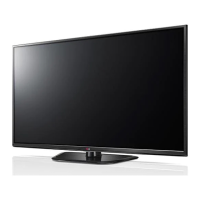
LG 60PZ950T - User Manual

LG 60PZ950T
172 pages
Print Icon
To Next Page IconTo Next Page
Loading...
www.lg.com
OWNER’S MANUAL
LED LCD TV / LCD TV /
PLASMA TV
Please read this manual carefully before operating the
set and retain it for future reference.

Table of Contents

Questions and Answers

  • B
    Brian NorrisAug 18, 2025
    Why does my LG Plasma TV turn off by itself?
    • M
      melissahinesAug 18, 2025
      If your LG Plasma TV turns off suddenly, check the power control settings to ensure the power supply isn't interrupted. Also, verify if the Auto sleep feature is activated in the Time settings. If there's no signal while the TV is on, it will turn off automatically after 15 minutes of inactivity.
  • M
    Mary RussellAug 20, 2025
    How to fix no sound on LG 60PZ950T Plasma TV but picture is fine?
    • D
      David ShafferAug 20, 2025
      If your LG Plasma TV displays images but produces no sound, try the following: 1. Press the volume + or - button to increase the volume. 2. Ensure the sound is not muted by pressing the MUTE button. 3. Try switching to other channels, as there may be a problem with the current broadcast. 4. Check the audio cables to ensure they are connected properly. 5. Verify that the TV Speaker feature is activated in the menu options.
  • A
    Ashley MontesAug 23, 2025
    What to do if my LG 60PZ950T says 'No Signal'?
    • T
      tsimpsonAug 23, 2025
      If the “No Signal” message appears on your LG Plasma TV screen, first check if the signal cable is properly connected between the TV and other devices. Then, verify that you have selected the correct input source by pressing the INPUT button.
  • L
    Laura HuangAug 25, 2025
    Why is my LG 60PZ950T showing black and white or poor color?
    • S
      Scott PachecoAug 26, 2025
      If your LG Plasma TV displays images in black and white or the color quality is poor, try adjusting the color settings in the menu options. Also, ensure there is sufficient distance between the TV and other electronic devices. Finally, try switching to other channels, as there may be a problem with the broadcast signal.
  • J
    jmcintyreAug 27, 2025
    Why does the image appear slowly when I turn on my LG Plasma TV?
    • D
      Deborah WilliamsAug 27, 2025
      The image being muted during the product start-up process is normal. If the image does not appear after a few minutes, unplug the TV for 30 seconds and try again.
  • R
    robert19Aug 29, 2025
    How to brighten a dark screen on my LG 60PZ950T?
    • A
      Andrew CollinsAug 30, 2025
      If the power is on but the screen appears extremely dark on your LG Plasma TV, try adjusting the brightness and contrast settings in the menu options.
  • B
    Brandon MillerSep 1, 2025
    How to improve poor reception on my LG Plasma TV channels?
    • L
      Leon BauerSep 1, 2025
      If you're experiencing poor reception on some channels with your LG Plasma TV, try switching to other channels as there may be a problem with the broadcast. The station signal may be weak, so try aiming the antenna in the correct direction. Also, check for any local interference from electrical appliances or power tools.
  • V
    vhernandezSep 3, 2025
    How to resolve horizontal noises or blurred characters on LG Plasma TV?
    • N
      Nancy CampbellSep 3, 2025
      If you're experiencing horizontal noises or blurred characters on your LG Plasma TV, try adjusting the Phase setting in the menu option. Also, check for local interference from devices like electrical appliances or power tools.
  • M
    Mr. Eric BurtonSep 6, 2025
    How to fix no sound from one speaker on LG Plasma TV?
    • M
      Mrs. Leslie RichardsonSep 6, 2025
      If there's no sound coming from one of the speakers on your LG Plasma TV, adjust the Balance in the menu options.
  • S
    smithnicoleSep 8, 2025
    How do I correct the display offset on my LG 60PZ950T?
    • D
      Dwayne HoffmanSep 8, 2025
      To correct the display offset on your LG Plasma TV, adjust the position setting in the menu options. Also, check if the video card resolution and frequency are supported by the TV. If the frequency is out of range, set the recommended resolution using the display settings on the external device.

LG 60PZ950T Specifications

General IconGeneral
Screen Size60 inches
Resolution1920 x 1080
Display TypePlasma
HDMI Ports4
USB Ports2
Wi-FiYes
Weight35.4 kg
3DYes
Smart TVYes
Refresh Rate600 Hz
Aspect Ratio16:9
InputsHDMI, USB, Component, Composite
Dimensions (W x H x D)349 mm

Related product manuals