EasyManua.ls Logo

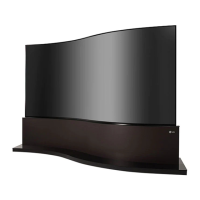
LG 65EE5PC - User Manual

LG 65EE5PC
25 pages
Print Icon
To Next Page IconTo Next Page
Loading...
www.lg.com
OWNER’S MANUAL
LG Digital
Signage
(MONITOR SIGNAGE)
Please read this manual carefully before operating your set and retain it
for future reference.
65EE5PC

Other manuals for LG 65EE5PC

Questions and Answers

  • S
    sheenawestAug 12, 2025
    What to do if my LG Monitor displays no image?
    • C
      christopher22Aug 12, 2025
      If your LG Monitor displays no image, first ensure the power cord is securely plugged into the power outlet. Also, verify the signal cable connection and use the INPUT menu on the remote to select the correct input signal. If the issue persists, your PC's graphics card signal may be outside the monitor's supported frequency range. Refer to the specifications in the manual to adjust the frequency range accordingly.
  • E
    Eric PattonAug 16, 2025
    What to do if no image is displayed on my LG 65EE5PC?
    • E
      Elizabeth AbbottAug 16, 2025
      First, ensure the power cord is correctly plugged into the power outlet. Also, check the signal cable and press the INPUT menu on the remote control to verify the input signal. If the signal from the PC is out of the vertical or horizontal frequency range, adjust the frequency range by referring to the Specifications in this manual.
  • J
    Jennifer ClarkAug 19, 2025
    Why is the screen color abnormal on my LG 65EE5PC?
    • A
      Amy NicholsonAug 19, 2025
      This issue may arise from several factors. First, set the number of colors to more than 24 bits (true color) via [Control Panel] ? [Display] ? [Settings] ? [Color Table] in Windows. Also, check the connection status of the signal cable. Note that certain color abnormalities can be attributable to the unique characteristics of the OLED panel and do not indicate a malfunction.
  • H
    Heather MooreAug 25, 2025
    How to fix abnormal screen image on LG 65EE5PC Digital Signage?
    • A
      Amanda GreenAug 25, 2025
      Ensure that the graphics card resolution and frequency are supported by the product. If the frequency is out of range, set to the recommended resolution in the [Control Panel] ? [Display] ? [Setting] menu. Also, connect the signal cable that matches with the source input signal.
  • M
    Mark HarrisonAug 27, 2025
    Why does the 'Unknown Product' message appear when my LG Digital Signage is connected?
    • D
      dhuberAug 27, 2025
      Verify if the Plug and Play function is supported by referring to the graphics card user manual.
  • C
    Christy FisherAug 31, 2025
    Why is the screen color abnormal on my LG Monitor?
    • S
      stevenjonesAug 31, 2025
      If the screen color on your LG Monitor appears abnormal, first set the number of colors to more than 24 bits (true color) via [Control Panel] ? [Display] ? [Settings] ? [Color Table] in Windows. Also, check the connection status of the signal cable and re-insert the PC graphics card. Note that several pixels (red, green, white, or black) may appear on the screen, which is a unique characteristic of the OLED panel and not a malfunction.
  • G
    Gary WilliamsSep 4, 2025
    How to fix abnormal screen image on my LG Monitor?
    • U
      ujohnsonSep 4, 2025
      If the screen image on your LG Monitor looks abnormal, check if the graphics card resolution and frequency are supported by the product. If the frequency is out of range, set to the recommended resolution in the [Control Panel] ? [Display] ? [Setting] menu. Also, ensure the correct input signal is connected to the appropriate signal port.
  • M
    Melissa GreeneSep 7, 2025
    Why does the 'Unknown Product' message appear when my LG Monitor is connected?
    • A
      ajenningsSep 7, 2025
      If the 'Unknown Product' message appears when your LG Monitor is connected, check if the Plug and Play function is supported by referring to the graphics card user manual.

Summary

Safety Precautions

Precautions In Installing the Product

Safety guidelines for installing the product, covering placement and handling risks.

Precautions to the AC Adapter and Electrical Power

Safety measures for using the AC adapter and electrical power connections.

Precautions In Moving the Product

Guidelines and warnings for safely moving the product to prevent injury or damage.

Precautions In Using the Product

Safety instructions for operating the product, including handling and environment.

Assembly and Preparation

Making Connections

Troubleshooting

No image is displayed.

Steps to resolve issues when the screen displays no image or shows error messages.

The screen image looks abnormal.

Solutions for incorrect screen positioning or abnormal image display.

Screen color is abnormal.

How to fix problems related to poor color resolution or unstable screen colors.

LG 65EE5PC Specifications

General IconGeneral
Screen Size65 inches
Display TypeOLED
Brightness700 cd/m²
Viewing Angle (H x V)178° x 178°
Operating Hours24/7
OrientationLandscape / Portrait
Speaker10 W x 2
Power SupplyAC 100-240V, 50/60Hz
Standby Power Consumption0.5W
Operating Temperature0°C to 40°C
Operating Humidity10% to 80%
VESA Mount400 x 400 mm
Resolution3840 x 2160
Response Time1 ms
InputHDMI, USB, DisplayPort, RS-232C
OutputAudio Out
External ControlRS-232C
Operating SystemwebOS

Related product manuals