EasyManua.ls Logo

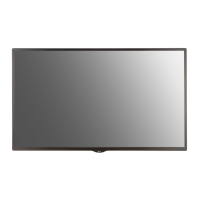
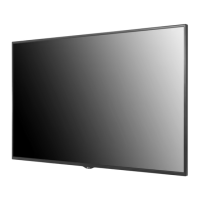
LG 65SM5D - User Manual

LG 65SM5D
123 pages
Print Icon
To Next Page IconTo Next Page
Loading...
www.lg.com
Copyright © 2018 LG Electronics Inc. All Rights Reserved.
OWNER’S MANUAL
LG Digital
Signage
(MONITOR SIGNAGE)
Please read this manual carefully before operating your set and retain it
for future reference.
32SM5D
43SM5D
49SM5D
55SM5D
65SM5D
43SM3D
49SM3D
55SM3D
32SM5KD
43SM5KD
49SM5KD
55SM5KD
65SM5KD

Table of Contents

Other manuals for LG 65SM5D

Questions and Answers

  • B
    Brian SawyerSep 9, 2025
    What to do if the operation does not work normally on LG Digital Signage?
    • M
      Mrs. Kimberly Wallace PhDSep 9, 2025
      If the operation of your LG Digital Signage does not work normally, check if the Timer is set and review the power control settings. Also, consider whether there was a recent power interruption.
  • A
    Andrea GardnerSep 8, 2025
    How to fix the audio function if it does not work on LG 65SM5D Digital Signage?
    • J
      jgilbertSep 8, 2025
      If the audio function does not work on your LG Digital Signage, check if the audio cable is properly connected. Adjust the volume and ensure the sound is set correctly. Select the appropriate equalizer sound and try adjusting the volume again.
  • B
    bryantelizabethSep 7, 2025
    Why is no image displayed on my LG 65SM5D Digital Signage?
    • D
      Donna BrownSep 7, 2025
      If no image is displayed on your LG Digital Signage, first, ensure the power cord is correctly plugged into the outlet. Next, verify the signal cable connection. Then, use the INPUT menu on the remote to select the correct input signal. If the signal from your PC is out of range, adjust the frequency range by referring to the Specifications in this manual.
  • M
    Matthew KeithAug 22, 2025
    How to fix no image on LG 65SM5D Digital Signage?
    • C
      Connie WalkerAug 22, 2025
      If no image is displayed on your LG Digital Signage, first, ensure the power cord is correctly plugged into the power outlet. Then check the signal cable and access the input menu to check the input signal. Also, if the signal from the PC (Graphics card) is out of the vertical or horizontal frequency range of the product, adjust the frequency range by referring to the Specifications in this manual.
  • L
    ldeanSep 5, 2025
    How to fix if the operation does not work normally on LG 65SM5D?
    • D
      David PachecoSep 5, 2025
      If the operation does not work normally on your LG Digital Signage, check if the Timer is set. You may also want to check the power control settings and verify that power was not interrupted.
  • H
    hnewmanSep 3, 2025
    Why does the audio function not work on my LG 65SM5D?
    • R
      richard71Sep 4, 2025
      If the audio function does not work on your LG Digital Signage, check if the audio cable is connected properly. Also, adjust the volume, ensure the sound is set properly and select the appropriate equalizer sound.
  • L
    Laura OlsenSep 2, 2025
    Why does after-image appear on LG 65SM5D?
    • T
      Tonya BakerSep 2, 2025
      If you notice an after-image on your LG Digital Signage, it could be due to using a fixed image for a long time, which may damage the pixels; use the screen-saver function. Also, when a dark image is displayed on the screen after an image with high contrast (black and white or gray), this may cause image sticking, which is normal for LCD screen products.
  • C
    cameronjenkinsSep 1, 2025
    What to do if the screen image looks abnormal on LG 65SM5D Digital Signage?
    • J
      jeffreysuarezSep 1, 2025
      If the screen image looks abnormal on your LG Digital Signage, check if the graphics card resolution and frequency are supported by the product. If the frequency is out of range, set to the recommended resolution in the [Control Panel] ? [Display] ? [Setting] menu. Also, ensure the proper input signal is connected to the signal port by connecting the signal cable that matches with the source input signal.
  • A
    Antonio GibbsAug 31, 2025
    What to do if screen color is abnormal on LG Digital Signage?
    • B
      Bruce HansonAug 31, 2025
      If the screen color is abnormal on your LG Digital Signage, set the number of colors to more than 24 bits (true color) by selecting [Control Panel] ? [Display] ? [Settings] ? [Color Table] in Windows. Also, check the connection status of the signal cable or re-insert the PC graphics card. Note that several pixels (red, green, blue, white, or black color) may appear on the screen, which is not a malfunction of the LCD, but attributable to the unique characteristics of the LCD panel.
  • N
    Nicole LiAug 30, 2025
    Why is there no image displayed on my LG 65SM5D Digital Signage?
    • C
      Cathy RobertsonAug 30, 2025
      If no image is displayed on your LG Digital Signage, check if the power cord is correctly plugged into the power outlet. Also, verify the signal cable and access the input menu to check the input signal. If the signal from the PC is out of the vertical or horizontal frequency range, adjust the frequency range by referring to the Specifications in this manual.

LG 65SM5D Specifications

General IconGeneral
Screen Size65 inches
Panel TypeIPS
Brightness500 cd/m²
Contrast Ratio1200:1
Dynamic Contrast RatioMega
Viewing Angle (H x V)178 x 178
Response Time8 ms
Operation Hours24/7
OrientationLandscape / Portrait
Speaker10W x 2
Power SupplyAC 100-240V, 50/60Hz
Standby Power Consumption0.5W
Operating Temperature0°C to 40°C
Storage Temperature-20°C to 60°C
Display TypeLCD
Resolution1920 x 1080 (Full HD)
Surface TreatmentAnti-Glare
InputHDMI, USB
OutputAudio Out
External ControlRS-232C, RJ45
Life Time50, 000 Hrs (Typ.)

Related product manuals