EasyManua.ls Logo

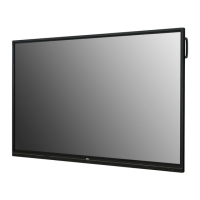
LG 65TC3D - User Manual

LG 65TC3D
33 pages
Print Icon
To Next Page IconTo Next Page
Loading...
OWNER’S MANUAL
LG Digital
Signage
(MONITOR SIGNAGE)
www.lg.com
Please read this manual carefully before operating your set and retain it for future reference.
75TC3D
65TC3D
55TC3D
Copyright © 2017 LG Electronics Inc. All Rights Reserved.

Other manuals for LG 65TC3D

Questions and Answers

  • M
    Matthew WilsonSep 8, 2025
    How to fix no image on LG 65TC3D?
    • A
      Amanda RobinsonSep 8, 2025
      If your LG Digital Signage displays no image, ensure the power cord is correctly plugged into the power outlet. Also, check the signal cable and press the INPUT menu on the remote control to select the correct input signal. If the signal from the PC is out of the vertical or horizontal frequency range, adjust the frequency range by referring to the Specifications in this manual.
  • S
    Stephen ClarkSep 10, 2025
    Why does the audio not work on my LG 65TC3D Digital Signage?
    • S
      silvajoelSep 10, 2025
      If the audio function on your LG Digital Signage isn't working, check if the audio cable is properly connected and adjust the volume. Also, ensure the sound is set correctly and select an appropriate equalizer sound. Try adjusting the volume again to see if that resolves the issue.
  • D
    Danielle WashingtonSep 12, 2025
    What to do if the screen color is abnormal on LG 65TC3D Digital Signage?
    • S
      Sara MitchellSep 12, 2025
      If the screen color on your LG Digital Signage appears abnormal, set the number of colors to more than 24 bits (true color) by navigating to Control Panel - Display - Settings - Color Table menu in Windows. Also, check the connection status of the signal cable. Note that this can sometimes be attributable to the unique characteristics of the LCD panel.
  • R
    Robert PatelSep 13, 2025
    How to troubleshoot touch response issues on LG 65TC3D?
    • R
      Ronald DiazSep 14, 2025
      If you are experiencing issues with the touch response on your LG Digital Signage, try the following: * Remove the USB cable and reconnect it after 10 seconds. * Check the PC power and restart your PC. * Ensure the signal cable is properly connected. * Check the monitor power and ensure the screen is on. Additionally, if the touch screen is not calibrated properly, change your tablet PC settings. If using multiple monitors, set the monitor as the default monitor. Make sure that you use a content that supports Multi-touch points. Avoid using the touch pen only with nail or fingertip.
  • M
    Matthew WeaverSep 15, 2025
    What to do if multi-touch is not responding on LG Digital Signage?
    • C
      Christine StewartSep 15, 2025
      If multi-touch is not responding on your LG Digital Signage, ensure that you are using content that supports Multi-touch points. Try removing the USB cable and reconnecting it after 10 seconds. Run the content again and restart your PC. Avoid using the touch pen without proper distance between fingers. Be aware that on the edge of the touch screen, 20 touch points may work unstably.
  • J
    Jesse BestSep 18, 2025
    Why does after-image appear on my LG 65TC3D Digital Signage?
    • V
      Vanessa SaundersSep 18, 2025
      If an after-image appears on your LG Digital Signage, use the screen-saver function, especially if you use a fixed image for a long time, as the pixels may be damaged. This is normal for LCD screen products.

LG 65TC3D Specifications

General IconGeneral
Operating Temperature0 °C to 40 °C
Storage Temperature-20 °C to 60 °C
Standby Power Consumption0.5W
Screen Size65 inches
Viewing Angle178° / 178°
Response Time8 ms
Bezel Width9.9 mm (Even Bezel)
Input PortsHDMI, USB

Related product manuals