34
ENG
ENGLISH
ENTERTAINMENT
y
Once the deregistration is executed, you
must register your device again to see
DivX® VOD contents.
DivX® VOD Deregistration
You should deregister your device with 8 digit DivX
deregistration code from your device at www.divx.
com/vod.
1 Press MENU to access the main menus.
2 Press the Navigation buttons to scroll to MY
MEDIA and press OK.
3 Press the Blue button.
4 Press the Navigation buttons to scroll to Deacti-
vation and press OK.
5 Press the Navigation buttons to select Yes to
confirm.
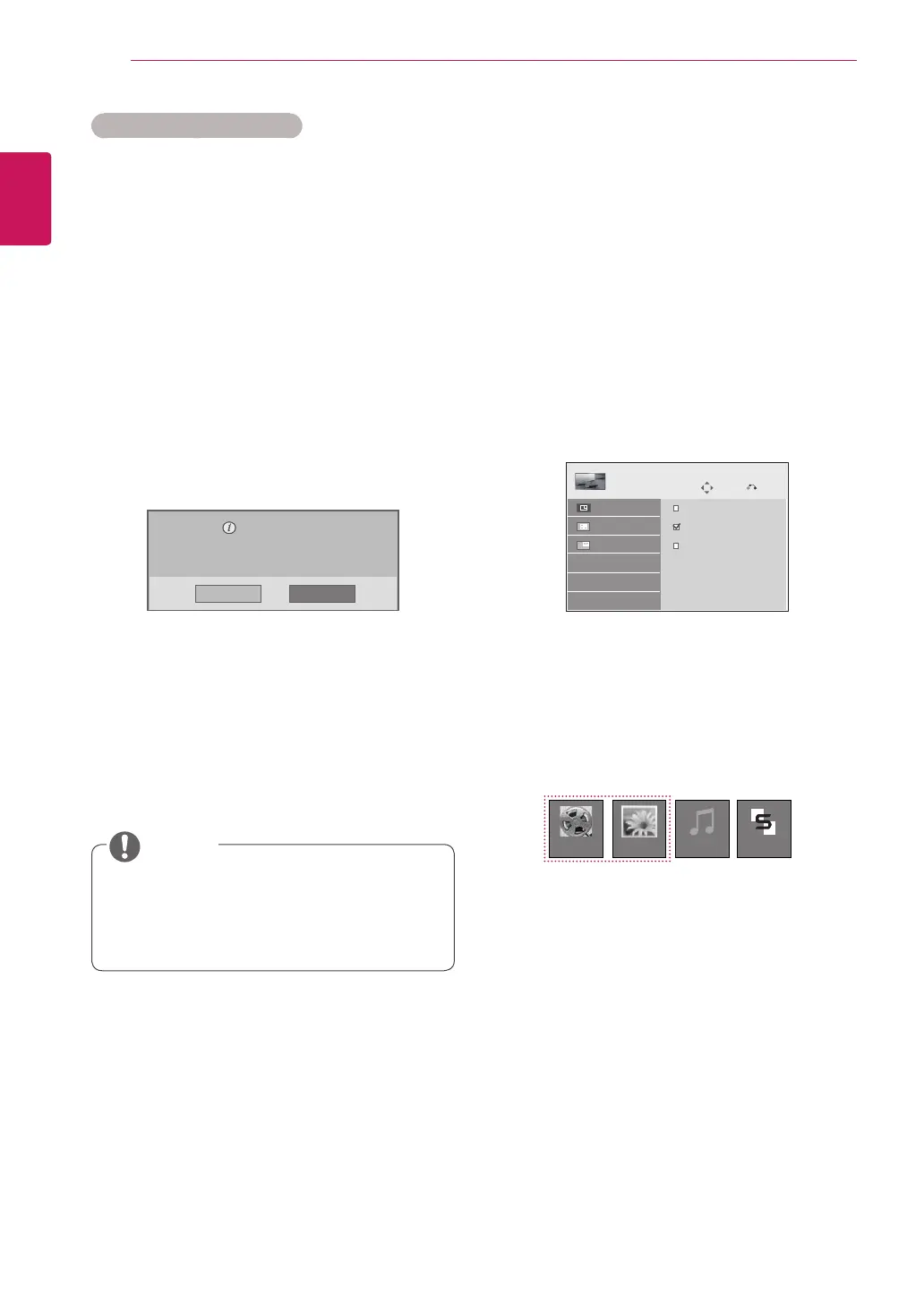
Deregistration code :
********
Deregister at http://vod.divx.com
Continue with registration?
Yes No
6 When you are finished, press EXIT.
When you return to the previous menu, press
BACK.
NOTE
Using PIP/PBP
Videos or pictures stored on the USB device can
be displayed on a single monitor by dividing them
into the main and subscreens. (See p.46)
1 Press the MENU button to move to OPTION
and press OK.
2 Press PIP/PBP to select PIP or PBP and then
press OK.
Move
PIP/PBP
Off
PIP
PBP
Prev.
Mode
Position
Size
3 Select Movie List or Photo List from My
Media.
Movie List Music ListPhoto List
Contents List


 To Next Page