50
ENG
ENGLISH
MAKING CONNECTIONS
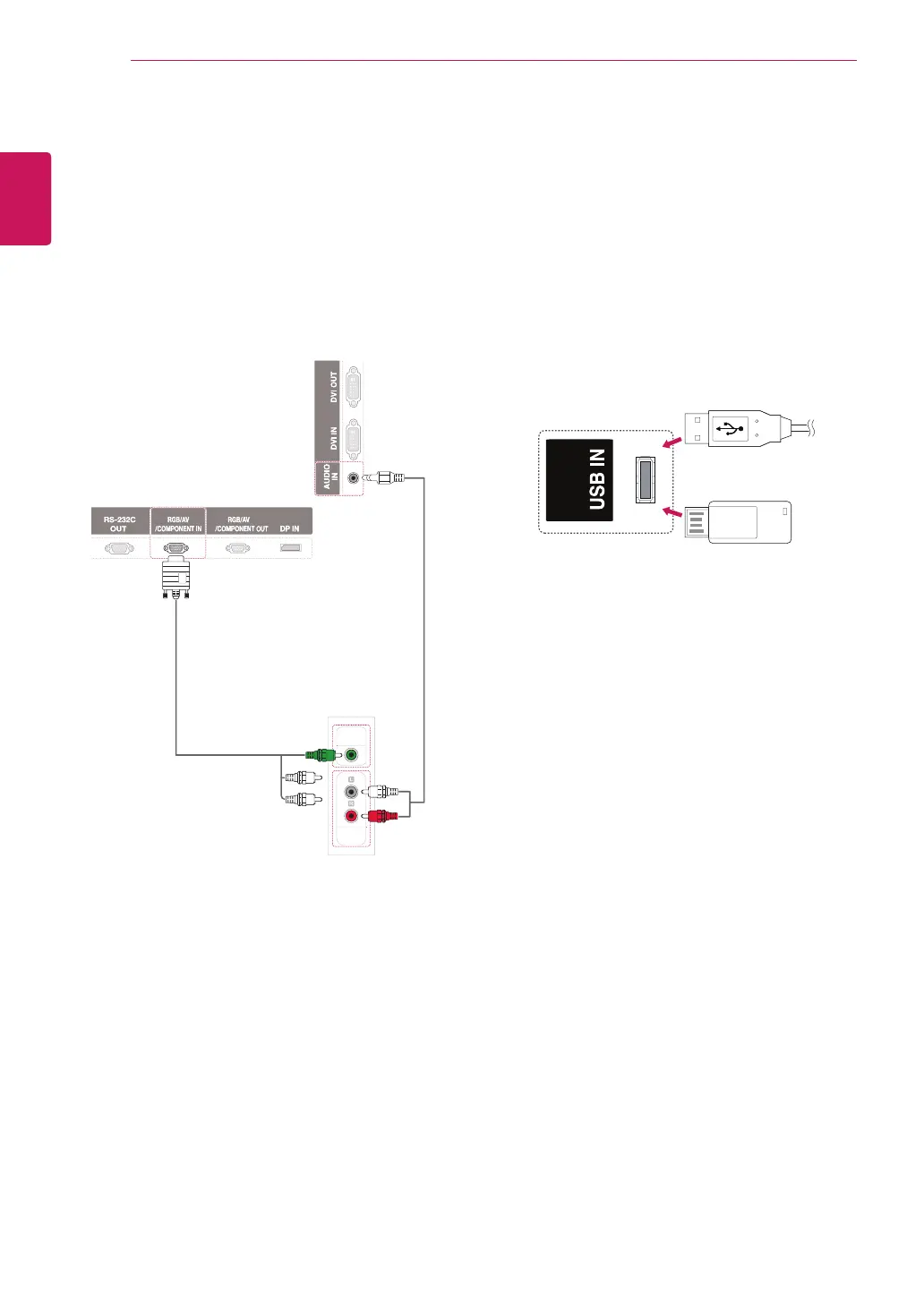
AV(CVBS) connection
Transmits the analog video and audio signals
from an external device to the Monitor. Connect
the external device and the Monitor with the 15
pin signal to RCA cable as shown on the following
illustration.
Connecting to a USB
Connect a USB storage device such as s USB
flash memory, external hard drive, MP3 player or
a USB memory card reader to the Monitor and
access the USB menu to use various multimedia
files.
DI
OUT
IDE
(not included)
(not included)
or


 To Next Page