ENG
ENGLISH
20
ASSEMBLING AND PREPARING
Model 49/55UB850T
55UC970T
60UB850T
65UB930T
65UB950T
65UC970T
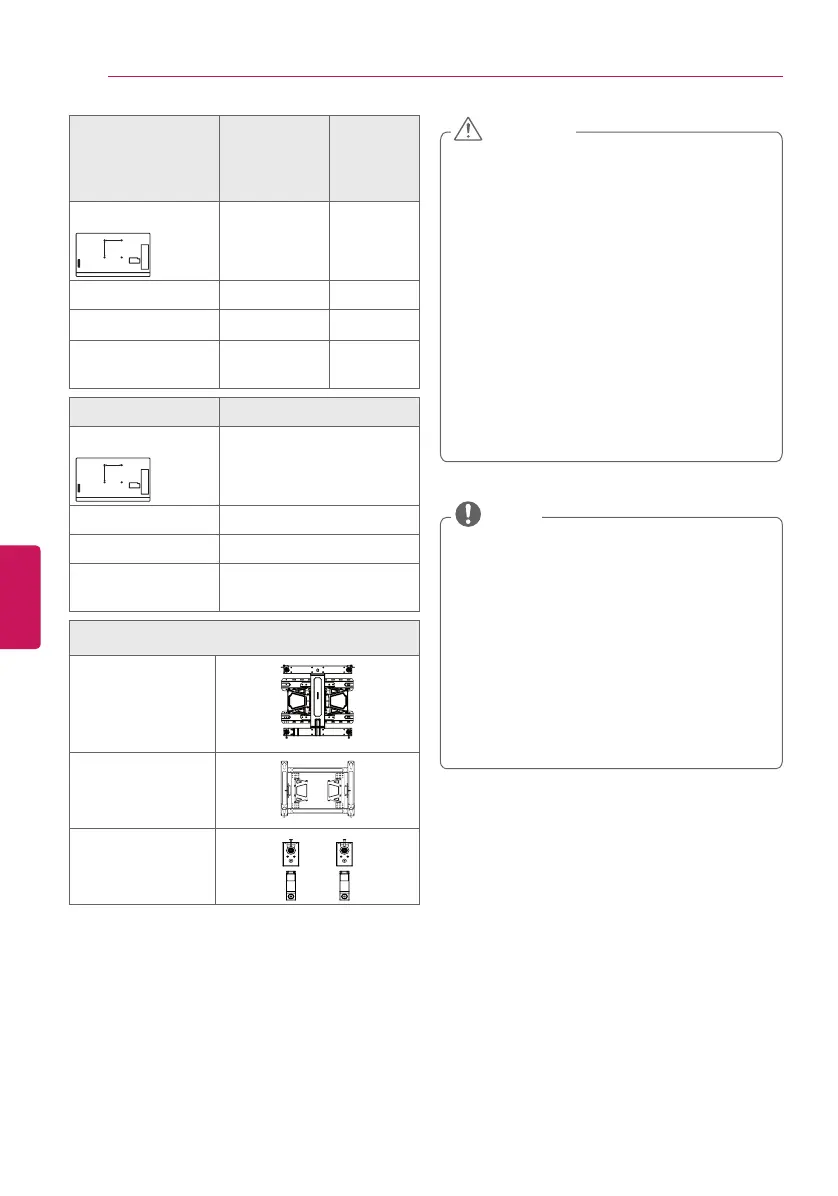
VESA (A x B)
A
B
400 x 400 400 x 400
Standard screw M6 M6
Number of screws
4 4
Wall mount bracket
(optional)
LSW440B
MSW240
LSW440B
Model 79/84/98UB980T
VESA (A x B)
B
600 x 400
Standard screw
M8
Number of screws
4
Wall mount bracket
(optional)
LSW640B
Wall mount bracket (optional)
LSW440B
LSW640B
MSW240
y
Disconnect the power first, and then
move or install the TV. Otherwise electric
shock may occur.
y
If you install the TV on a ceiling or slanted
wall, it may fall and result in severe injury.
Use an authorized LG wall mount and
contact the local dealer or qualified
personnel.
y
Do not over tighten the screws as this
may cause damage to the TV and void
your warranty.
y
Use the screws and wall mounts that
meet the VESA standard. Any damages
or injuries by misuse or using an improper
accessory are not covered by the
warranty.
CAUTION
y
Use the screws that are listed on the VESA
standard screw specifications.
y
The wall mount kit includes an installation
manual and necessary parts.
y
The wall mount bracket is optional. You can
obtain additional accessories from your local
dealer.
y
The length of screws may differ depending
upon the wall mount. Make sure to use the
proper length.
y
For more information, refer to the manual
supplied with the wall mount.
NOTE


 To Next Page