ENG
ENGLISH
8
TABLE OF CONTENTS
y
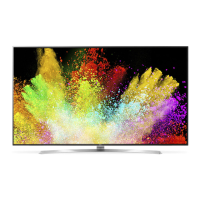
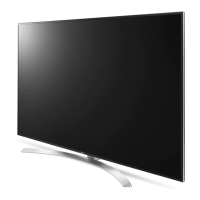
Image shown may differ from your TV.
y
Your TV’s OSD (On Screen Display) may
differ slightly from that shown in this
manual.
y
The available menus and options may
differ from the input source or product
model that you are using.
y
New features may be added to this TV in
the future.
NOTE
2 IMPORTANT SAFETY
INSTRUCTIONS
6 Viewing 3D Imaging
7 LICENSES
7 OPEN SOURCE SOFTWARE
NOTICE
8 TABLE OF CONTENTS
9 INSTALLATION PROCEDURE
9 ASSEMBLING AND PREPARING
9 Unpacking
12 Optional Extras
13 Parts and Buttons
14 - Using the joystick button
15 Lifting and Moving the TV
16 Setting up the TV
16 - Attaching the Stand
18 - Mounting on a Table
19 - Mounting On a Wall
21 - Tidying Cables
21 Using Built-in Camera
22 - Preparing Built-in Camera
22 - Name of Parts for the Built-In Camera
22 - Checking the Camera’s Shooting
Range
23 MAKING CONNECTIONS
23 Connecting to an Antenna or Cable
24 Connecting to a HD receiver, DVD
Player, or VCR
24 - HDMI Connection
25 - DVI to HDMI Connection
26 - Connecting to a Mobile Phone
27 - Component Connection
28 - Composite Connection
29 Connecting to a PC
29 - HDMI Connection or DVI to HDMI
Connection
31 Connecting to an Audio System
31 - Digital Optical Audio Connection
32 Connecting Headphones
33 Connecting a USB Drive
34 MAGIC REMOTE FUNCTIONS
35 Registering Magic Remote
35 How to Use Magic Remote
35 Precautions to Take When Using the
Magic Remote
36 USING THE USER GUIDE
37 SPECIFICATIONS
40 MAINTENANCE
40 Cleaning Your TV
40 - Screen, Frame, Cabinet, and Stand
40 - Power Cord
41 TROUBLESHOOTING
41 EXTERNAL CONTROL DEVICE
SETUP
TABLE OF CONTENTS


 To Next Page